
More articles and topics
Access only with complete company documents
- Before you start
- Permission to edit the site settings
- Where to find it
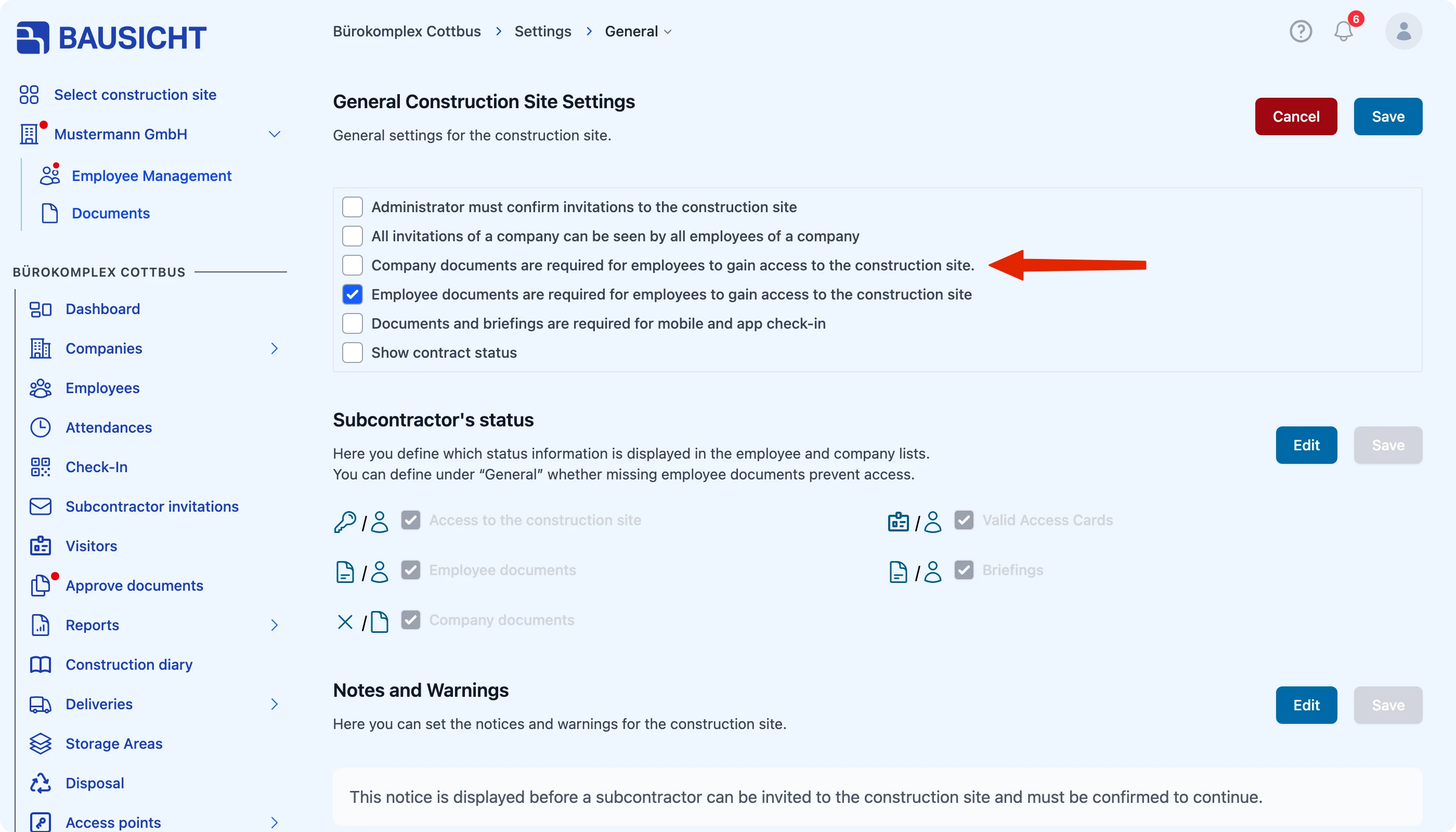
- Settings → General → Company documents are required for employees to gain access to the site
- How to check the result
- When the option is enabled, Bausicht denies access to employees of a company with missing valid company documents.
On this page
Quick answer
With permission to edit the site settings, enable Company documents are required for employees to gain access to the site under Settings → General. If valid company documents are missing, Bausicht denies access to that company’s employees.
This site setting lets you ensure that only companies with valid company documents on file may enter your site. This way you enforce compliance requirements without any extra effort in access control.
Requirements
To change this setting, you need permission to edit the site settings.
Enabling the setting
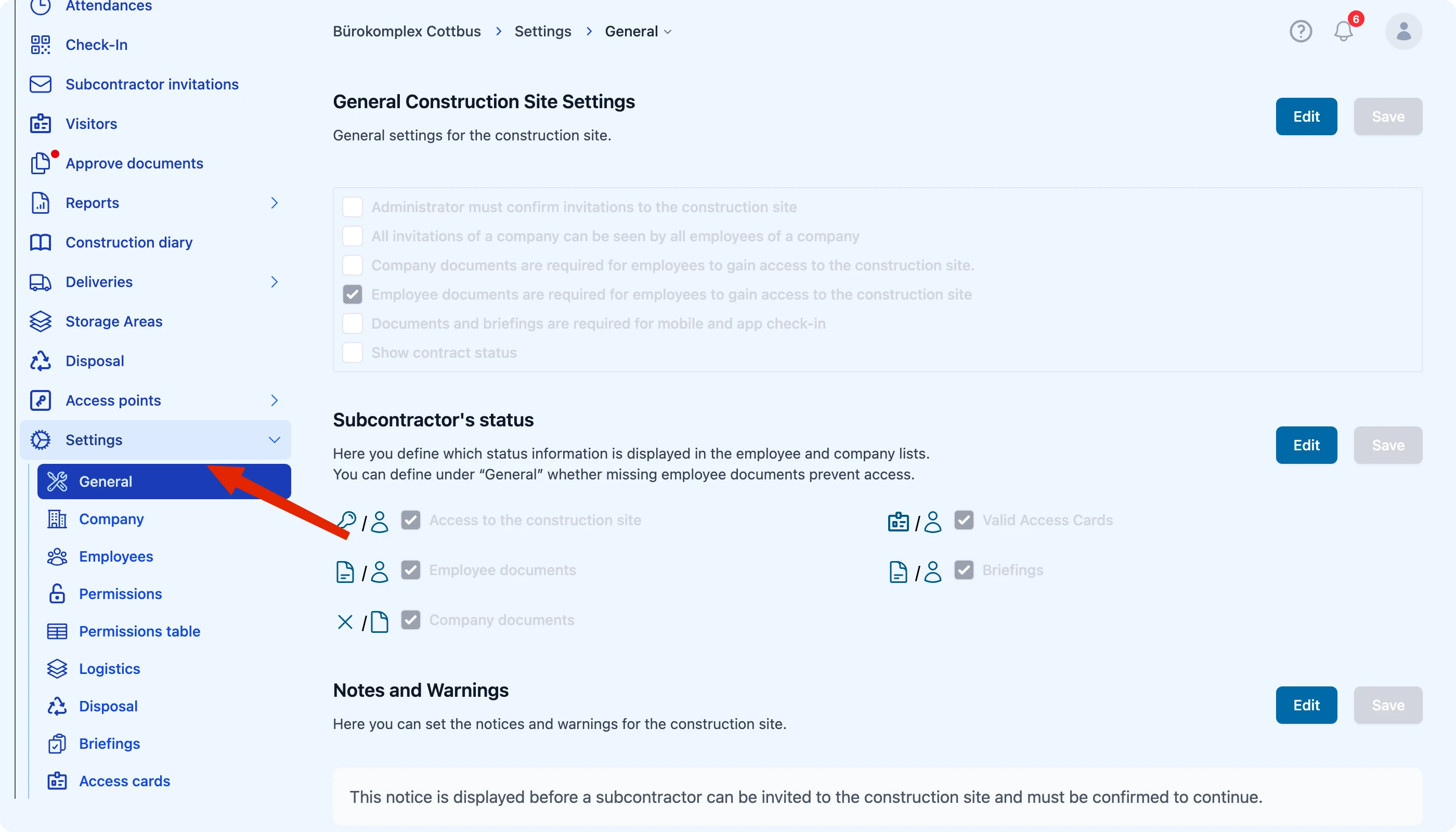
You can find the setting under Settings → General in the topmost section. There, enable the checkbox “Company documents are required for employees to gain access to the site”.
Effect
When the setting is enabled, employees only gain access to the site if their company has valid company documents on file. If the documents are missing or no longer valid, access is denied for the employees of that company.
This ensures that only companies with complete and up-to-date documentation can enter your site – a simple way to reliably meet compliance requirements.
Need further help?
If you need further assistance, our support team is happy to help.