
More articles and topics
Adding subcontractors and their employees to construction sites
- Before you start
- The Subcontractor administrator permission in the user's company is required to see the Subcontractors navigation; people can only be assigned to sites already assigned to their company.
- Where to find it
- Subcontractors → company → Construction sites; then Employees → person → Construction sites
- How to check the result
- The company and selected people are assigned to the sites; the subcontractor can view the project.
On this page
Quick answer
Under Subcontractors, select the company and assign the required sites on its Construction sites tab. Then assign individual people under Employees; only sites already assigned to the company are available there.
Video Tutorial
Text
Step 1: Sign in to Bausicht
Open app.bausicht.com in your browser and sign in. After signing in, you see the overview of your construction sites. In this tutorial you will learn the steps needed to assign subcontractors and their employees to construction sites.
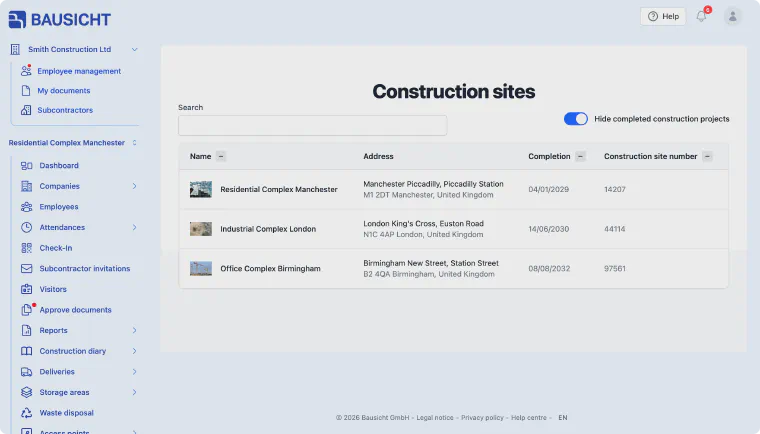
Step 2: Go to the Subcontractors section
In the left-hand navigation, go to the Subcontractors section below your company name. Note: This section is only visible if your role in the company is allowed to manage subcontractors, for example “Administrator for company and subcontractors”.
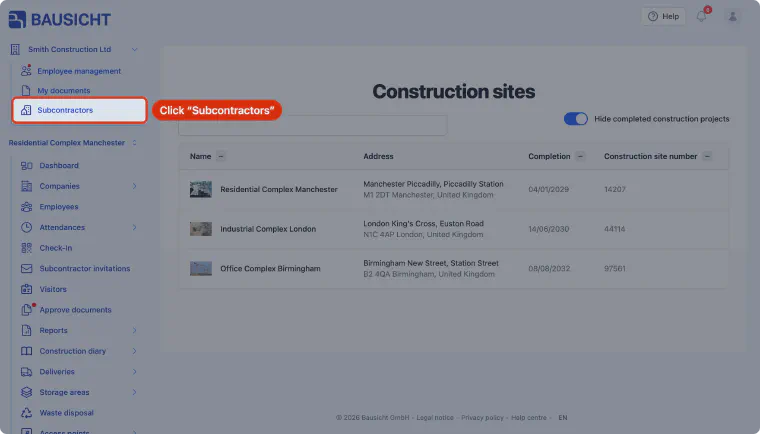
Step 3: Select the subcontractor
Select a subcontractor that you want to assign to a new construction site.
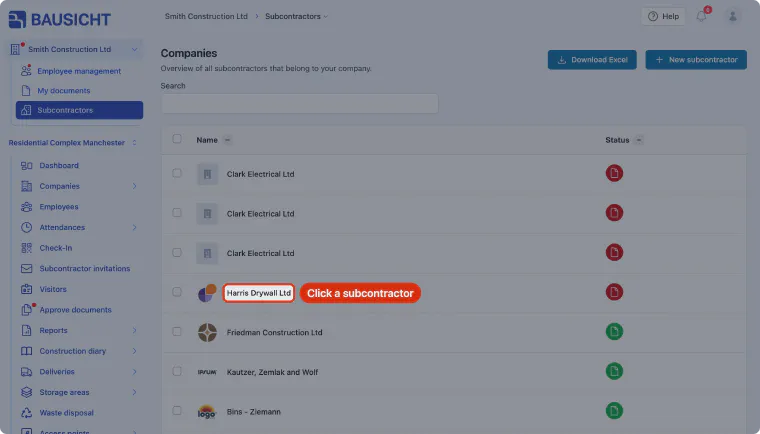
Step 4: Open the Construction sites section
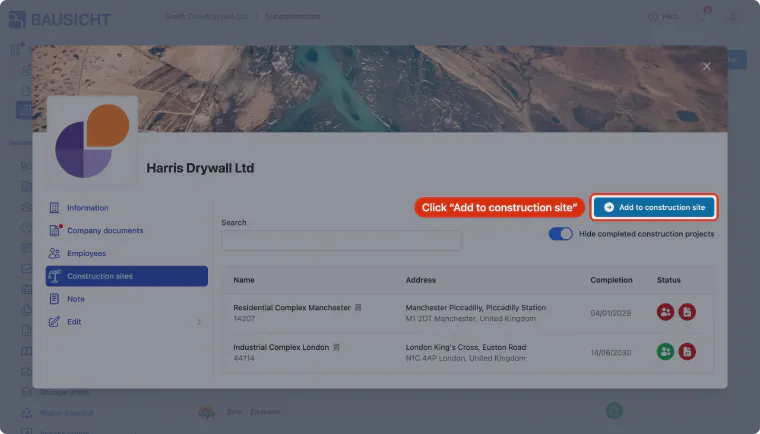
In the subcontractor’s dialog, click Construction sites to display the construction sites the subcontractor is assigned to.
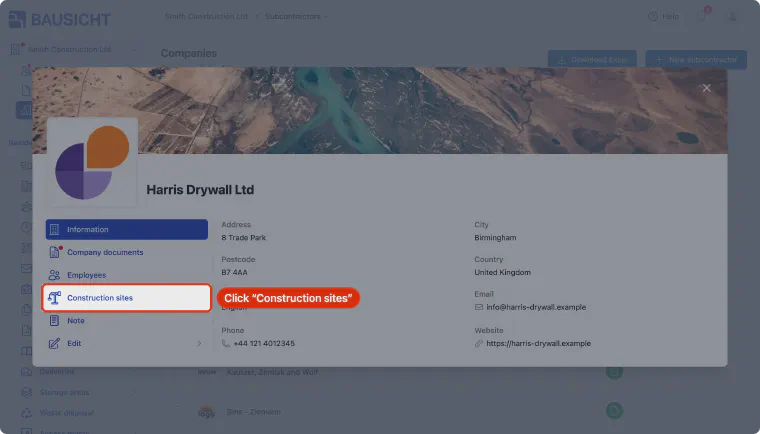
Step 5: Click Add to construction site
Click “Add to construction site” to assign new construction sites to the subcontractor.
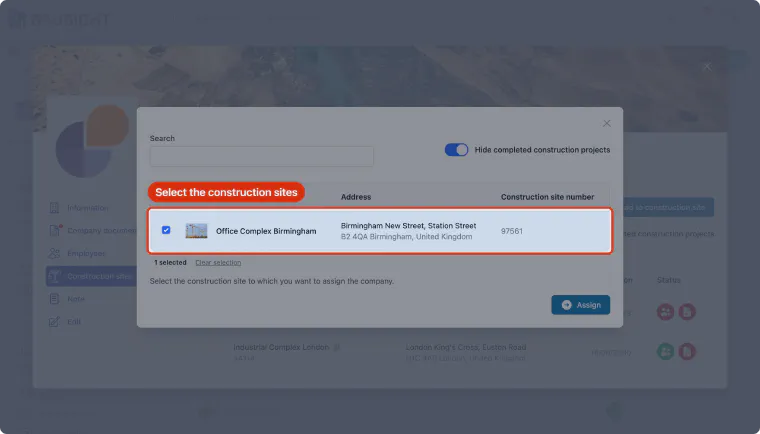
Step 6: Select the construction sites
Select the construction sites you want to assign the subcontractor to. The list shows your company’s construction sites that the subcontractor is not yet assigned to.
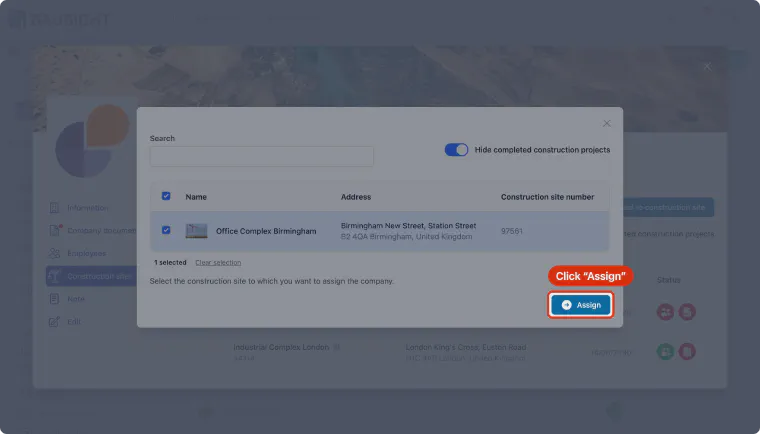
Step 7: Assign the construction sites
Click Assign to assign the selected construction sites to the subcontractor. In the following “Assign employees as well?” dialog you can assign the subcontractor’s employees right away.
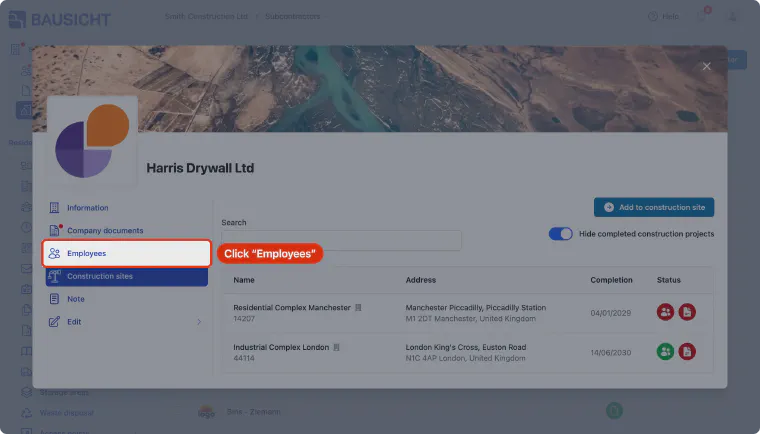
Step 8: Go to the Employees section
You can also assign the subcontractor’s employees to construction sites individually later. To do this, click Employees in the subcontractor’s dialog.
Step 9: Select the employee
Select the person you want to assign to new construction sites.
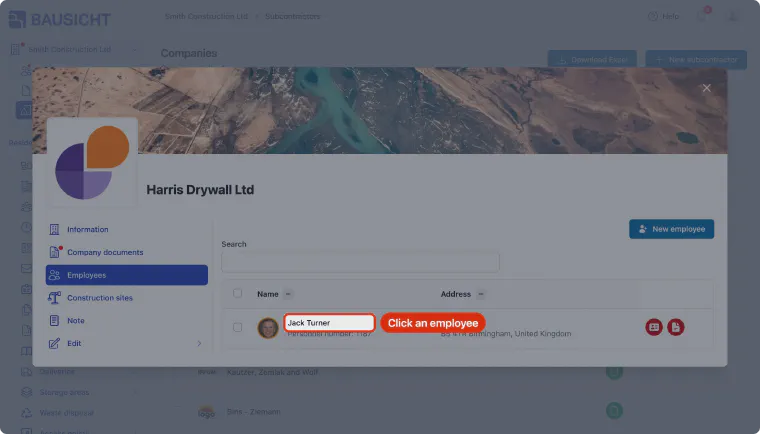
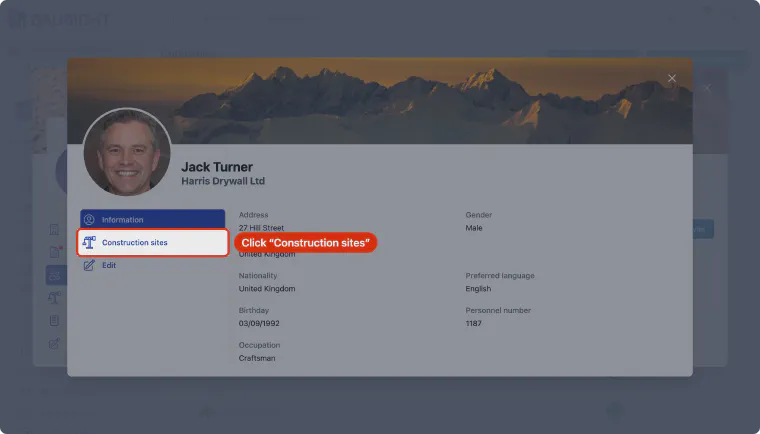
Step 10: Display the person's construction sites
In the person’s dialog, click Construction sites to display the construction sites the person is assigned to.
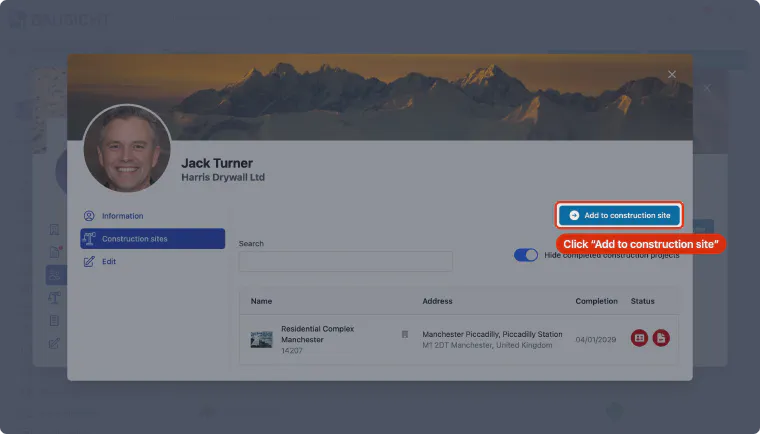
Step 11: Click Add to construction site
Click “Add to construction site” to assign new construction sites to the employee.
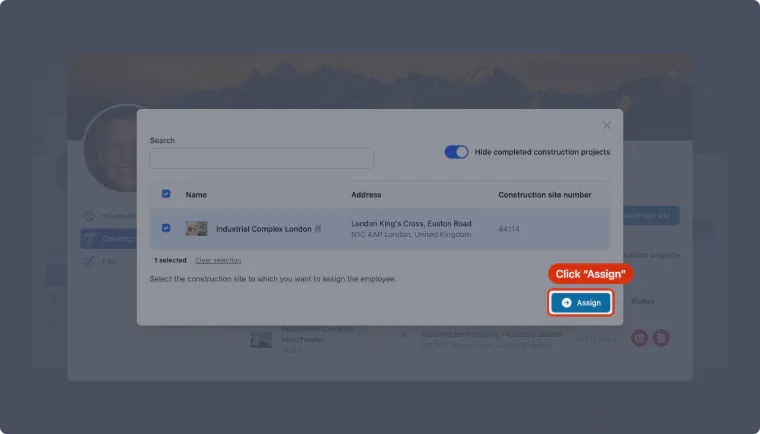
Step 12: Select the construction sites for the person
Select the construction sites you want to add the employee to. Note: Only construction sites where the company already has an assignment are shown here. If you can't find your construction site here, please check whether the company is assigned to the construction site.
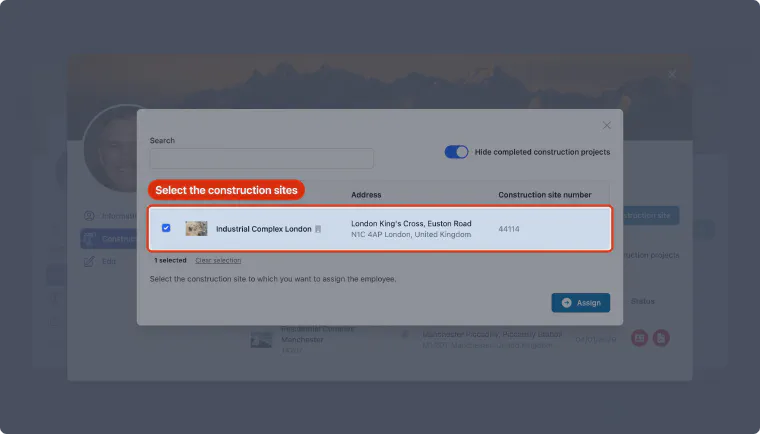
Step 13: Assign the person to the construction sites
Click Assign to assign the employee to the selected construction sites.
No construction site available?
When you assign employees of a subcontractor, only construction sites are offered where
- the subcontractor is already assigned to the site (the subcontractor’s Construction sites tab), and
- you have “Can view employee data of all subcontractors.” or “Can view data of all employees.” on that site and employees may be assigned there (“Can independently add employees to the construction site.”).
Sites to which the selected people are already assigned are not offered again. If you are missing one of these permissions, the site administrator can extend your role on the site.
Need further help?
If you need further assistance with assigning employees to construction sites, our support team is happy to help.