
More articles and topics
How do I change my password and the interface language?
- Where to find it
- Profile picture → Settings → Password or Language
- How to check the result
- The new password or the interface language selected for the user's own account is saved.
On this page
You manage your password and the language of the interface yourself – both are in the user menu at the top right under Settings. The language selection applies to your own account only and does not affect your colleagues.
Quick answer
| Step | Description |
|---|---|
| 1 | Click your profile picture at the top right and choose Settings |
| 2 | For the password: the Password area – enter your current and new password and click Save |
| 3 | For the language: the Language area – select the language you want; it is applied immediately |
Step 1: Open your personal settings
Click your profile picture at the top right and then Settings.
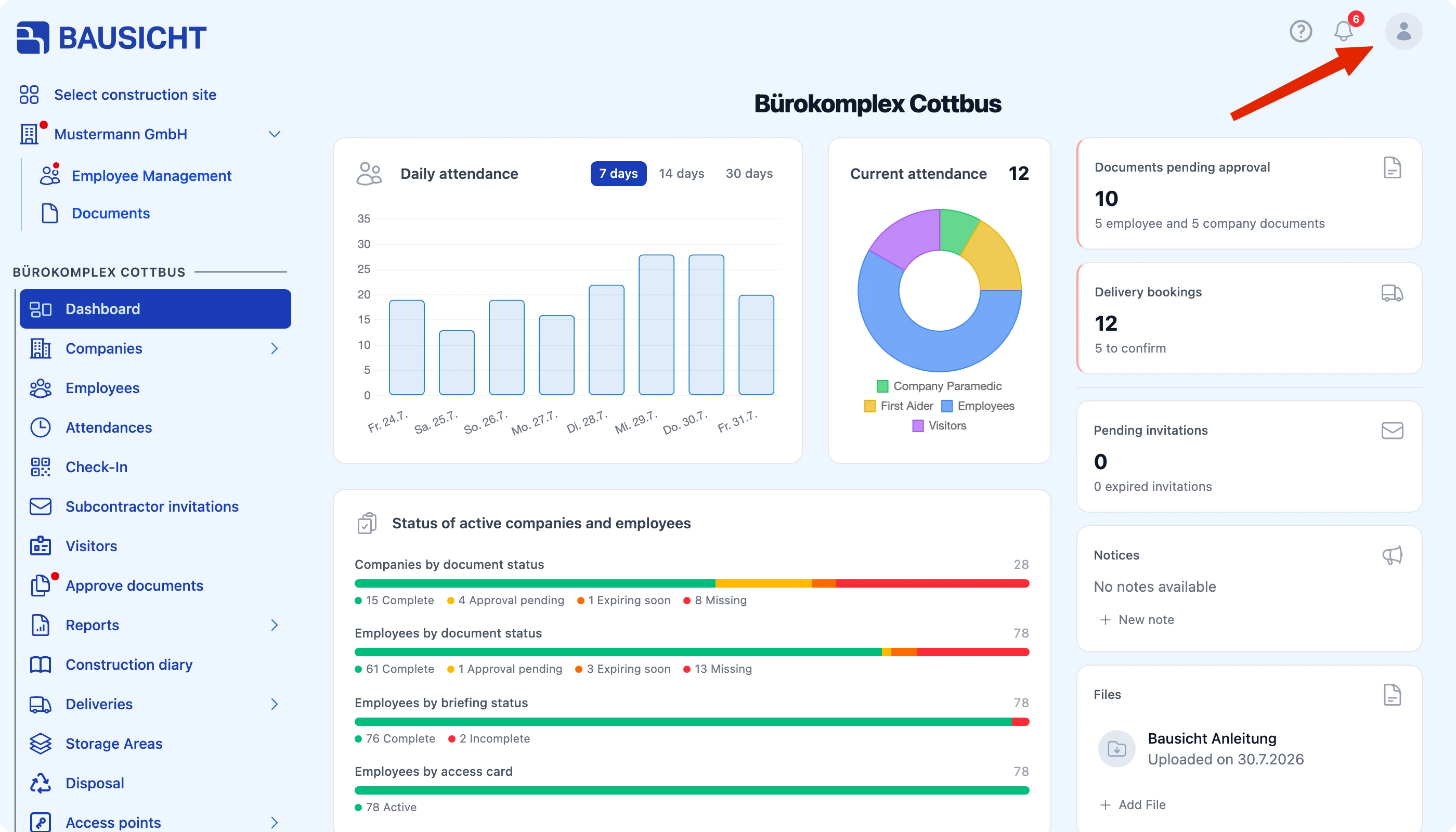
The settings include the areas Password, Notifications and Language, and depending on your permissions also Edit profile and Edit company.
Step 2: Change your password
The Change Password area has three fields:
| Field | Meaning |
|---|---|
| Current Password | Your password so far |
| New Password | The new password you want |
| Repeat New Password | The same entry again for safety |
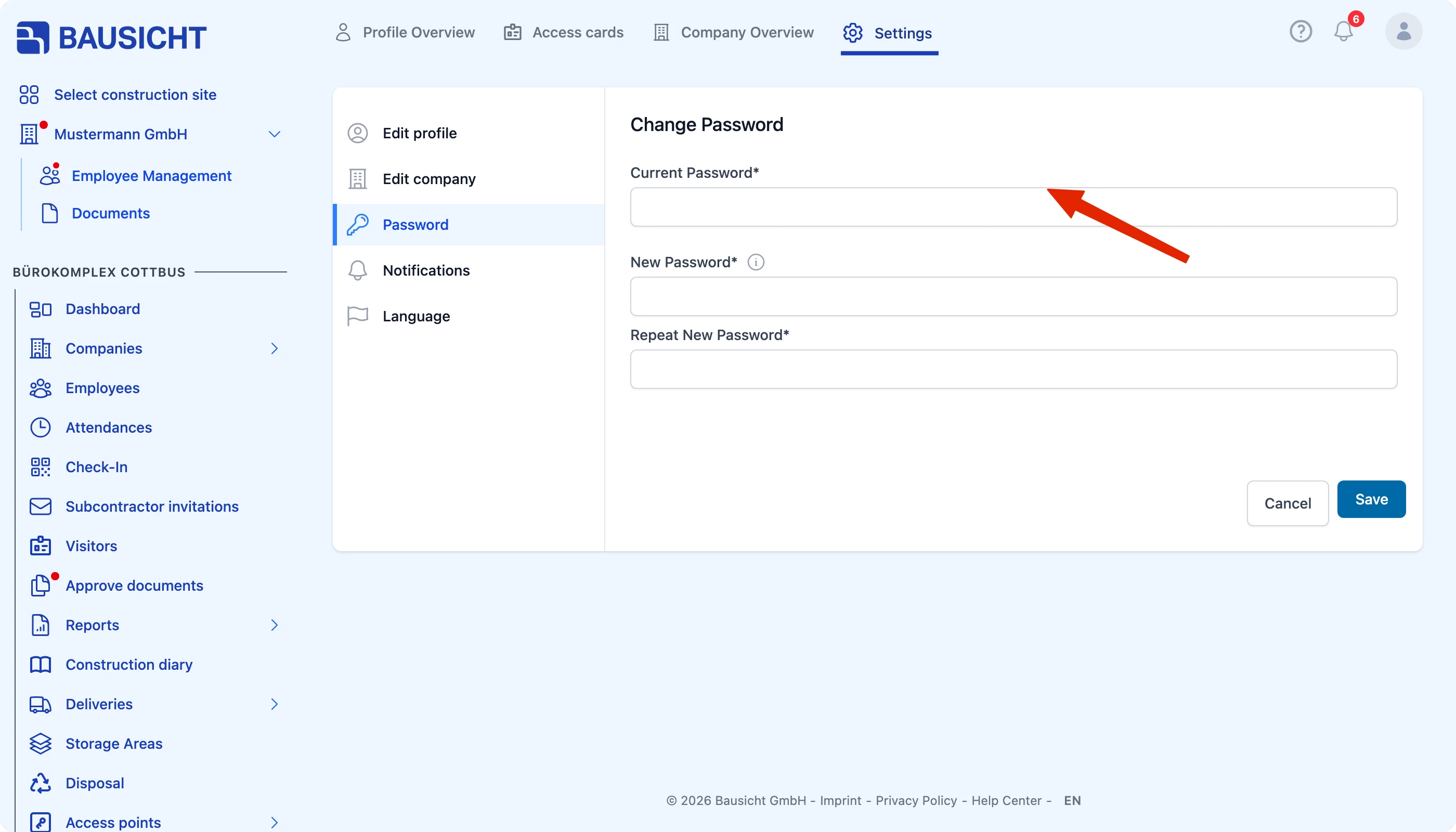
Then click Save.

Note: If you no longer know your current password, do not change it here – use Forgot password on the login page instead.
Step 3: Switch the interface language
In the Language area, use the Language selection field to choose the display language you want. Bausicht is available in many languages, which is useful for international teams on site.
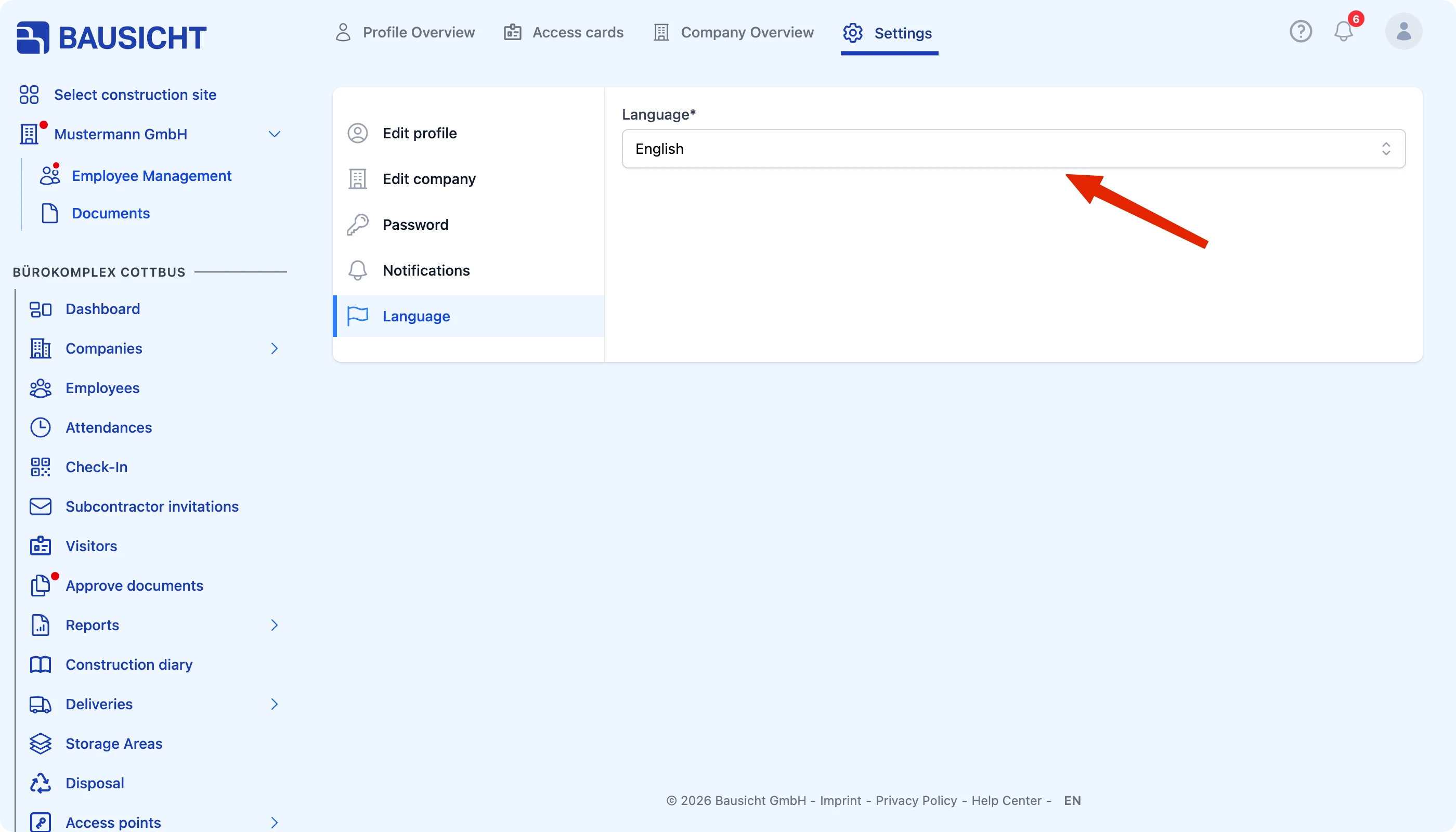
The interface switches to the selected language as soon as you choose it; there is no need to save.
Important: The language selection applies to your own user account only. Everyone on the construction site sets their own language.
Need further help?
If you need further assistance, our support team is happy to help.