
More articles and topics
Construction diary: copy the previous day
- Where to find it
- Construction diary → Date → Copy from last working day
- How to check the result
- The details from the last working day are available for editing in the selected construction diary entry.
On this page
Quick answer
Open the Construction diary and select the date. Bausicht automatically suggests the entries of the previous working day; accept them individually or all at once and then edit only the details that changed.
Activities often repeat from one day to the next. In the construction diary, you can therefore import the entries of the previous working day and then only edit the changes. This means you no longer have to re-enter all the details every day, saving valuable time when creating reports.
How it works
When you open a day in the construction diary, Bausicht shows recurring entries such as persons, employee groups, activities, equipment and materials from the last working day that was filled in as suggestions. Empty days and days marked as non-working are skipped. Imported entries already contain the previously recorded content, so you only need to adjust the parts that have actually changed.
Typical workflow:
- In the construction diary, select the day you want.
- Accept the suggestions from the previous working day.
- Edit only the changes.
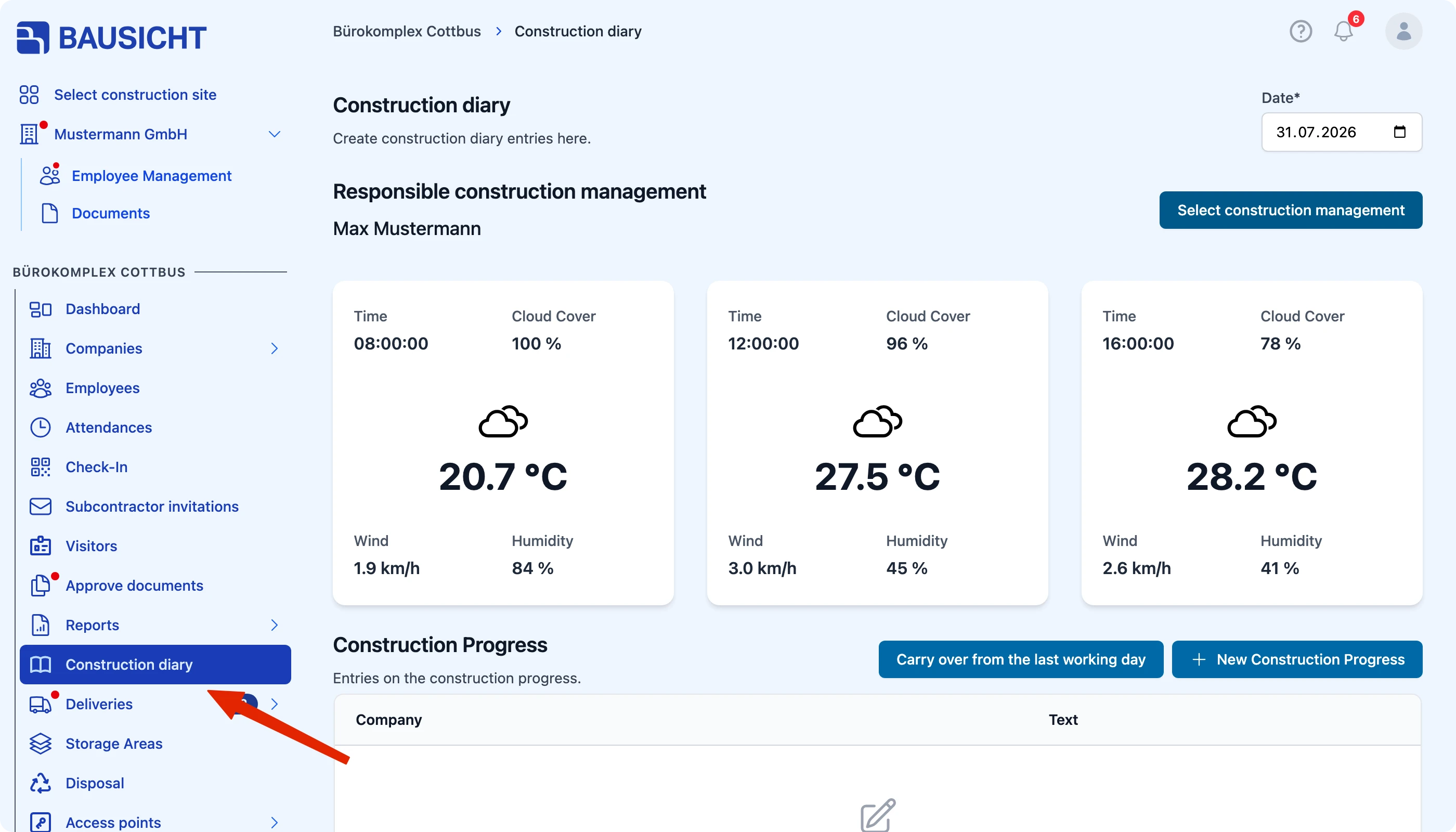
Step 1: Open the “Construction diary” in the left-hand navigation
Under Construction diary, open My construction diary; under Other companies, you can see the construction diaries of other companies.
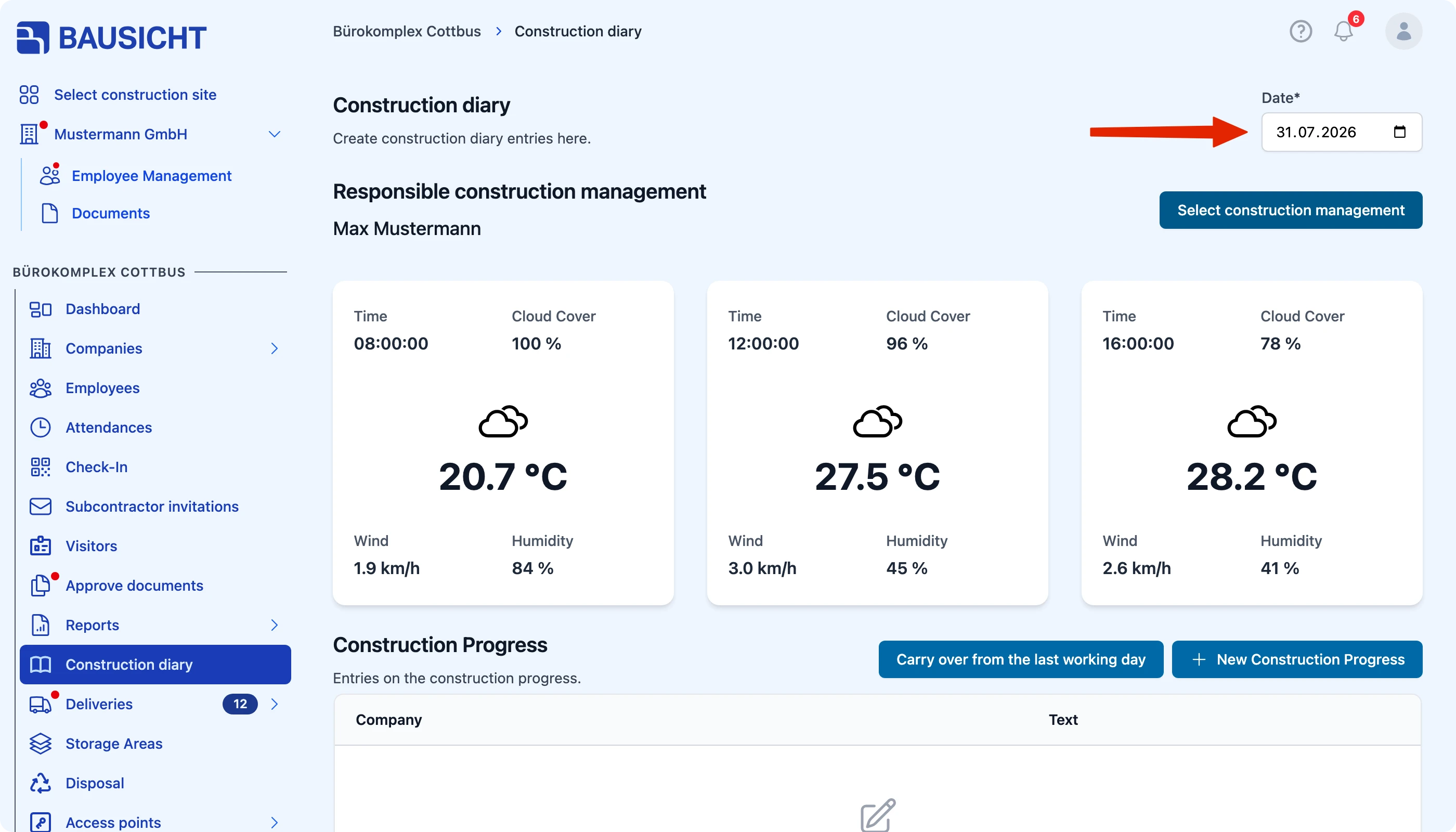
Step 2: Select the date of the construction day at the top
The date field is at the top next to the Today button.
Step 3: Accept the suggestions
Accept suggestions individually with Accept suggestion or all at once with Accept all … suggestions. Discard suggestions that do not fit with Reject suggestion. To pick a different earlier day, use Import entries.
Benefit
Especially for recurring activities, you do not have to document each construction diary entry from scratch. By copying the previous day and only adding the differences, you reduce the effort while keeping the construction diary entries consistent and complete.
Need further help?
If you need further assistance, our support team is happy to help.