
More articles and topics
How do I create an access card?
- Before you start
- A construction site role with the Can create access cards for employees permission
- Where to find it
- Employees → person → Access → New access card
On this page
Quick answer
With the Can create access cards for employees. permission, open Employees, select the person and click New access card on the Access tab.
Requirements
You need a role on the construction site with the permission Can create access cards for employees.
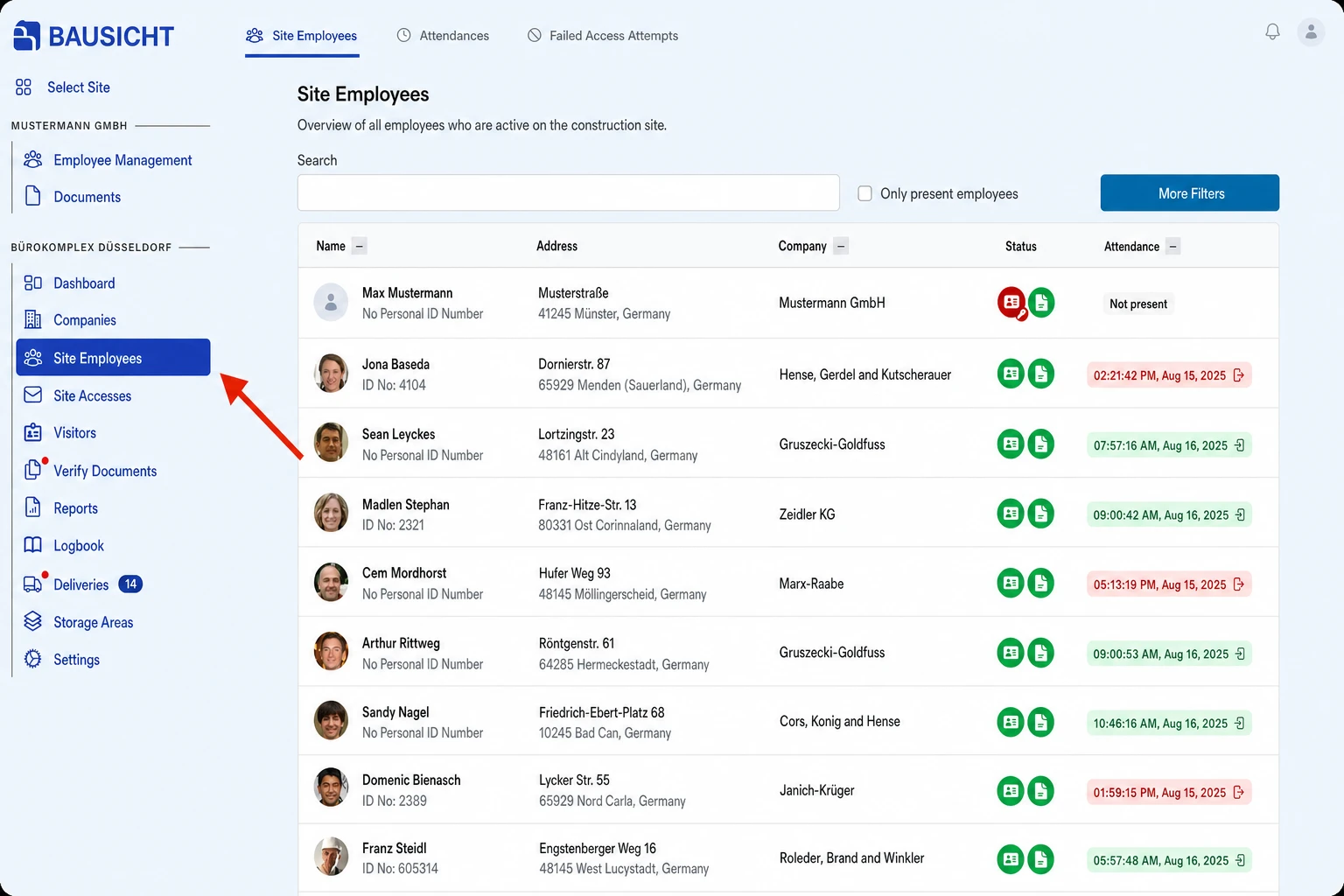
Step 1: Go to Employees.
Go to “Employees” in the left-hand navigation.
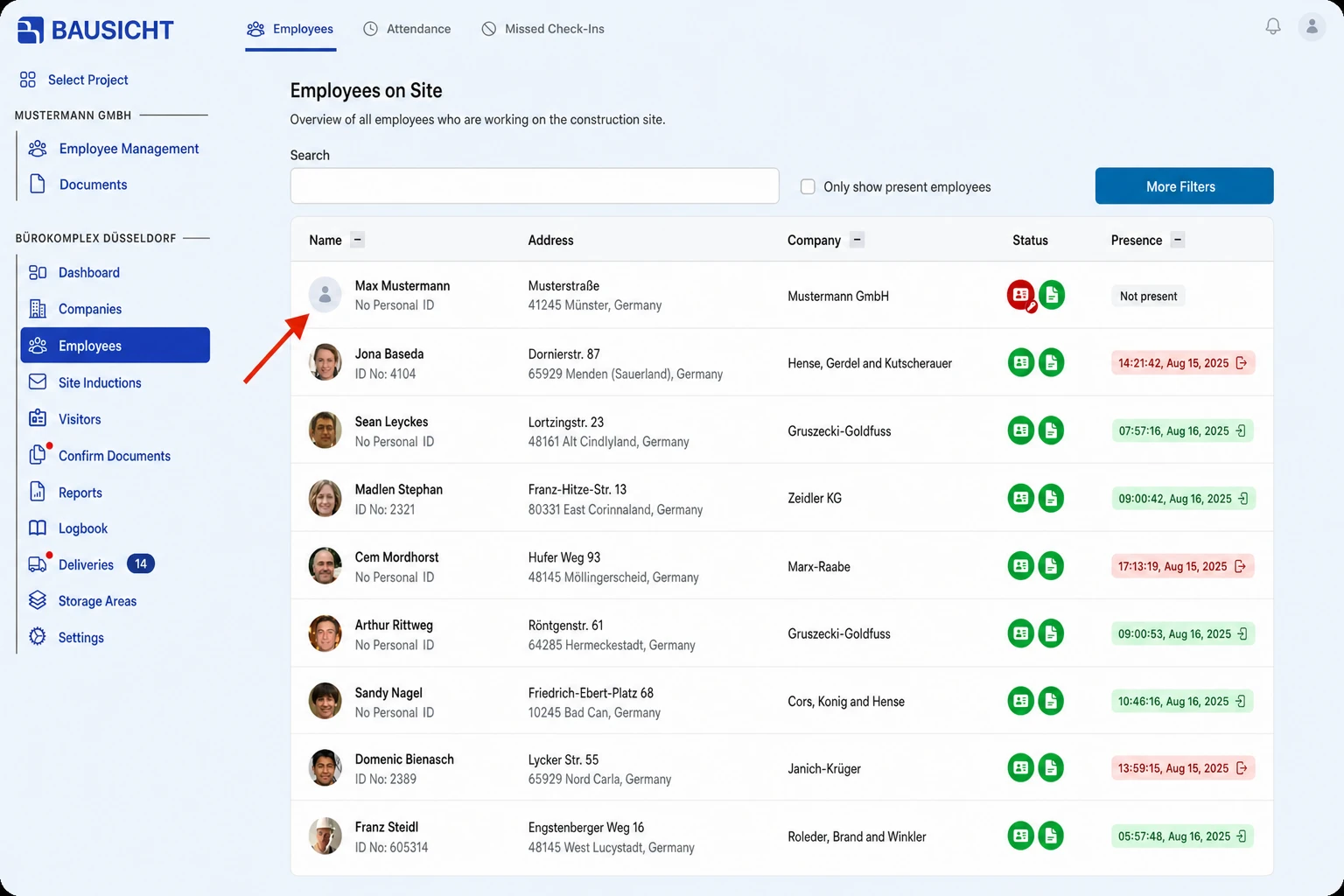
Step 2: Select the relevant person.
Click on the desired employee in the list of employees.
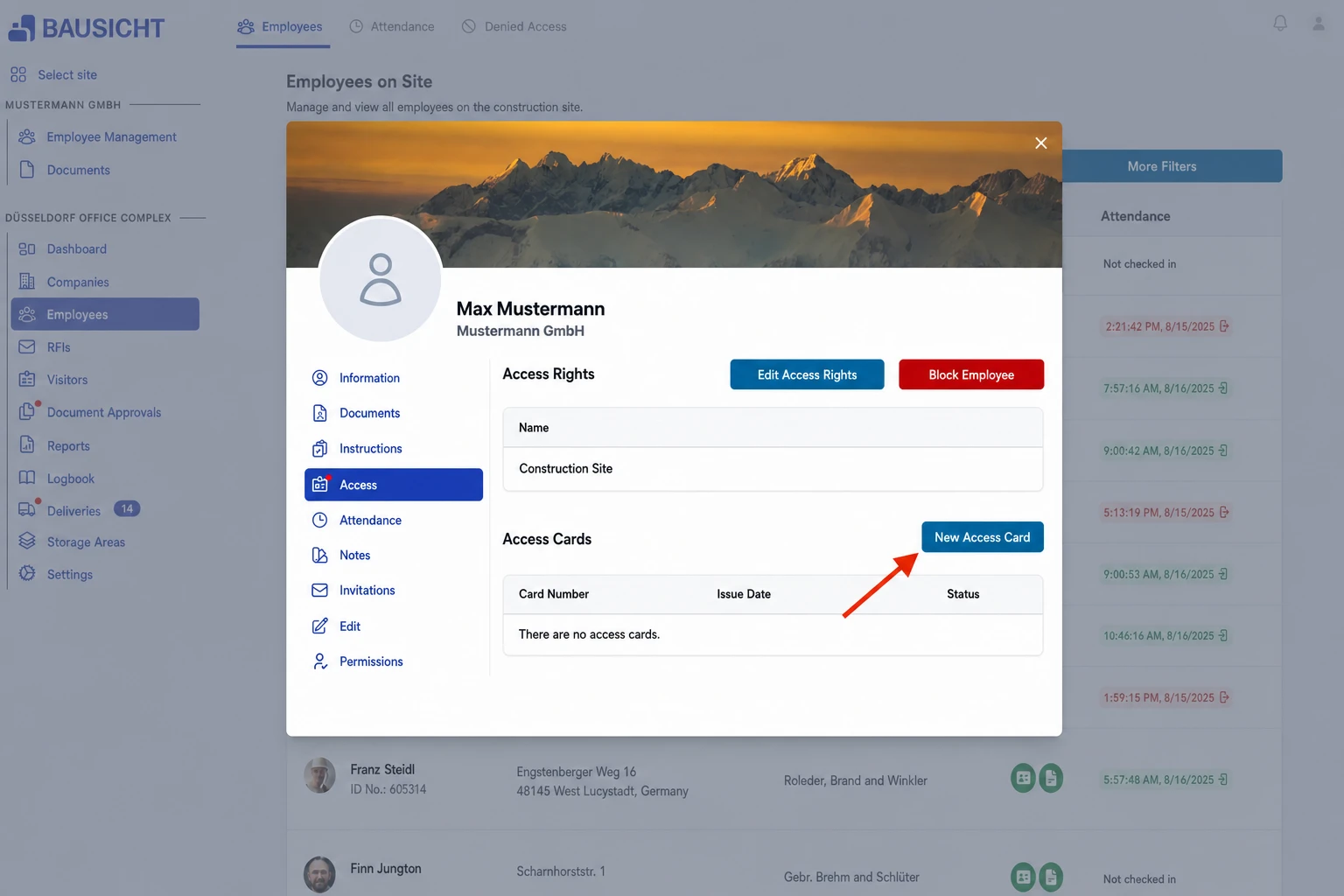
Step 3: Open the Access tab and click New access card.
Switch to the “Access” tab and create a new access card using the corresponding button.
After creating: QR code or physical card
The flow first depends on Settings → General → General → QR code sufficient:
- Enabled: The automatic printing and RFID activation flow is skipped. With permission to send the code, Send QR code opens; select email or SMS and check the recipient details. Without permission to send it, the remaining access requirements are checked next.
- Disabled: The following printing and activation flow applies, depending on your role.
No permission needs to be removed for QR-only operation. The setting allows a created card to satisfy the card-status requirement; it does not replace other access requirements or turn an RFID reader into a QR reader. If the setting shows a warning about offline access points, contact Bausicht support to have them adjusted.
Printing and activation with QR mode disabled
- With the Can directly print access cards for employees. permission, the print dialog opens directly. Without this permission, the card is displayed and can be saved via Download access card.
- With the Can activate access cards in the browser. permission, the Activate access card dialog opens afterwards. Hold the card against the connected card reader; the card is then Active.
Until it is activated, the card has the status Not yet activated. Its QR code already works; card readers, for example at the turnstile, only recognise it after activation. You can close the dialog (confirm the prompt with Do not activate card) and activate the card later: on the Access tab, click the card and choose Activate access card.
Reprinting or downloading: As long as the card has not been activated, you can also print it again there (Print access card) or, without the print permission, download it (Download access card).
If a message appears during activation saying that the card ID contains special characters: switch off Caps Lock, release the Shift key and hold the card against the reader again.
Sending the QR code later
Open the employee and choose Access → Send QR code. Email and/or SMS are available depending on your permissions. SMS requires a phone number with country code, confirmed employee consent and available SMS credit. A card eligible for sending must exist. The delivery options are described in Send an access QR code by email or SMS.
Frequently asked questions
The card reader beeps, but the card is not activated – what can I do?
- If the correct USB card reader lights up red and beeps but activation does not respond, a USB hub is very likely the cause. Connect the reader directly to the PC and present the card again.
- Click once into the Bausicht window so that the browser receives the input from the card reader, then hold the card against it again.
- A desktop reader must enter the card ID like a keyboard and finish with Enter. To test this, hold the card against the reader while an empty text field is open (e.g. in a text editor): a string of characters followed by a line break should appear.
- If the card reader is connected via Bausicht Geräte-Service, the dialog shows its status. Place the card flat on the reader and leave it there until activation is complete.
If the card still cannot be activated, contact Bausicht support.
Is the access card only issued once all documents are available?
No. Access cards are not created automatically; a person with the Can create access cards for employees. permission creates them – regardless of whether documents and safety briefings are already complete. Whether missing documents or briefings prevent access is set by the construction site and checked at the access point when someone enters.
Need further help?
If you need further assistance with creating access cards, our support team is happy to help.