
More articles and topics
Creating access points and opening them remotely
- Before you start
- The permission Zutritt: Kann Zugangspunkte der Baustelle erstellen to create one; the permission Zutritt: Kann Zugangspunkte der Baustelle aus der Ferne öffnen for remote opening
- Where to find it
- Access points → Create new access point; remote opening under Access points → turnstile or barrier → Open
- How to check the result
- The saved access point is created; for remote opening, Open sends the action to the selected access point.
On this page
You can now create new turnstiles and barriers yourself and open existing access points remotely, regardless of location – without an additional button or new wiring. Both functions require the appropriate permission.
Creating access points
With the appropriate permission, you can create new turnstiles and barriers yourself directly.
Prerequisite
To create access points, you need the permission Can create access points.
Quick answer
| Step | Description |
|---|---|
| 1 | Open Access points → List |
| 2 | Click New access point |
| 3 | Enter the Terminal ID and Name |
| 4 | Select the Entry zone and Exit zone and click Next |
| 5 | Set the opening hours if required and click Save |
Step 1: Open the Access points area
Navigate to Access points → List.
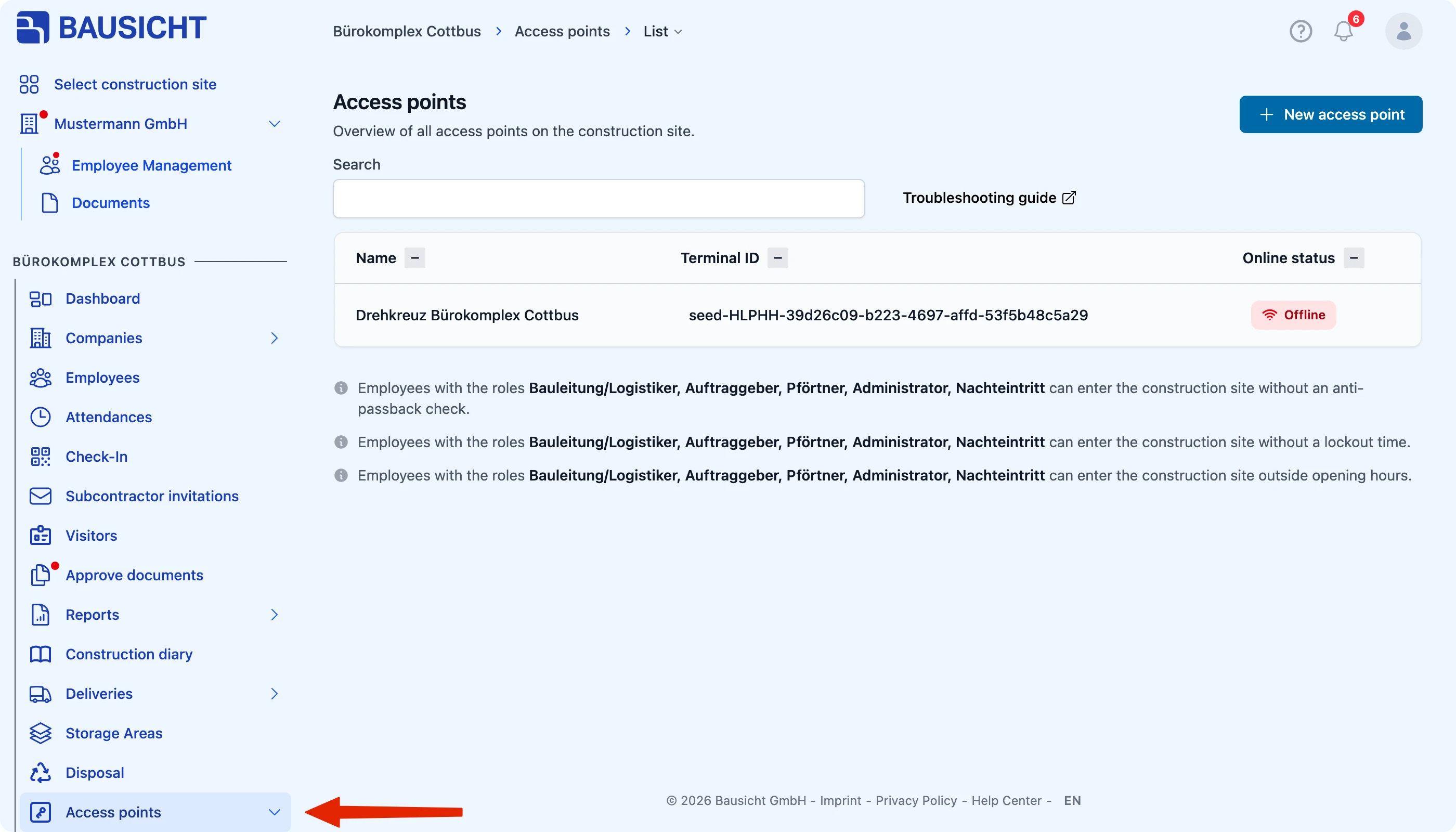
Step 2: Create a new access point
Click New access point in the top right.
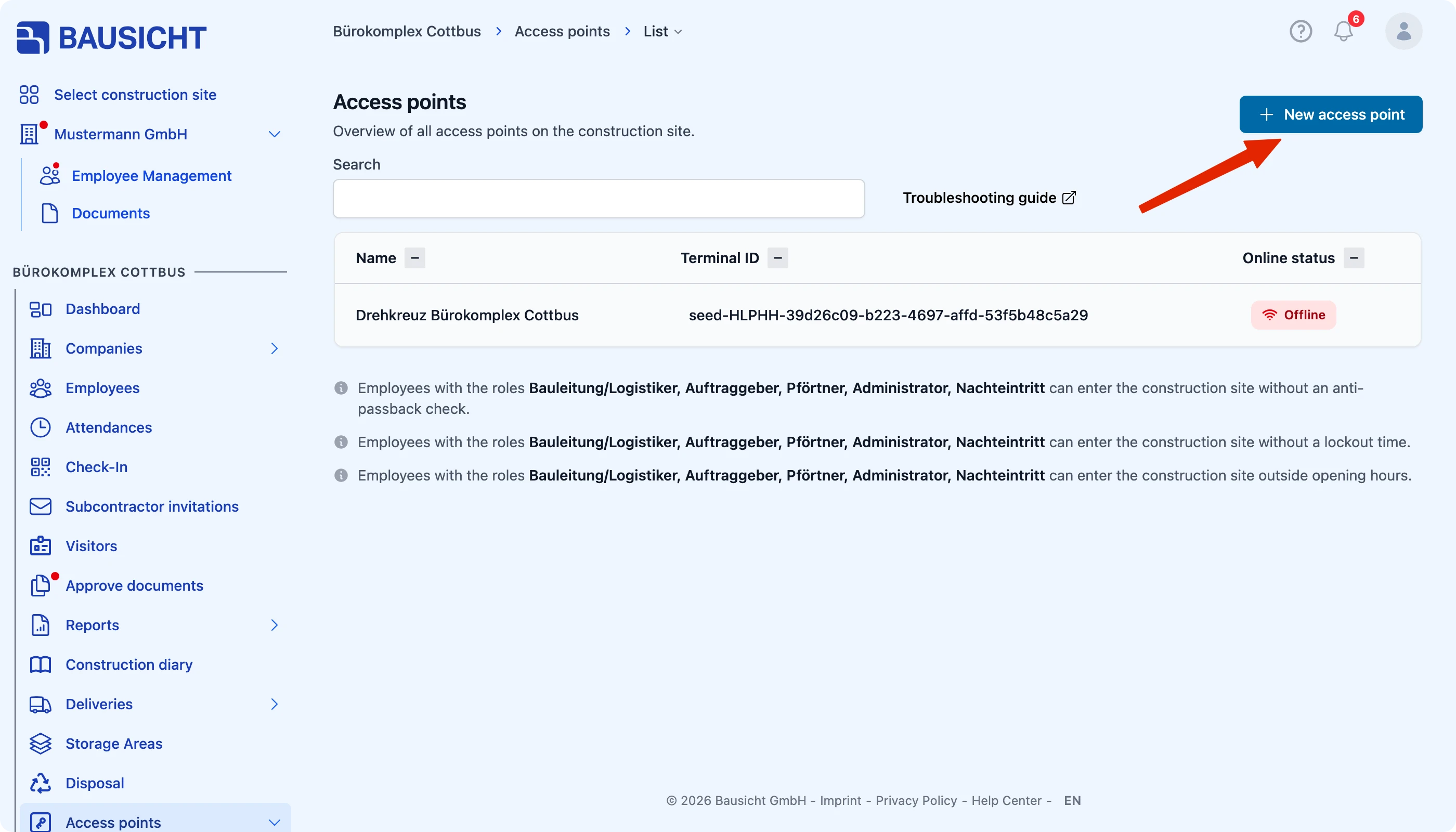
Step 3: Enter the terminal ID and name
In the Create access point dialog, enter the Terminal ID noted on the controller and a Name for the new access point.
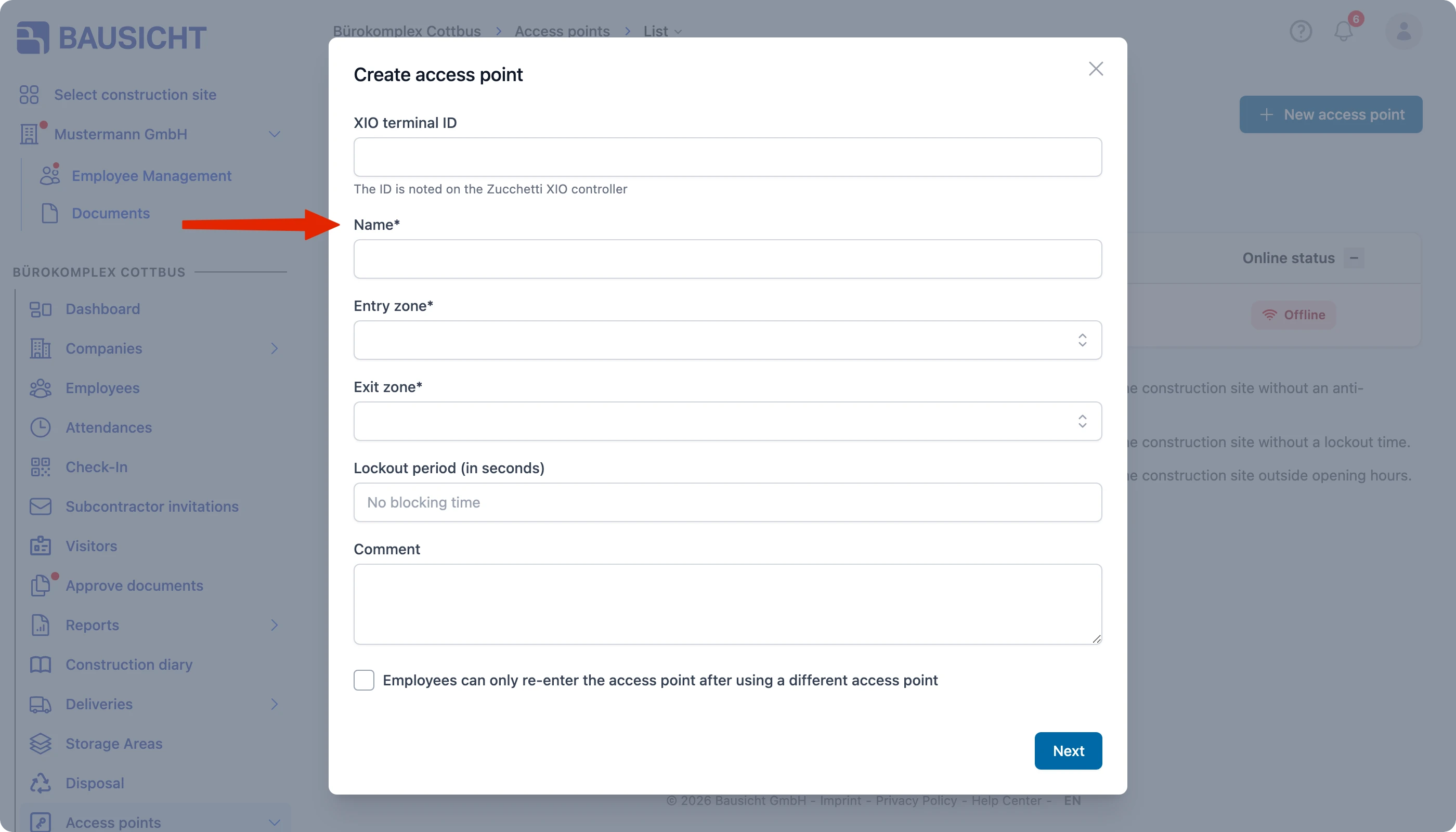
Step 4: Select the zones
Select the Entry zone and Exit zone. Optionally, enter a Lockout period (in seconds) and a Comment. Then click Next.
Step 5: Save
Set the access point’s opening hours if required (this step can be skipped) and complete the setup via Save.
Opening access points remotely
You can open access points remotely, regardless of location – without an additional button or new wiring. This is useful, for example, for site security or winter service when no one is on site at short notice.
Assign the permission
Activate the function by assigning the permission “Can open access points remotely.” under Settings → Permissions.
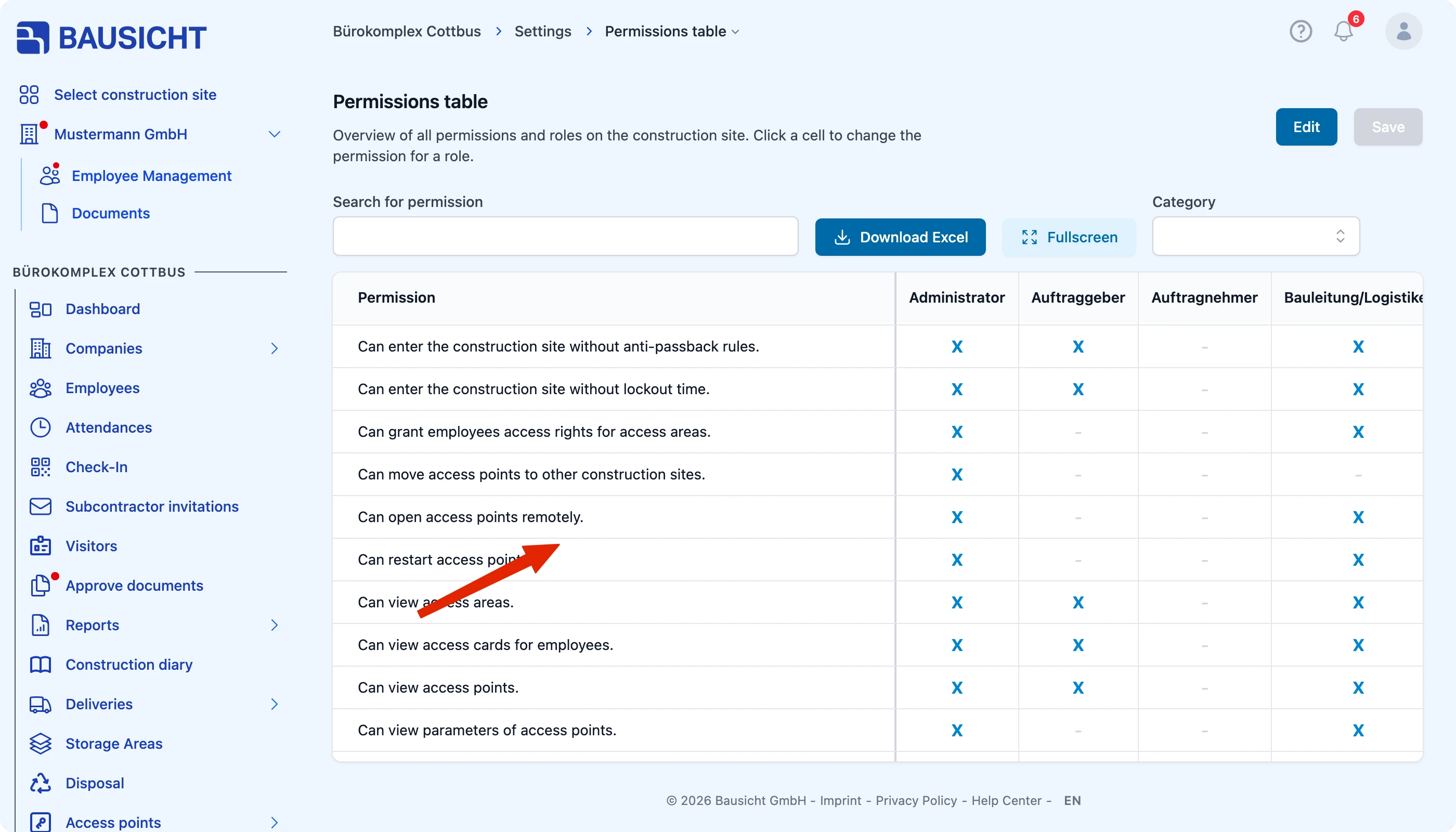
Open an access point
Then open the desired access point under Access points → List and, on the Information tab, click Open towards … (one button per direction of passage).
Optional permissions
Depending on your use case, you can additionally assign the following permissions:
- “Can edit the opening hours of access points.”
- “Can edit access points.”
- “Can view access points.”
If you have any questions about assigning permissions, please feel free to contact our support team.
Need further help?
If you need further assistance, our support team is happy to help.