
More articles and topics
How do I create a new booking in Deliveries?
- Before you start
- A construction site role with the Can request delivery bookings permission
- Where to find it
- Deliveries → + New booking
- How to check the result
- After the required fields are completed, the delivery booking is created.
On this page
Quick answer
| Step | Description |
|---|---|
| 1 | Go to “Deliveries” in the left-hand navigation |
| 2 | Select the “New booking” entry below it, or click “New booking” at the top right of the overview |
| 3 | Fill in all required fields and click “Create booking” |
Requirements
You need a role on the construction site with the permission Can create delivery bookings.
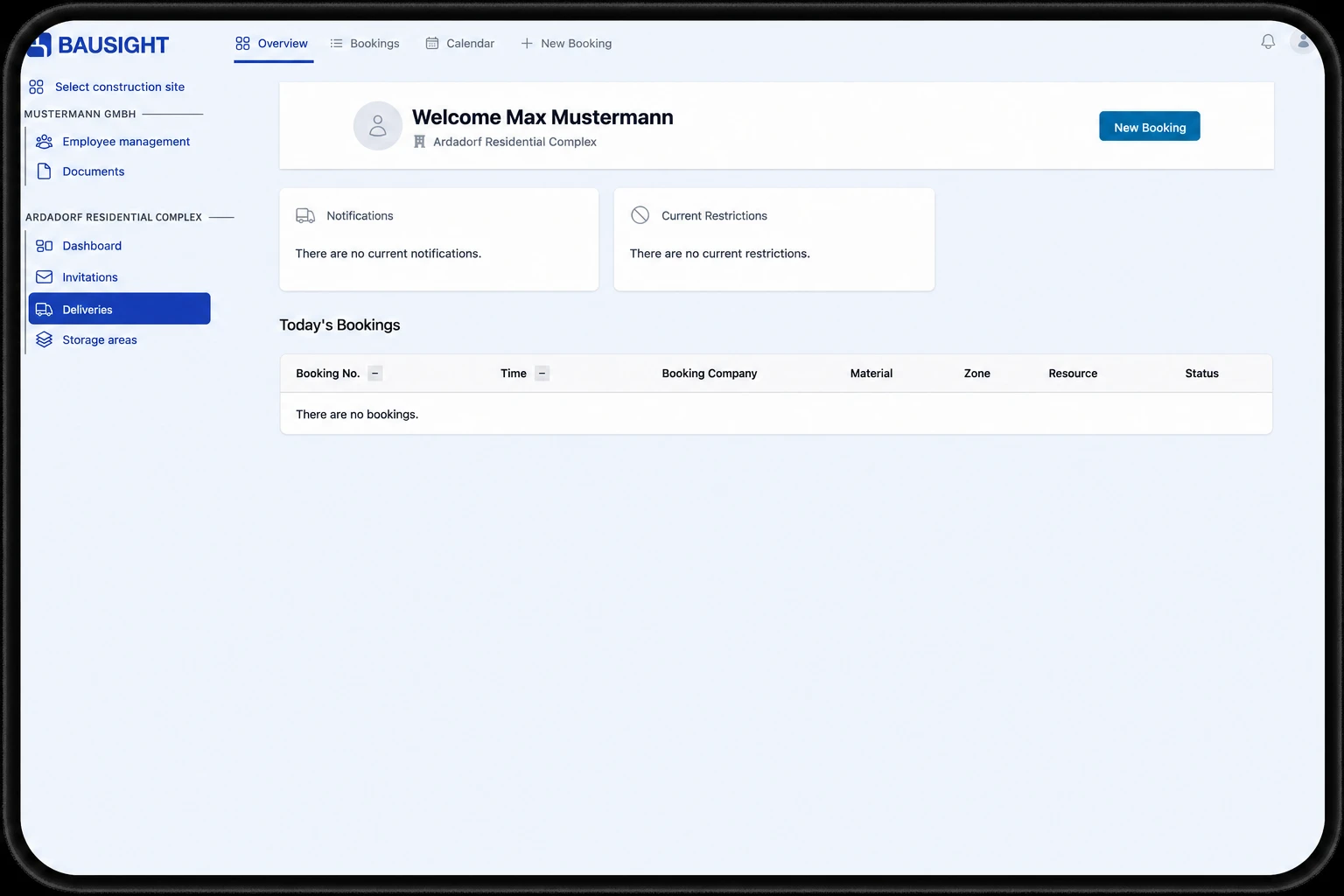
Step 1: Open “Deliveries” in the left-hand navigation
Go to “Deliveries” in the left-hand navigation.
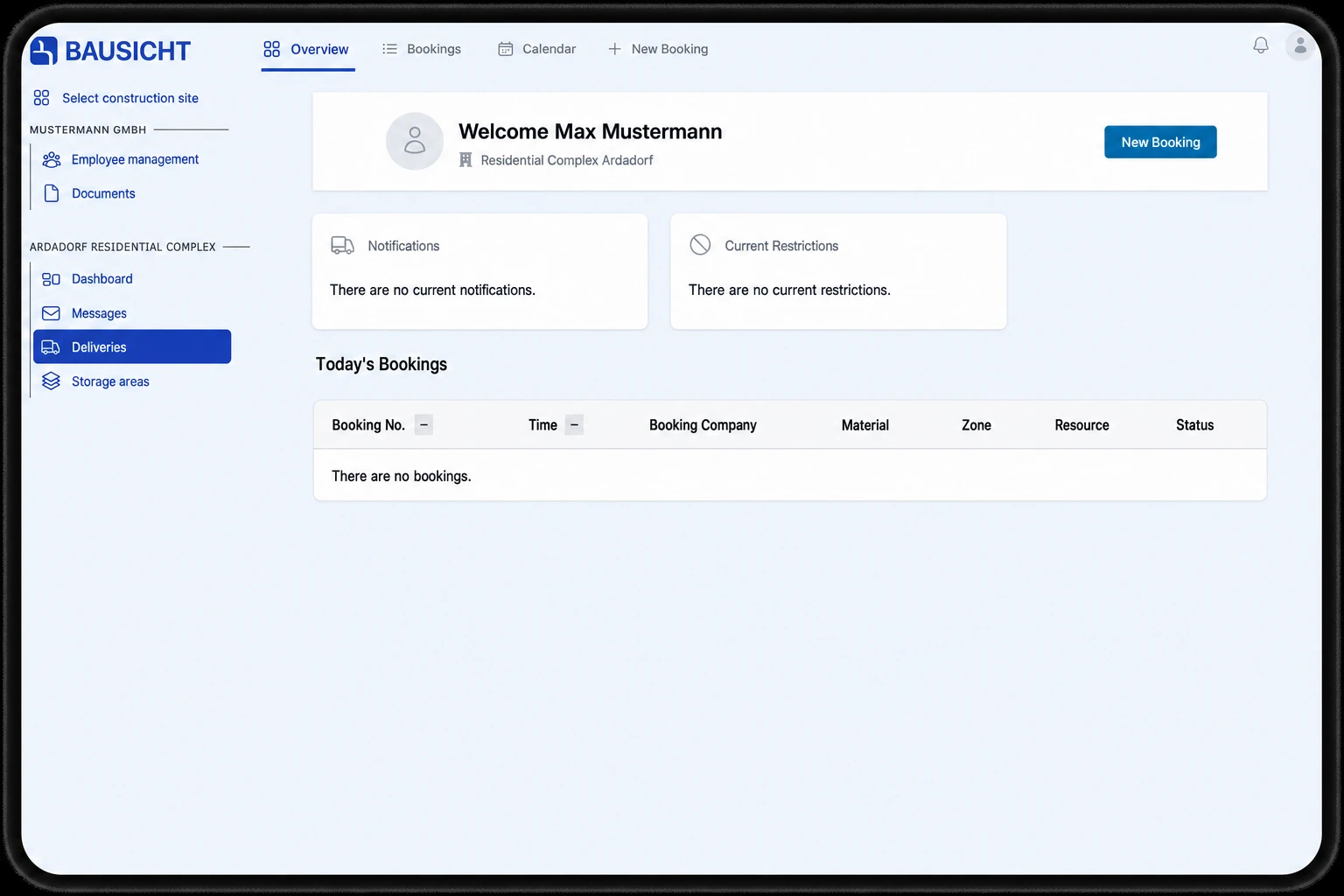
Step 2: Open “New booking”
In the left navigation, select the “New booking” entry under “Deliveries”. Alternatively, click the “New booking” button at the top right of the “Overview” page.
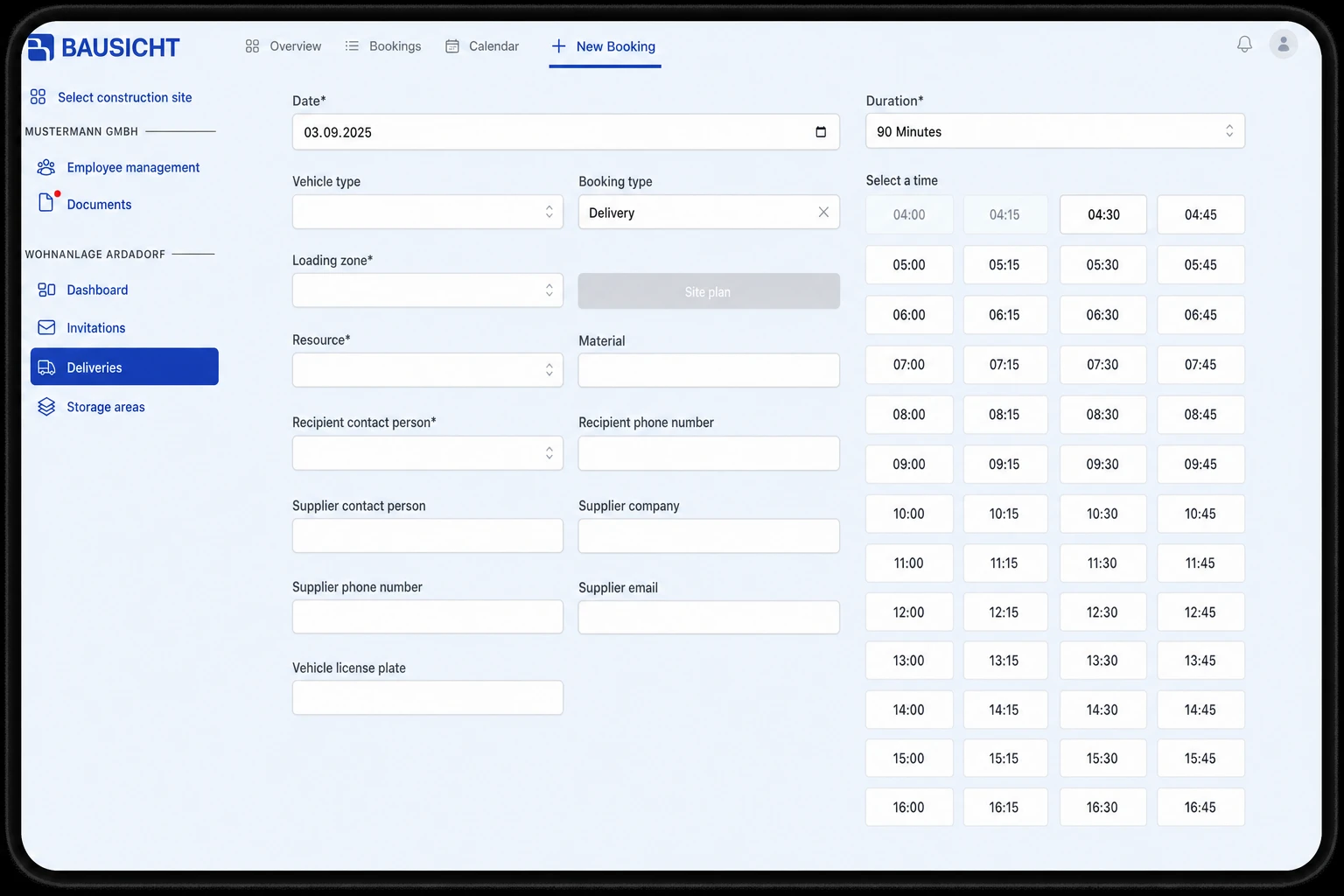
Step 3: Enter the delivery details and create the booking
Fill in all required fields and click “Create booking”.
Please note:
- Fields marked with * are mandatory
- Fields without * are optional
- With the permission Can create recurring bookings. you choose between One-time booking and Recurring booking in the Booking type field. A recurring booking creates repeating dates with the same details; you review the dates via “Review recurring booking” and create them with “Create series”.
Need further help?
If you need further assistance with creating delivery bookings, our support team is happy to help.