
More articles and topics
How do I create a new subcontractor in Bausicht?
- Where to find it
- Companies → New company
- How to check the result
- After saving, the subcontractor is created or the invitation process starts for a subcontractor that will work independently.
On this page
Quick answer
Open Companies → New company. Choose Invite subcontractor if the company should work independently with its own account, or Create a subcontractor if you will manage its employees and documents; then enter the required details and save.
To add a new subcontractor to your construction site, proceed as follows:
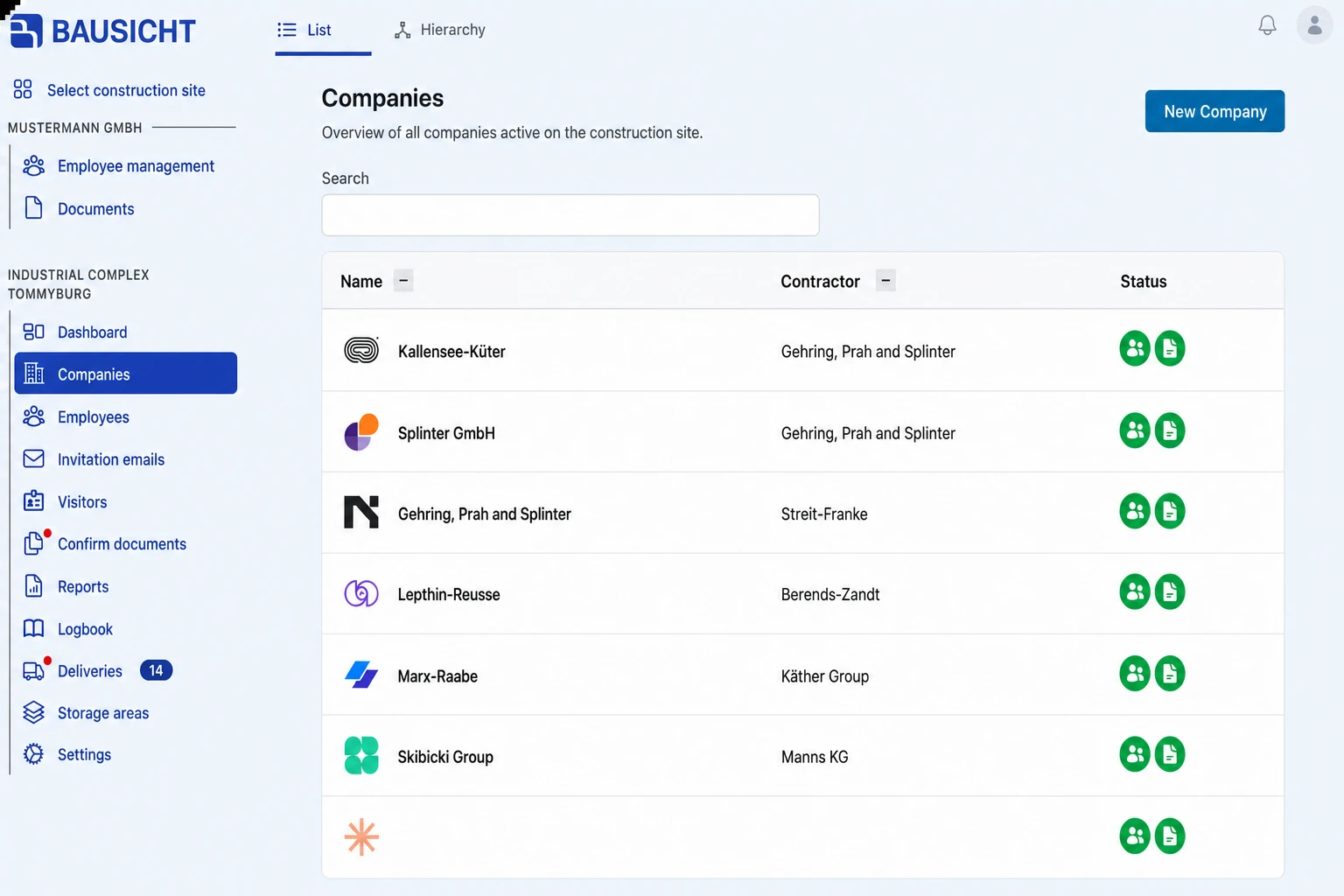
Step 1: Open “Companies” in the left-hand navigation
There you will see an overview of all companies already created.
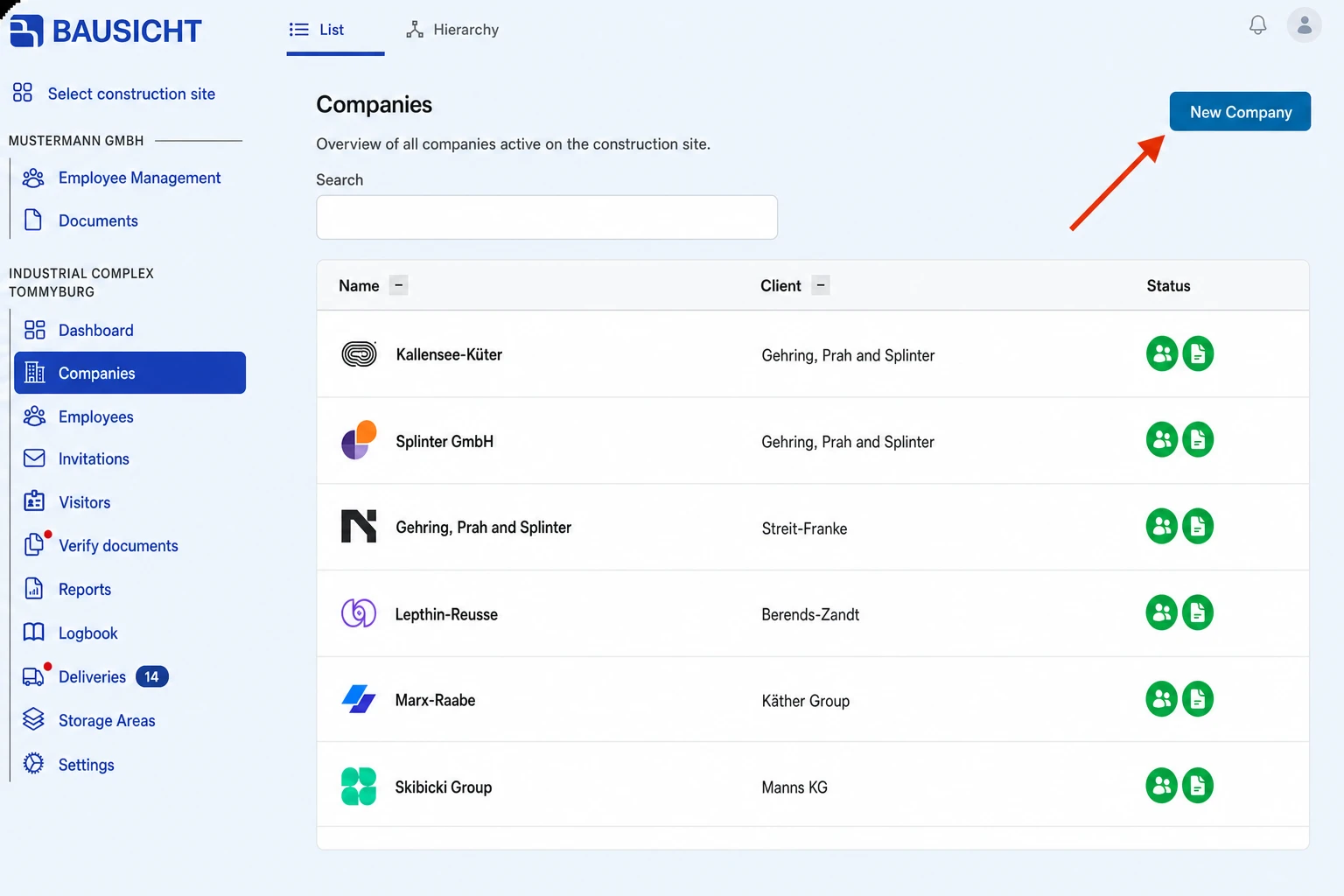
Step 2: Select “New company” in the top right
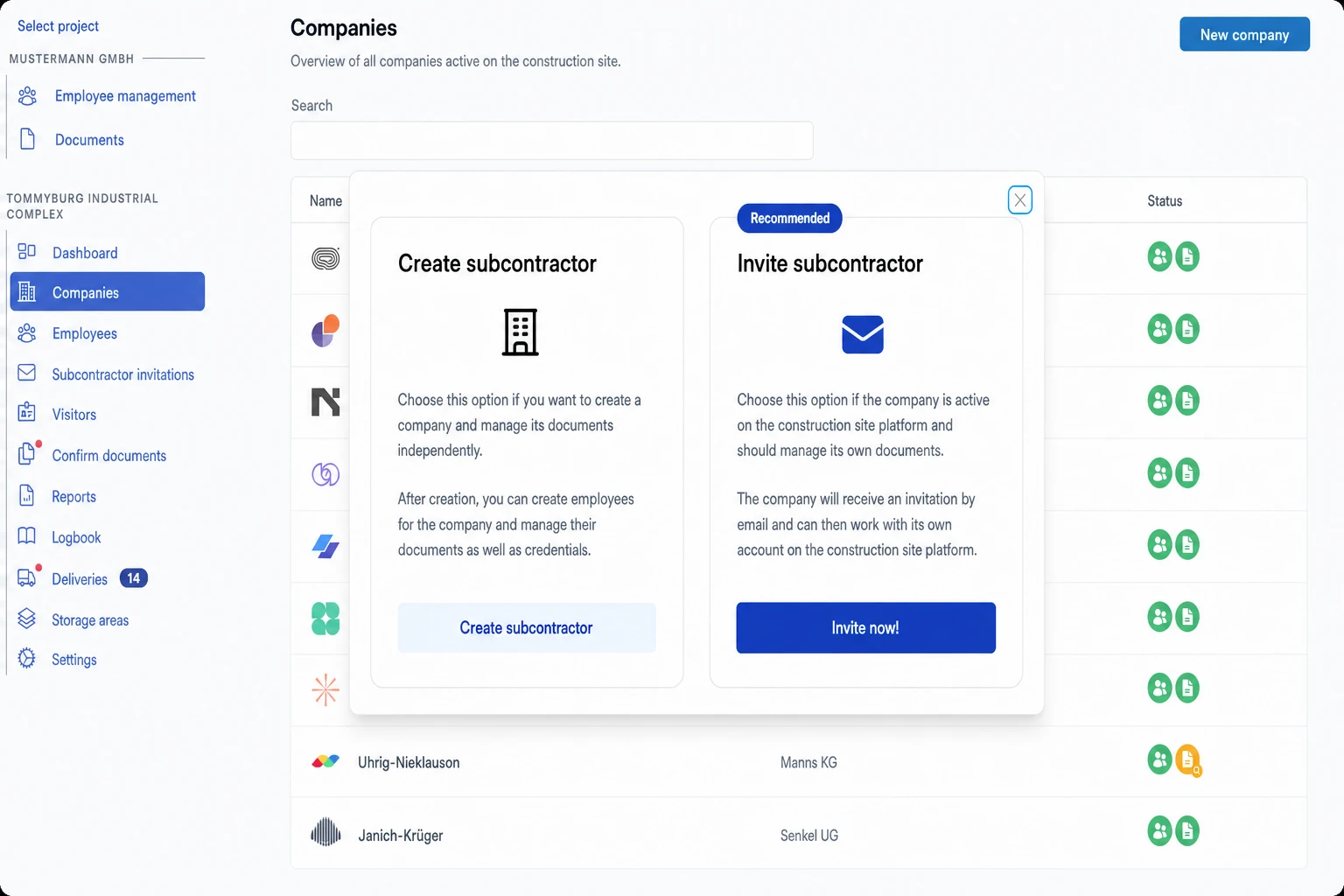
Step 3: Make your choice
In the New subcontractor dialog, you can choose between two options:
Option 1: Invite subcontractor (recommended)
→ if the company should work independently in Bausicht and manage its own documents. In this case, the subcontractor receives an invitation by email and can sign in with its own account. After filling in the form, send the invitation with Invite now!.
Option 2: Create a subcontractor
→ if you want to create the company in Bausicht yourself and manage its employees, documents, and so on.
The created company then has no access of its own. If it should later work in Bausicht itself, open the company under Companies, switch to the Invitations tab and invite a contact person via Invite person.
Which of the two options is shown depends on your permissions: creating requires “Can create companies.”, inviting requires “Can invite subcontractors.”.
Step 4: Complete the process
Complete the process by entering the required information and saving.
Need further help?
If you need further assistance with creating subcontractors, our support team is happy to help.