
More articles and topics
How do I delete my own documents?
- Before you start
- A construction site role with the Can delete company documents or Can delete employee documents permission
- Where to find it
- Documents → document → Edit → Delete
- How to check the result
- After the security prompt is confirmed, the document is permanently deleted.
On this page
Quick answer
| Step | Description |
|---|---|
| 1 | Open “My documents” in the left navigation |
| 2 | Select the document you want to open the detail view |
| 3 | Click “Edit” in the detail view |
| 4 | Select “Archive” and click “Delete” |
| 5 | Confirm the security prompt to delete the document |
Requirements
For company documents, you need the company permission Can restore archived company documents of the own company.; for your personal documents, you need the permissions Can restore own archived employee documents. and Can edit own employee documents.
Step 1: Open “My documents” in the left navigation
In the left navigation, open “My documents” under your company name. The page opens on the “Personal documents” tab; your company’s documents are in the “Company documents” tab.
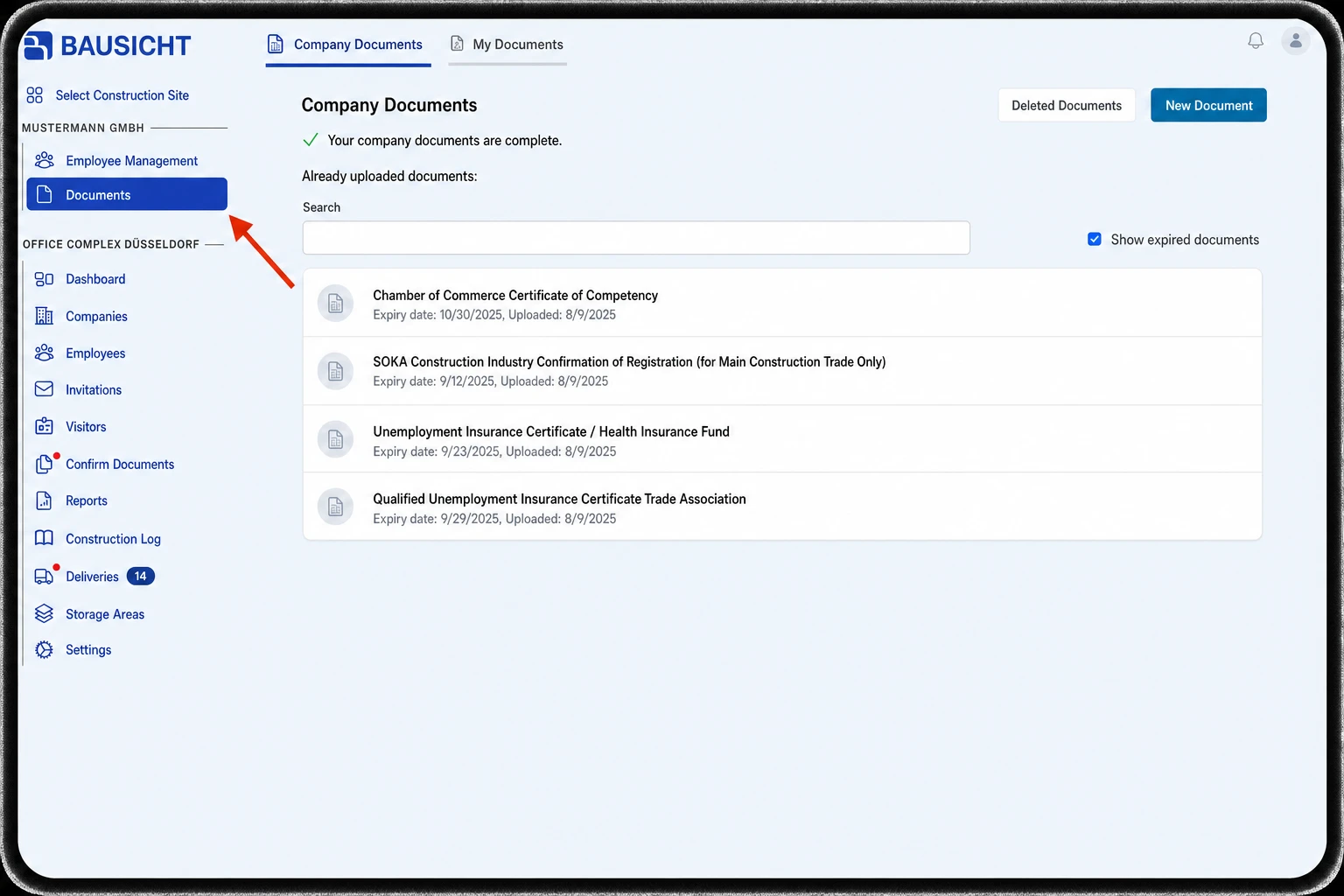
Step 2: Select the document you want
Select the document you want to open the detail view.
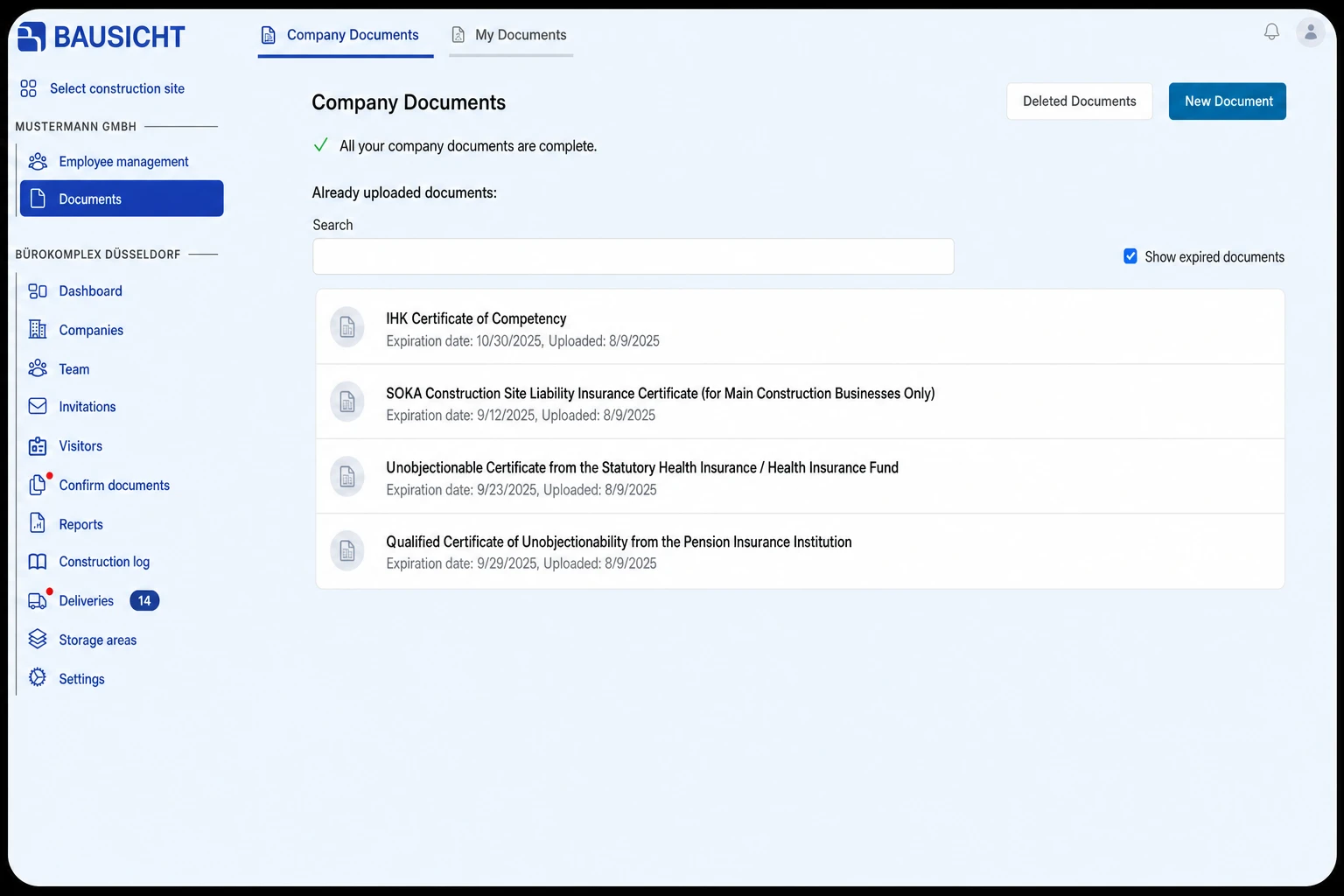
Step 3: Click Edit
In the detail view of the document, click “Edit”.
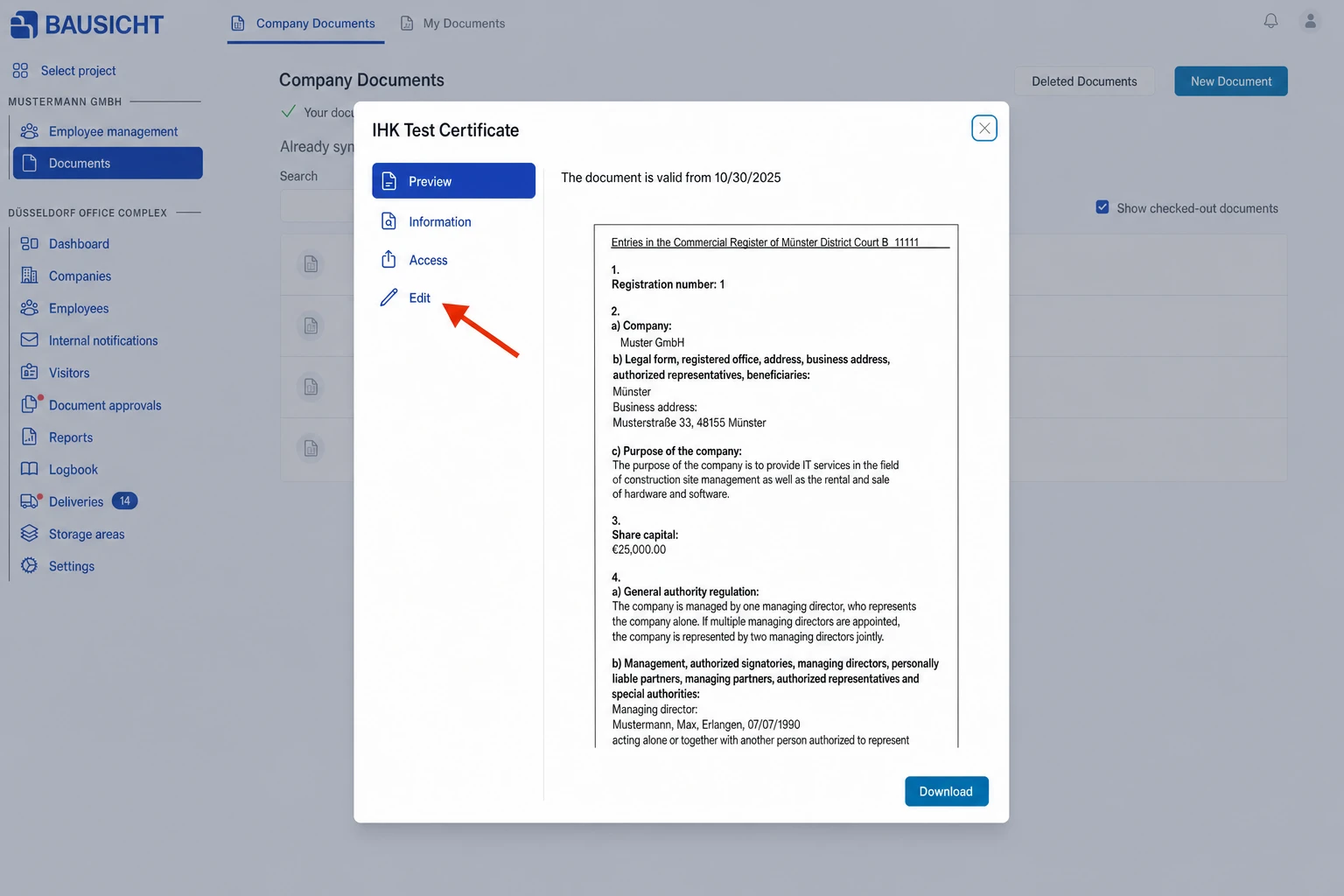
Step 4: Select Delete
Under “Edit”, select “Archive” and click “Delete”.
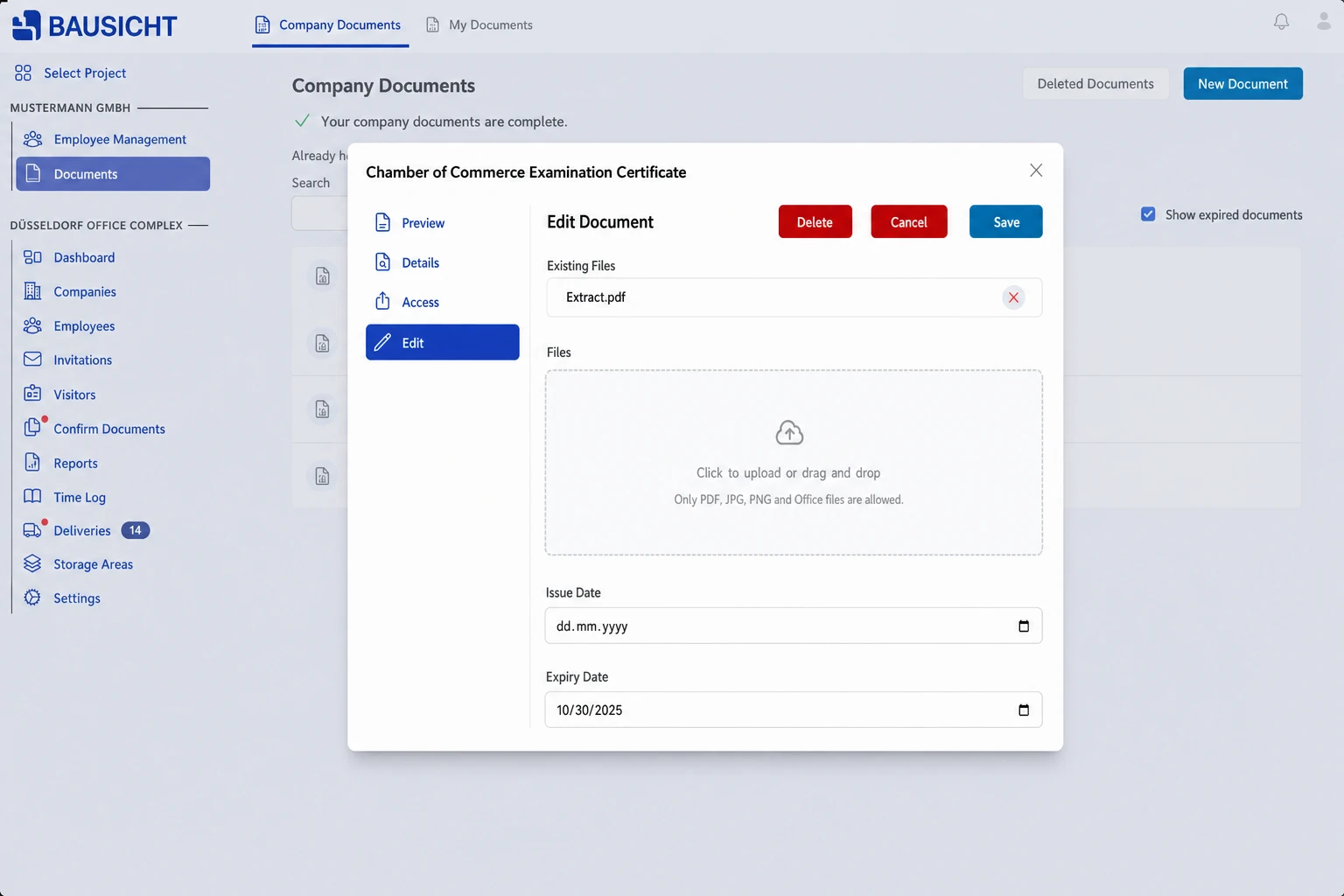
Step 5: Confirm the security prompt
Confirm the security prompt to delete the document.
You can still view and restore deleted documents via the Deleted documents button.
Need further help?
If you need further assistance deleting documents, our support team is happy to help.