
More articles and topics
Downloading all company and employee documents as a ZIP
- Where to find it
- Companies → company → Company documents → Download all documents
- How to check the result
- The selected company and employee documents are created and downloaded as a ZIP file.
On this page
You can download all of a company’s documents – both company and employee documents – bundled as a single ZIP file in just a few clicks. This saves time during inspections and audits and makes it easy to quickly share documents with the client.
Quick answer
| Step | Description |
|---|---|
| 1 | Open Companies and select the desired company |
| 2 | Open the Company documents section |
| 3 | Click Download all documents |
| 4 | Choose which documents to bundle |
| 5 | The ZIP file is created and downloaded |
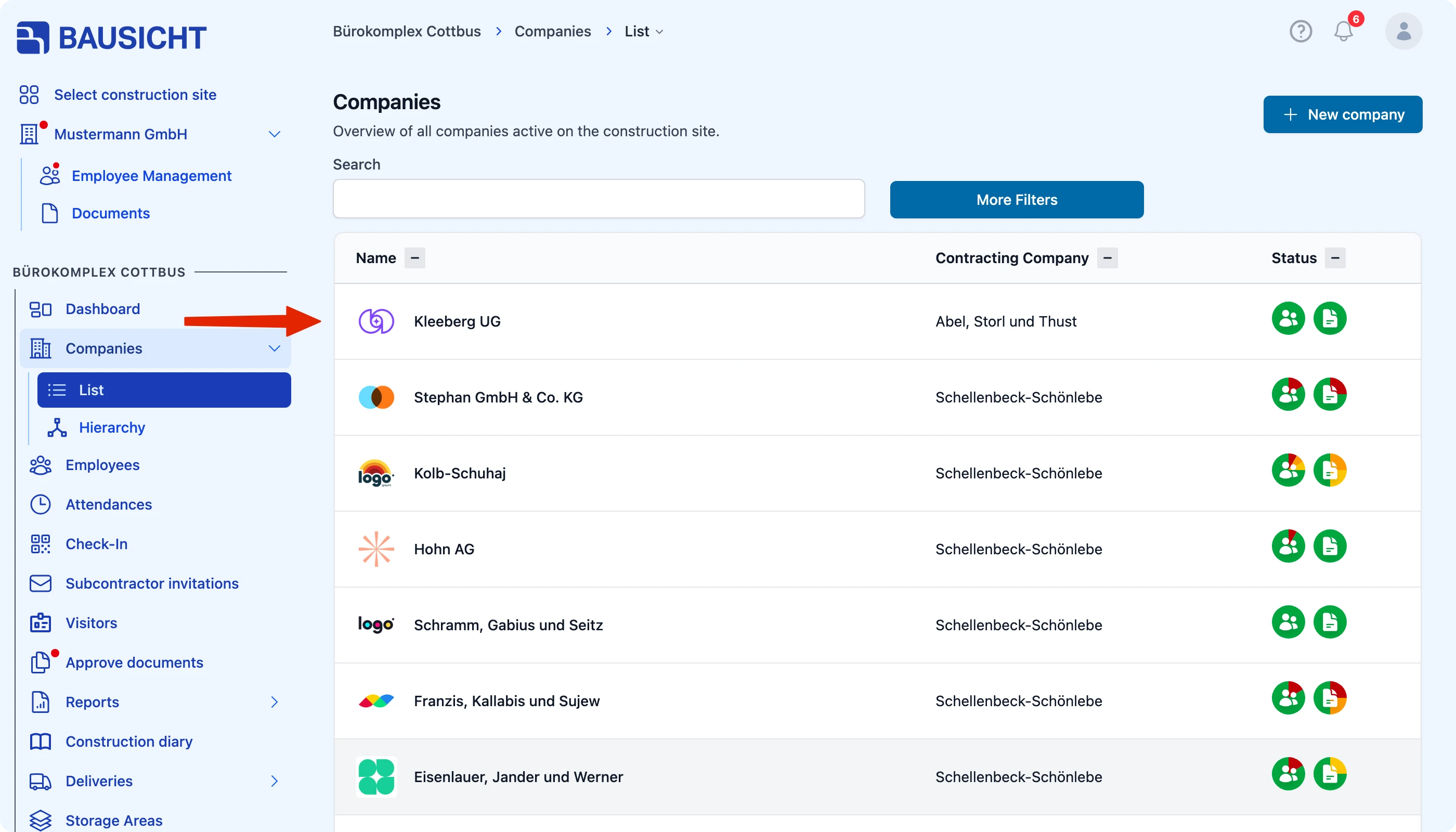
Step 1: Select the company
Open the Companies section and select the company whose documents you want to download.
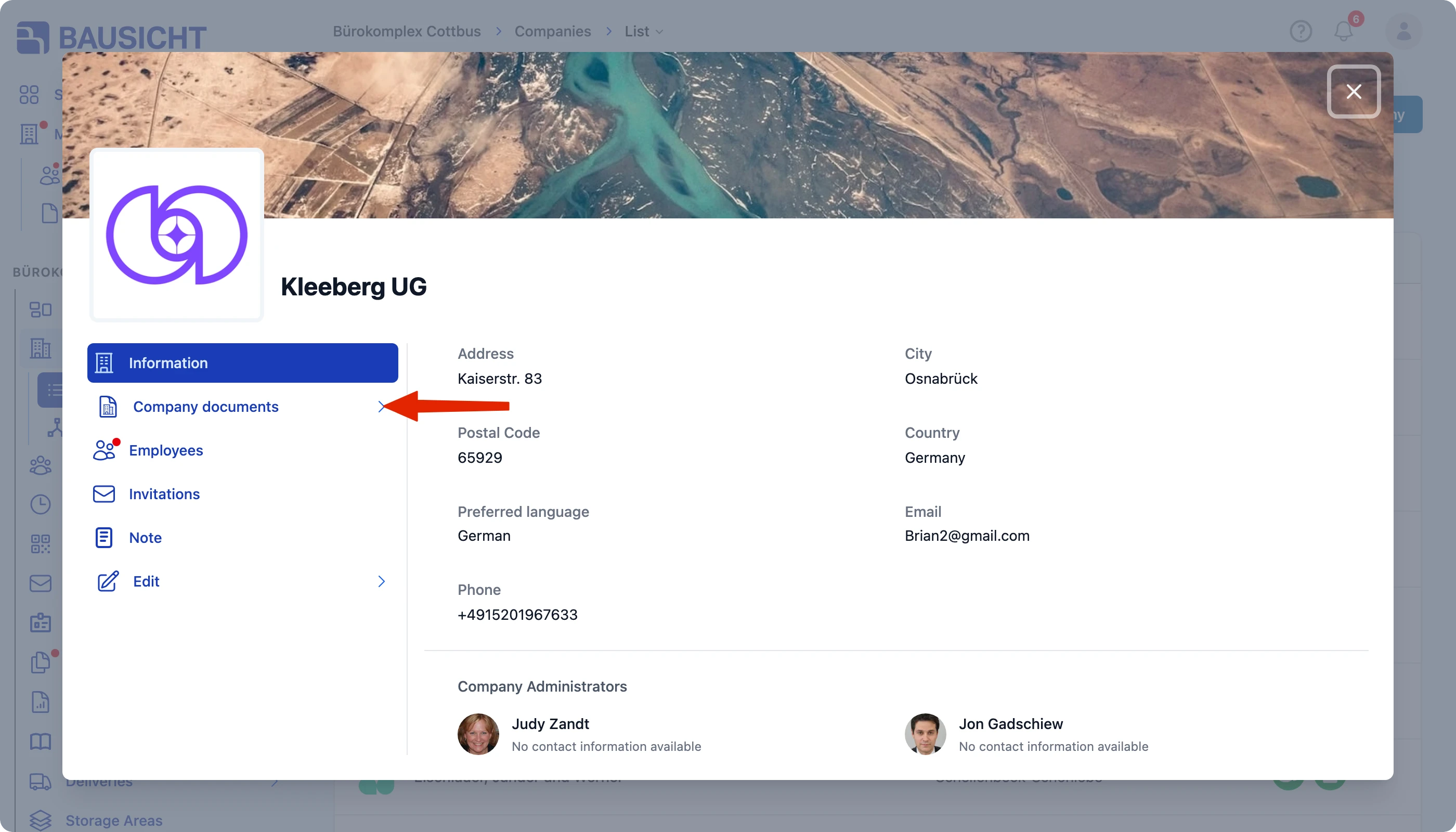
Step 2: Open the company documents
Within the company, open the Company documents section.
The full path is: Companies → Select company → Company documents.
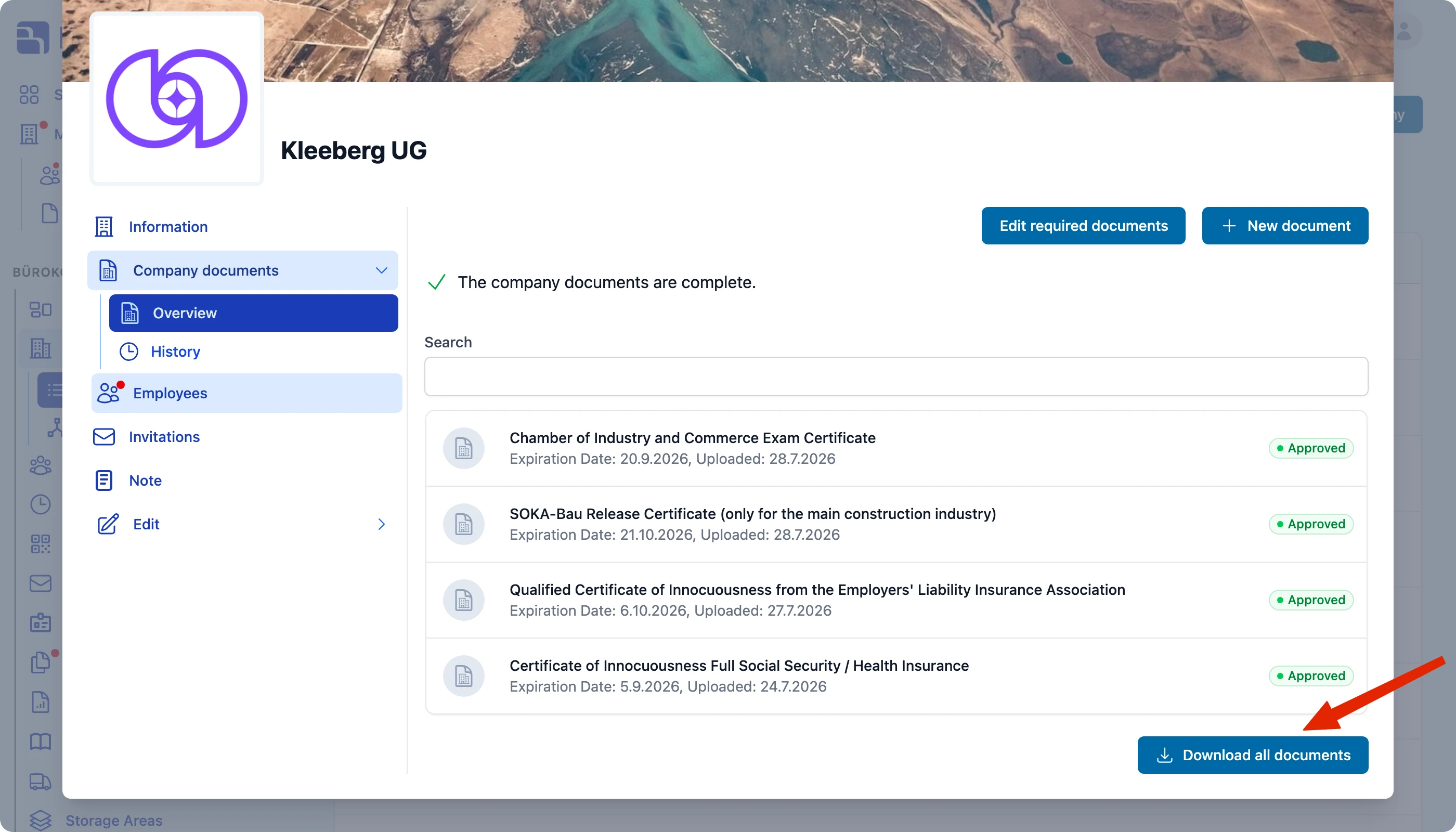
Step 3: Start the download
Click Download all documents.
Step 4: Choose the scope of the download
Choose which documents should be bundled into the ZIP file:
- all company documents,
- all employee documents, or
- both.
Bausicht then packs the selected documents into a single ZIP file that you can download.
Need further help?
If you need further assistance, our support team is happy to help.