
More articles and topics
How do I edit an existing document?
- Where to find it
- Documents → document → Edit
- How to check the result
- The saved changes are stored on the document.
On this page
Quick answer
| Step | Description |
|---|---|
| 1 | Open “My documents” in the left navigation |
| 2 | Select the document you want from the list |
| 3 | Click Edit → Document |
| 4 | Click Edit again, make the changes and save |
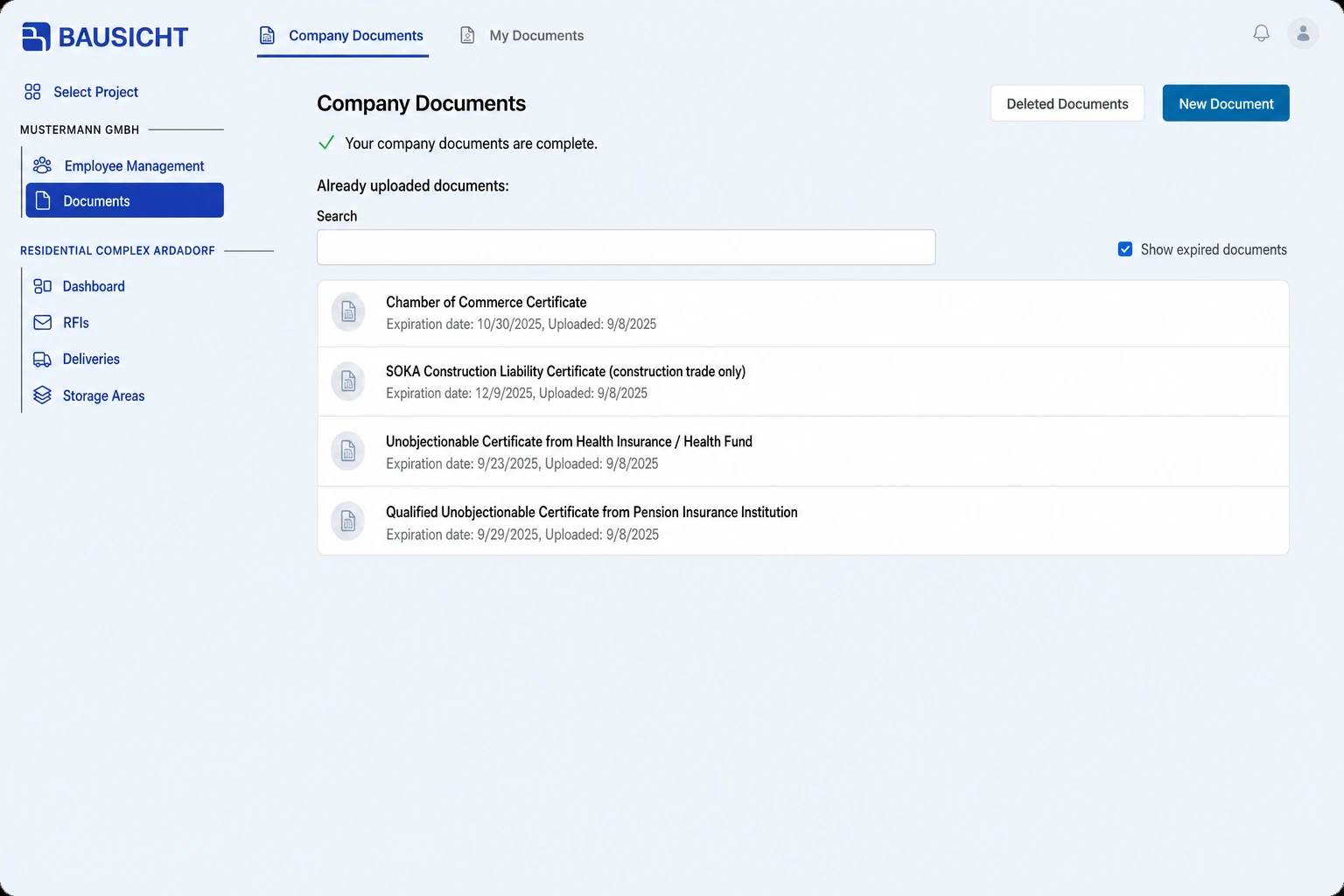
Step 1: Open “My documents” in the left navigation
In the left navigation, open “My documents” under your company name.
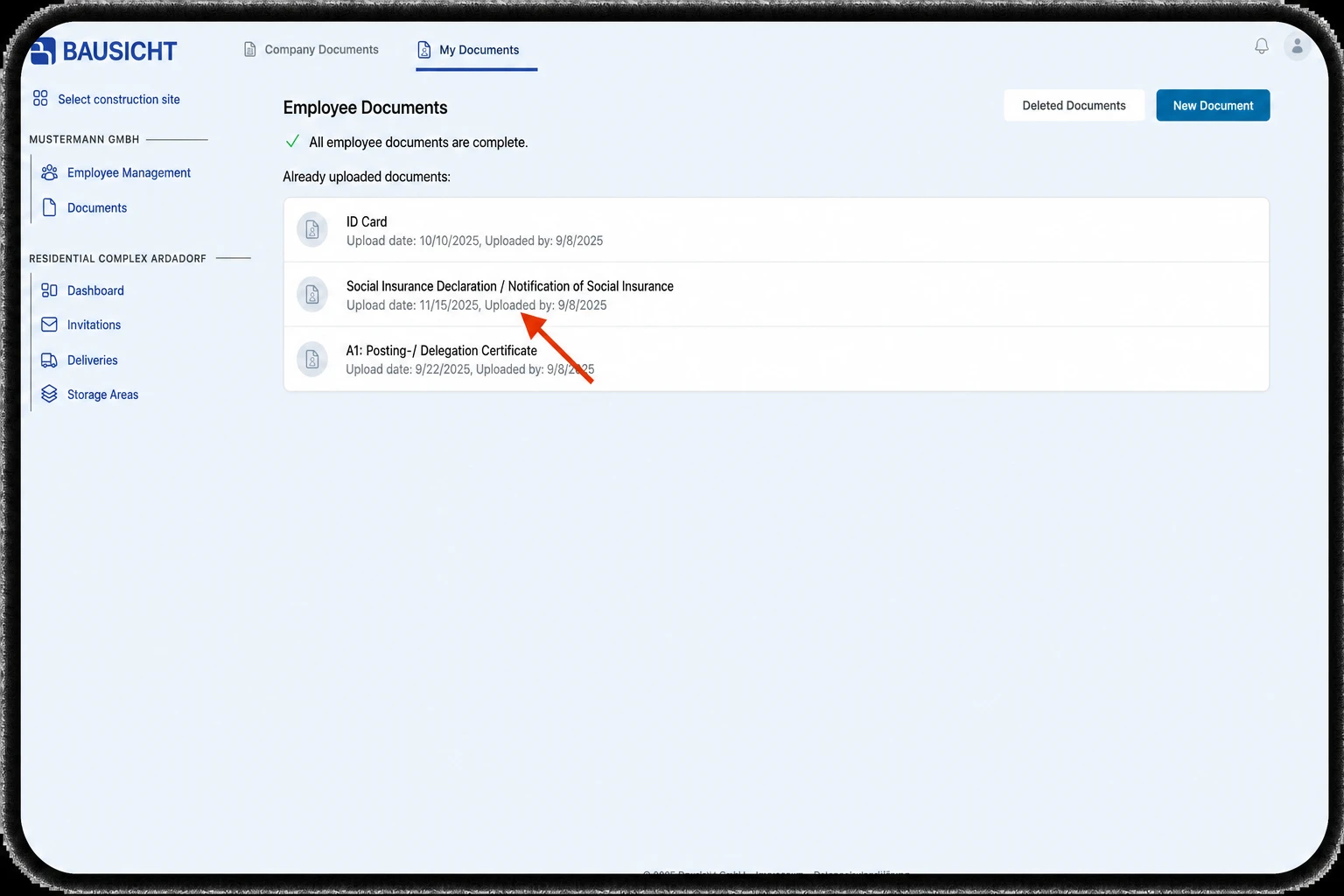
Step 2: Select the document you want from the list
Click the document you want in the list.
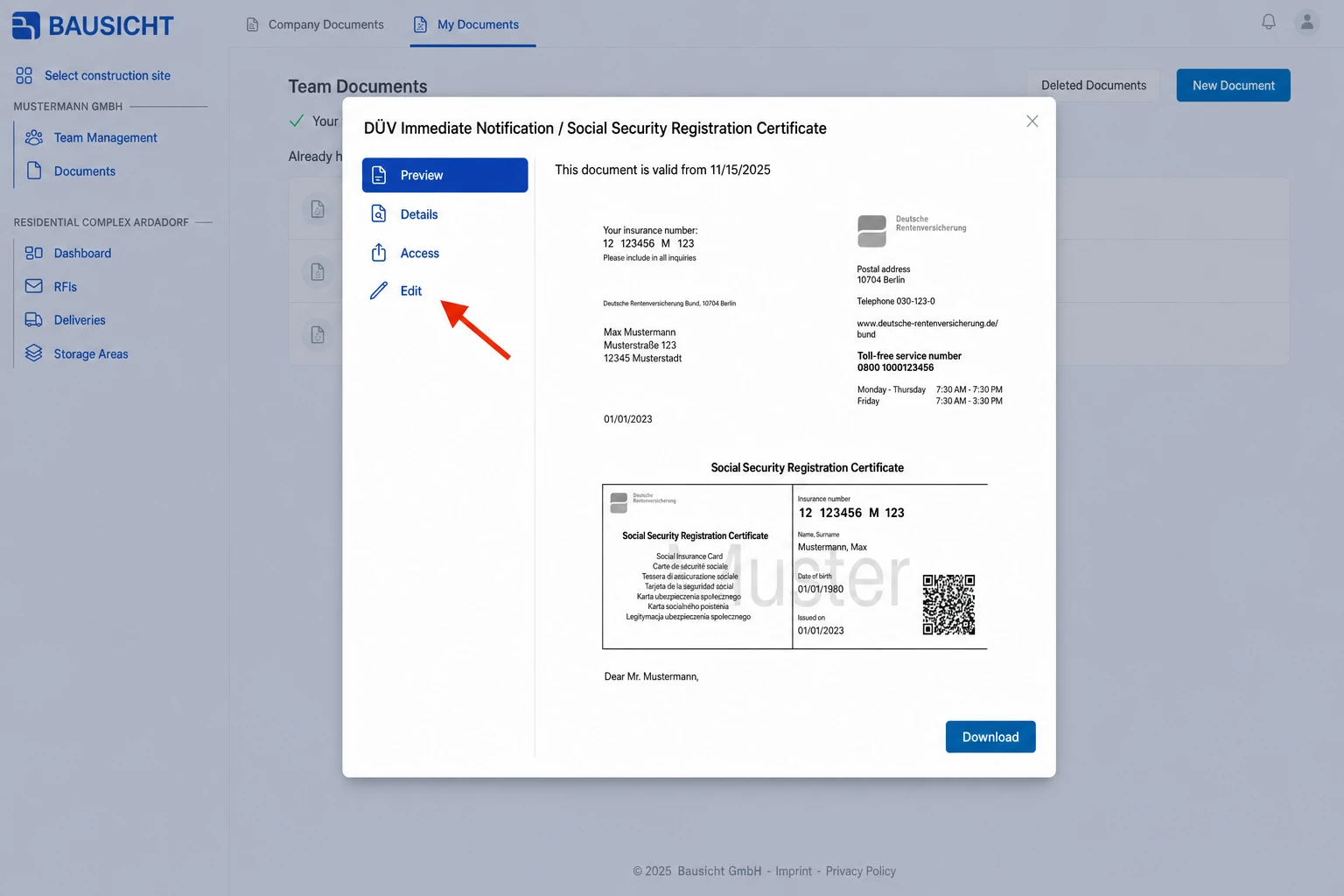
Step 3: Click Edit
In the document dialog, click Edit and select Document. The details are shown in read-only mode first.
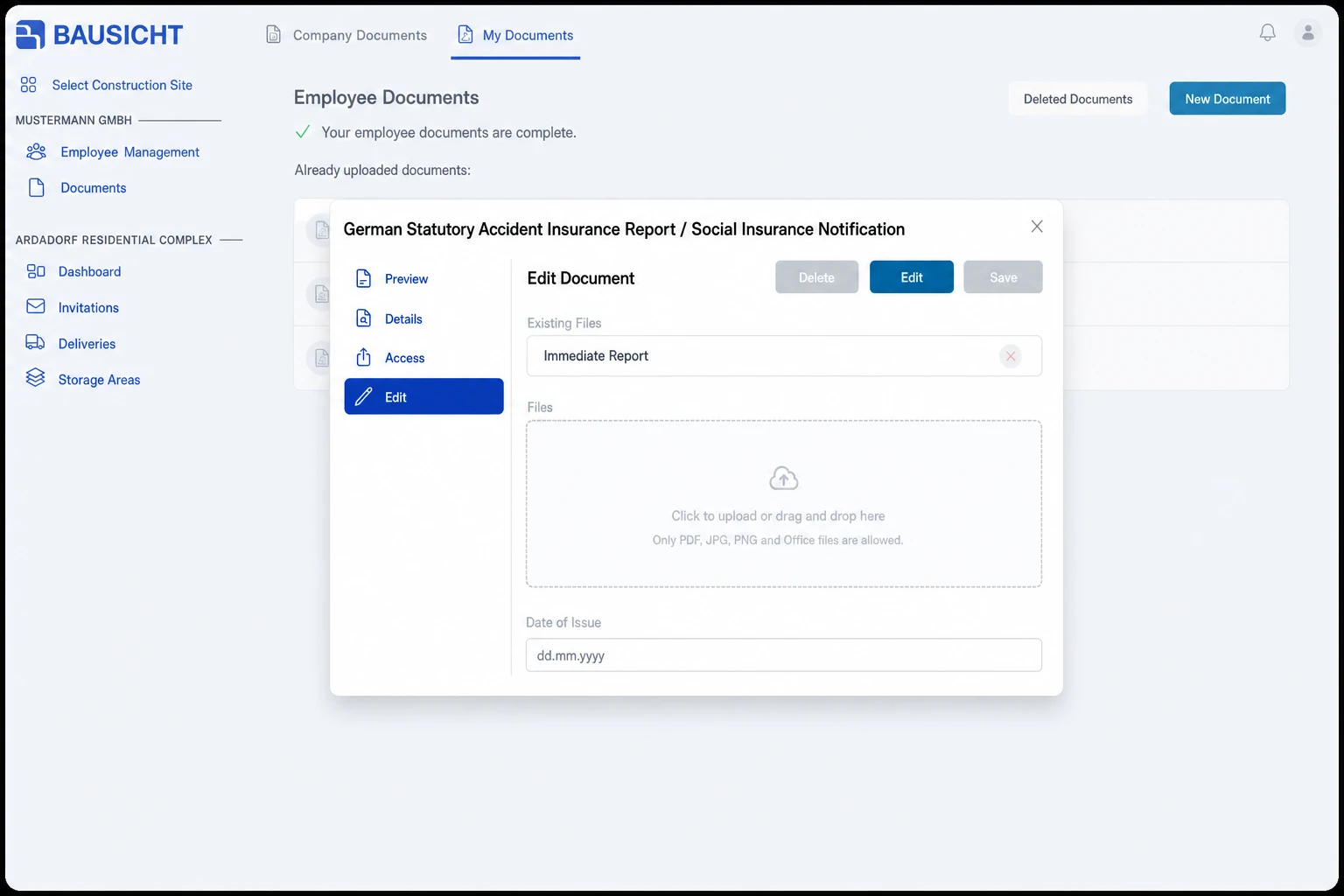
Step 4: Make the desired changes and save
Click Edit again to make the fields editable. Make your changes and click Save. Click Cancel to discard the changes.
Need further help?
If you need further assistance editing documents, our support team is happy to help.