
More articles and topics
Email notifications for failed access attempts and new documents
- Before you start
- For a central mailbox: a user account for its address with permission to view documents
- Where to find it
- Profile → Notifications
- How to check the result
- Depending on the selection, emails are sent with the reason for failed access attempts or when new employee or company documents are uploaded.
On this page
Quick answer
In the profile menu in the top right, under Settings → Notifications, choose Email or Both for Access error or New document on the construction site. For a central mailbox, first invite its address as a user and give it permission to view documents.
Bausicht offers two optional email notifications that you can enable yourself: an alert for failed access attempts (including the reason) and an automatic message whenever subcontractors upload new employee or company documents. Both notifications are disabled by default and need to be switched on once in your Settings.
A) Failed access attempts
When an access attempt fails, you receive an email with the relevant reason. This lets you quickly see why a person was denied access and respond if needed.
How to enable the notification
| Step | Description |
|---|---|
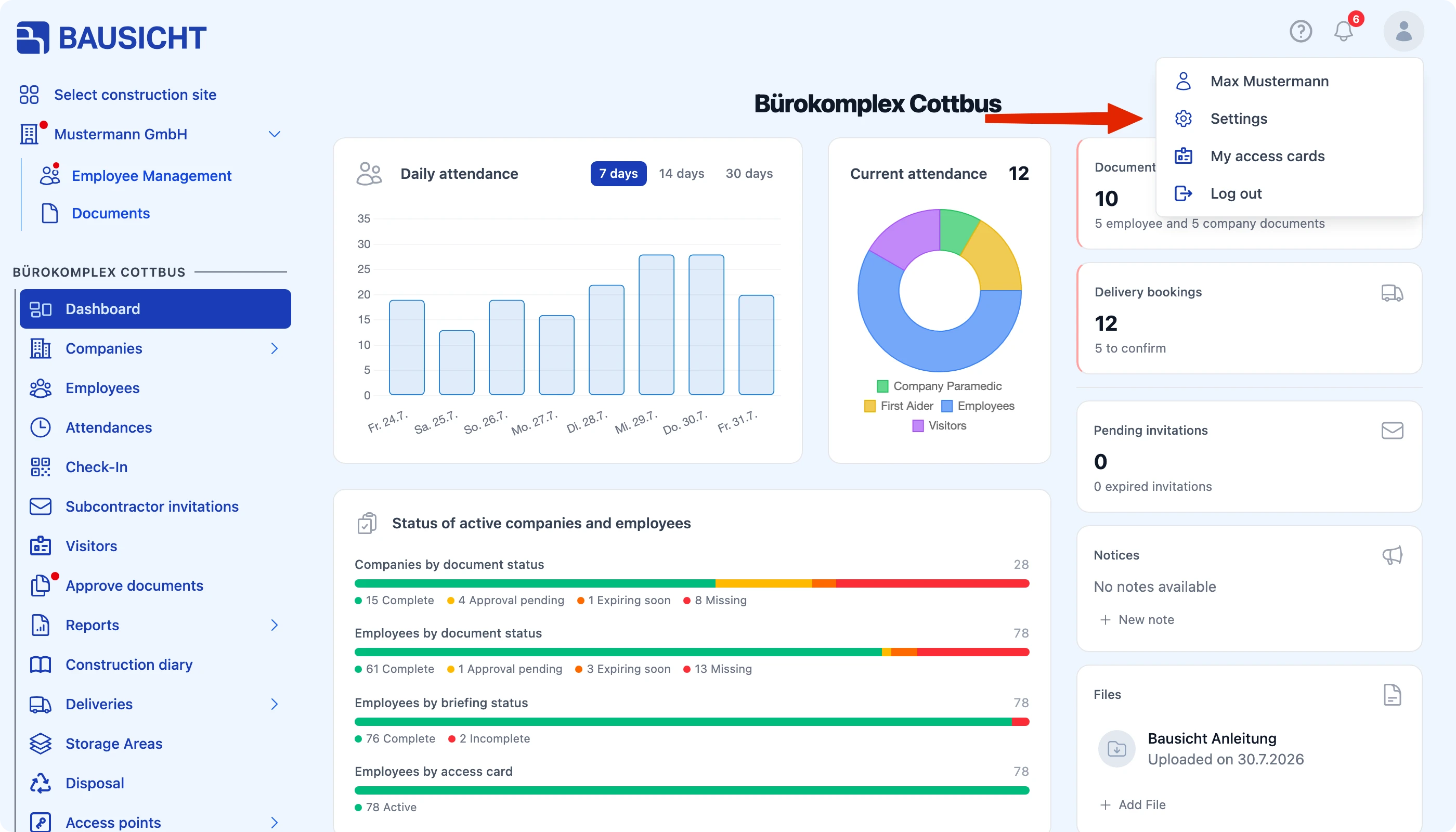
| 1 | Open your profile menu in the top right and choose Settings. |
| 2 | Go to Notifications. |
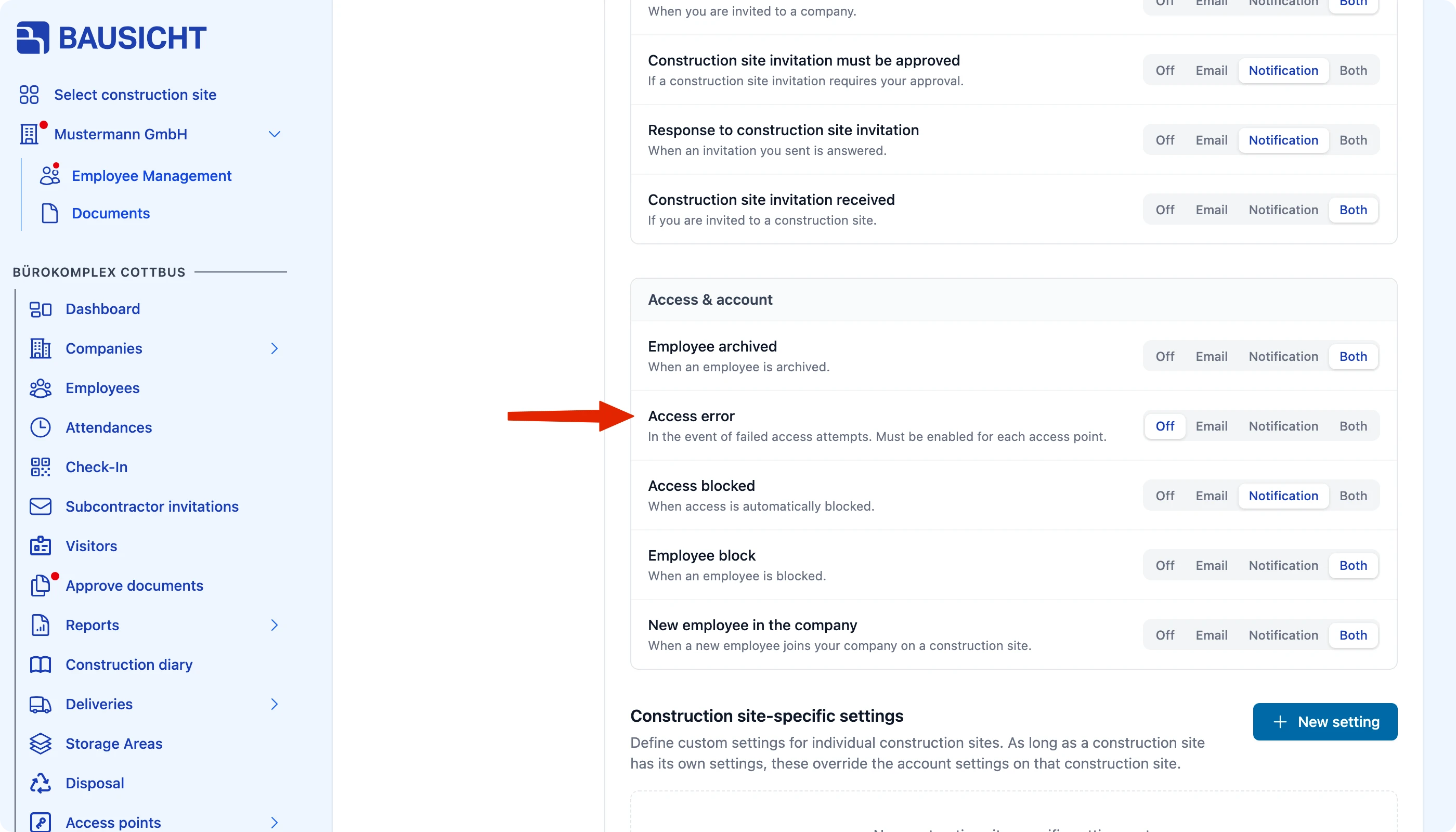
| 3 | For Access error (section Access & account), choose Email or Both. |
The email also contains the reason for the failure. Which access errors trigger a notification is set per access point under Edit → Master data in the Notification field. Only users with the permission Can view failed access attempts by employees. or Can view failed access attempts by visitors. receive these emails.
B) New documents
With this notification, you automatically receive an email whenever subcontractors upload new employee or company documents. This is especially useful for central mailboxes and the back office – for example to review new documents or forward them to an ERP system.
Step 1: Invite a central email address as a user
Invite the desired central email address (e.g. your back office mailbox) as a new user and grant it the permission to view documents. Only with these permissions can the user receive notifications about new documents.
Step 2: Accept the invitation and log in
The invitation must be accepted via the central email address. Then log in to Bausicht with this user.
Step 3: Enable notifications
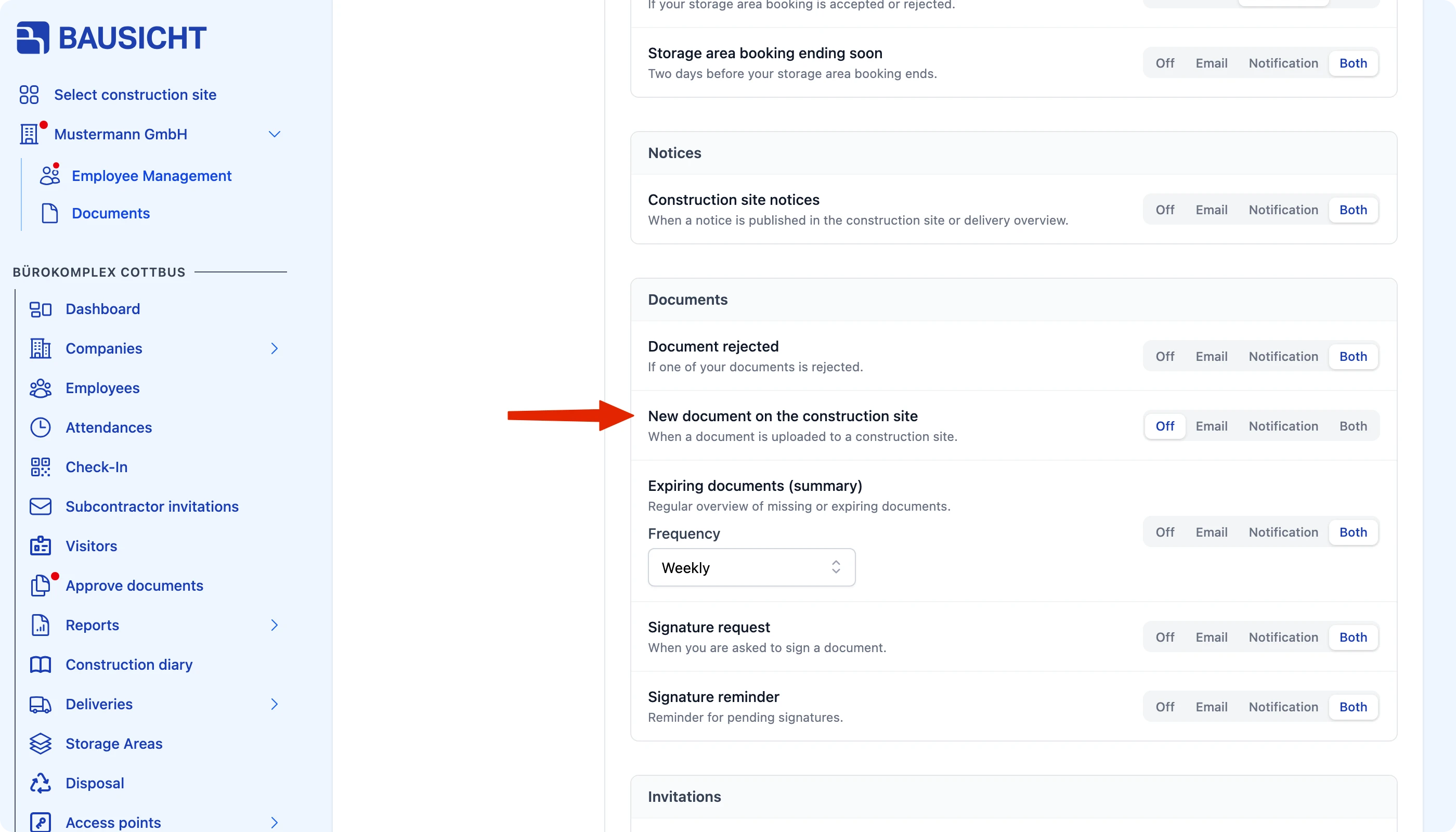
Open your profile menu in the top right, choose Settings and go to Notifications. There, choose Email or Both for New document on the construction site (section Documents).
After that, an email is sent to the central address for every newly uploaded employee or company document.
Need further help?
If you need further assistance, our support team is happy to help.