
More articles and topics
Files directly in the dashboard
- Where to find it
- Dashboard → Add file
- How to check the result
- The uploaded file is visible to subcontractors in the Dashboard.
Quick answer
Click Add file in the main Dashboard to provide central documents such as the construction logistics manual or a directions plan. Files uploaded there are visible to your subcontractors.
In the main Dashboard, you can now upload files that are visible to your subcontractors. This lets you make the most important documents available to everyone in one central place – without having to send them out separately.
What you can upload
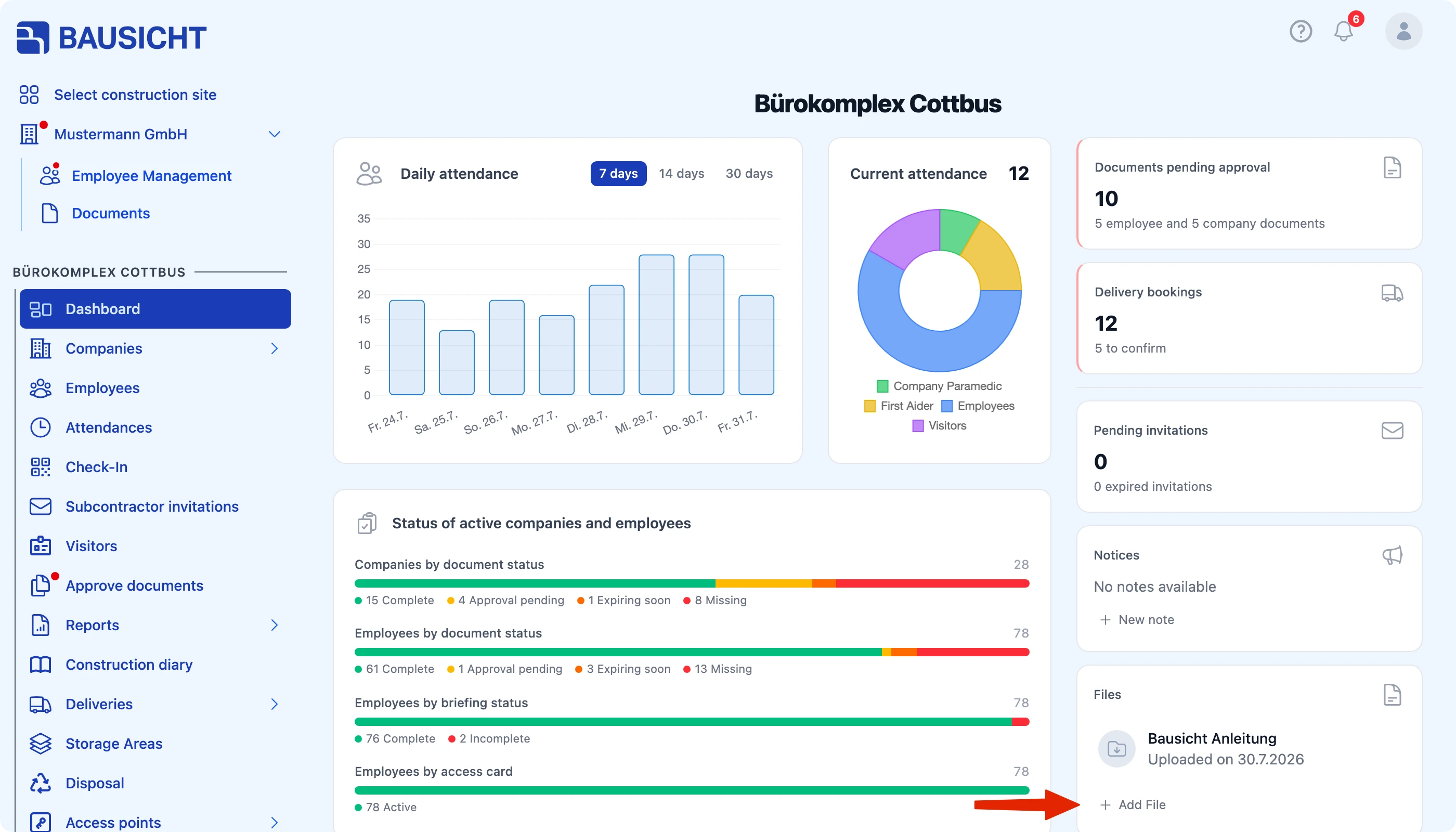
By default, subcontractor instructions are already stored in the Dashboard. In addition, we recommend uploading the following files:
- Your construction logistics manual
- A directions plan, if applicable
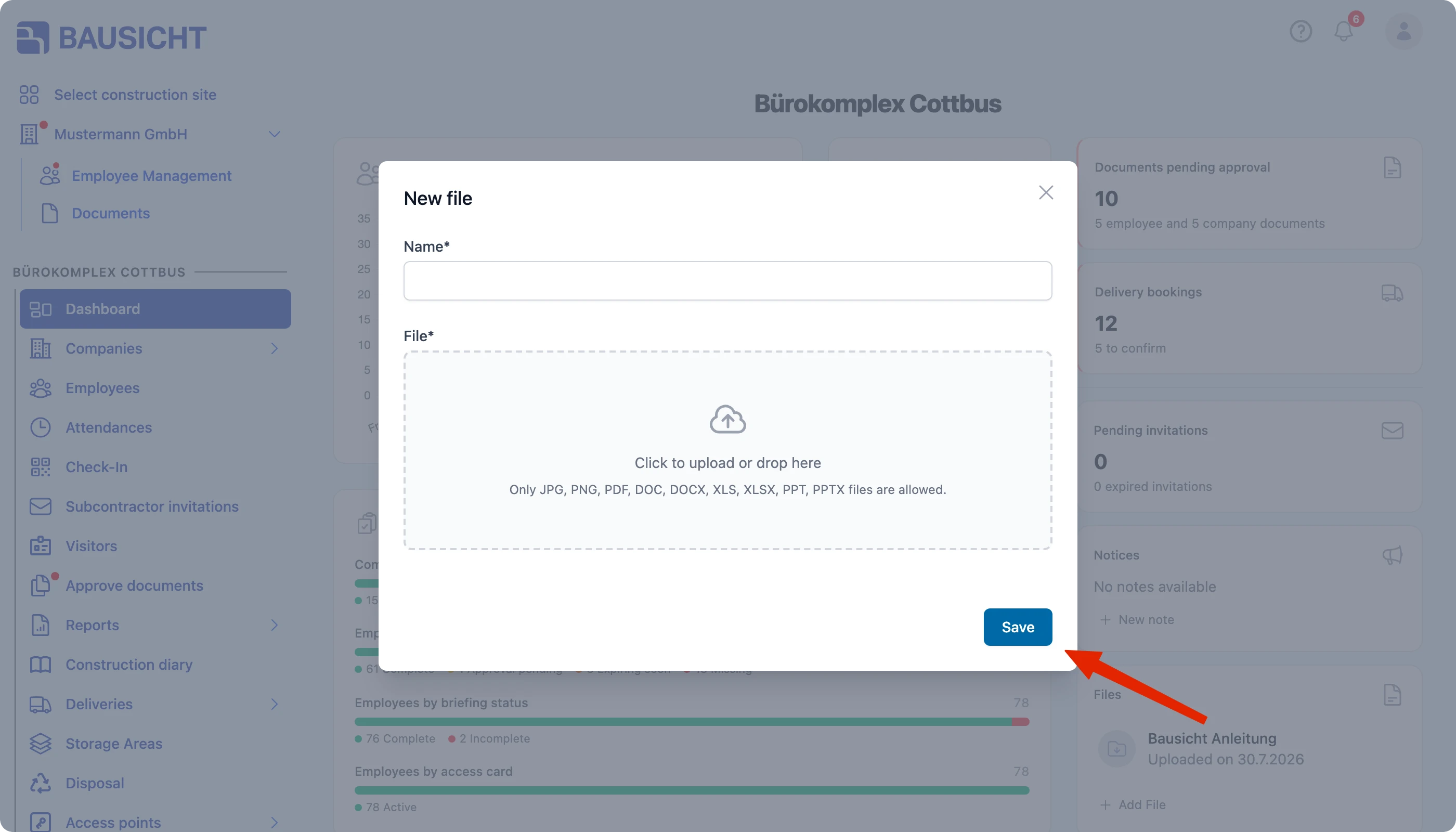
Visibility for subcontractors
The files uploaded here are visible to your subcontractors. This means everyone involved can find the key documents directly in the Dashboard and review the most important requirements for your construction site in advance.
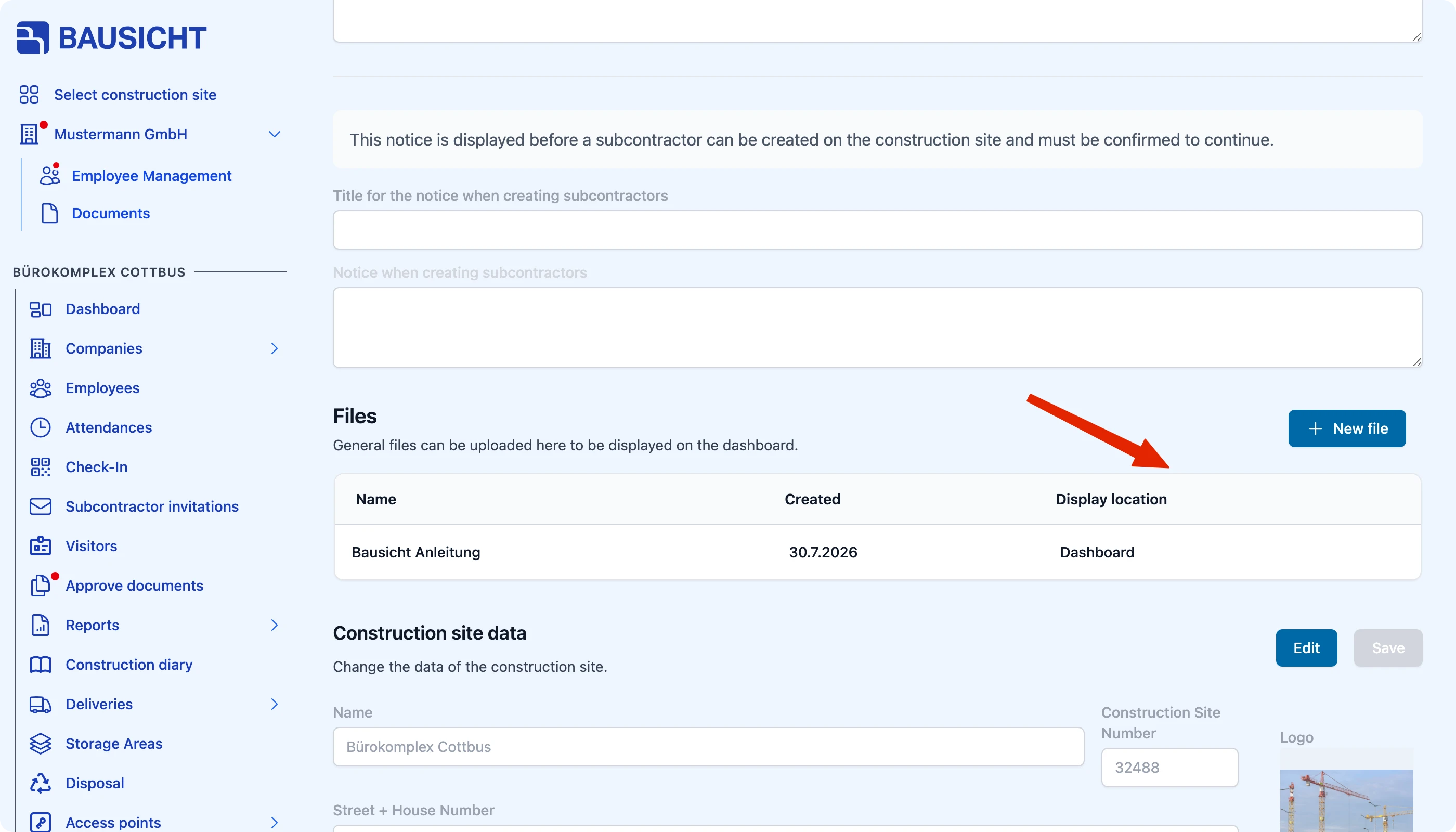
You can also see all files of the construction site under Settings → General → Files; the Display location column shows where a file appears. You can also upload files there via New file.
Note: Before uploading, make sure the files are approved for sharing with subcontractors and are up to date.
Need further help?
If you need further assistance, our support team is happy to help.