
More articles and topics
Subcontractor did not receive the invitation to the construction site
- Where to find it
- Subcontractor invitations → invitation → copy invitation link
- How to check the result
- The copied registration link can be sent to the subcontractor by email or text message.
On this page
Quick answer
First ask the subcontractor to check their spam folder. If the email is still missing, open Subcontractor invitations, select the invitation and click Copy under Send link to pass the link on by email or text message. Alternatively, Resend sends the invitation again.
If a subcontractor has not received your invitation to the construction site, there are three possible solutions:
Solution 1: Check the spam folder
Please ask your subcontractor to check the spam folder of their email inbox, as the invitation may have ended up there.
Solution 2: Send the invitation link manually
You can open the invitation again in Bausicht. There you will find the invitation link, which you can copy and send to your subcontractor manually (e.g. by email or text message).
To do this, proceed as follows:
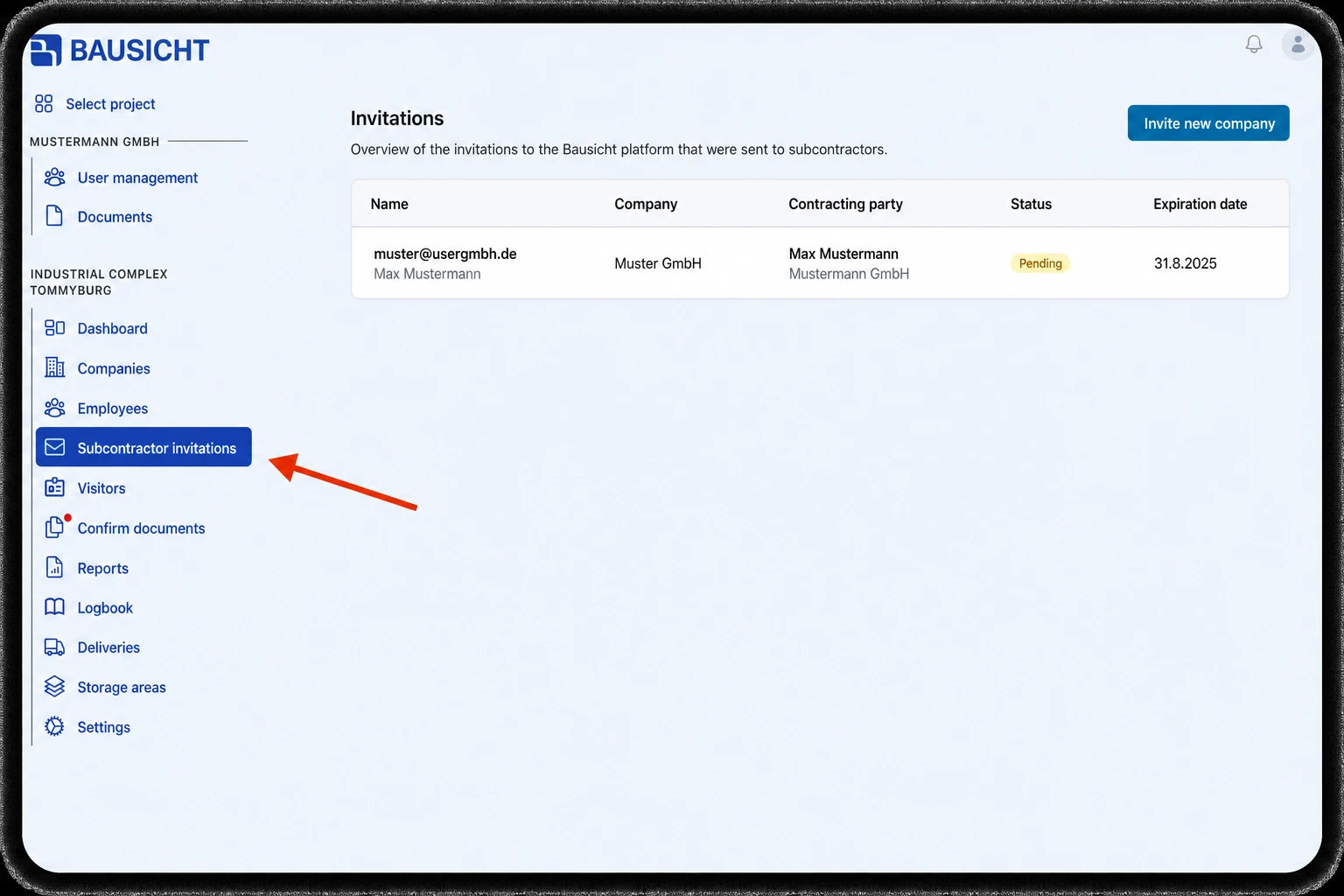
Step 1: Click “Subcontractor invitations” in the menu
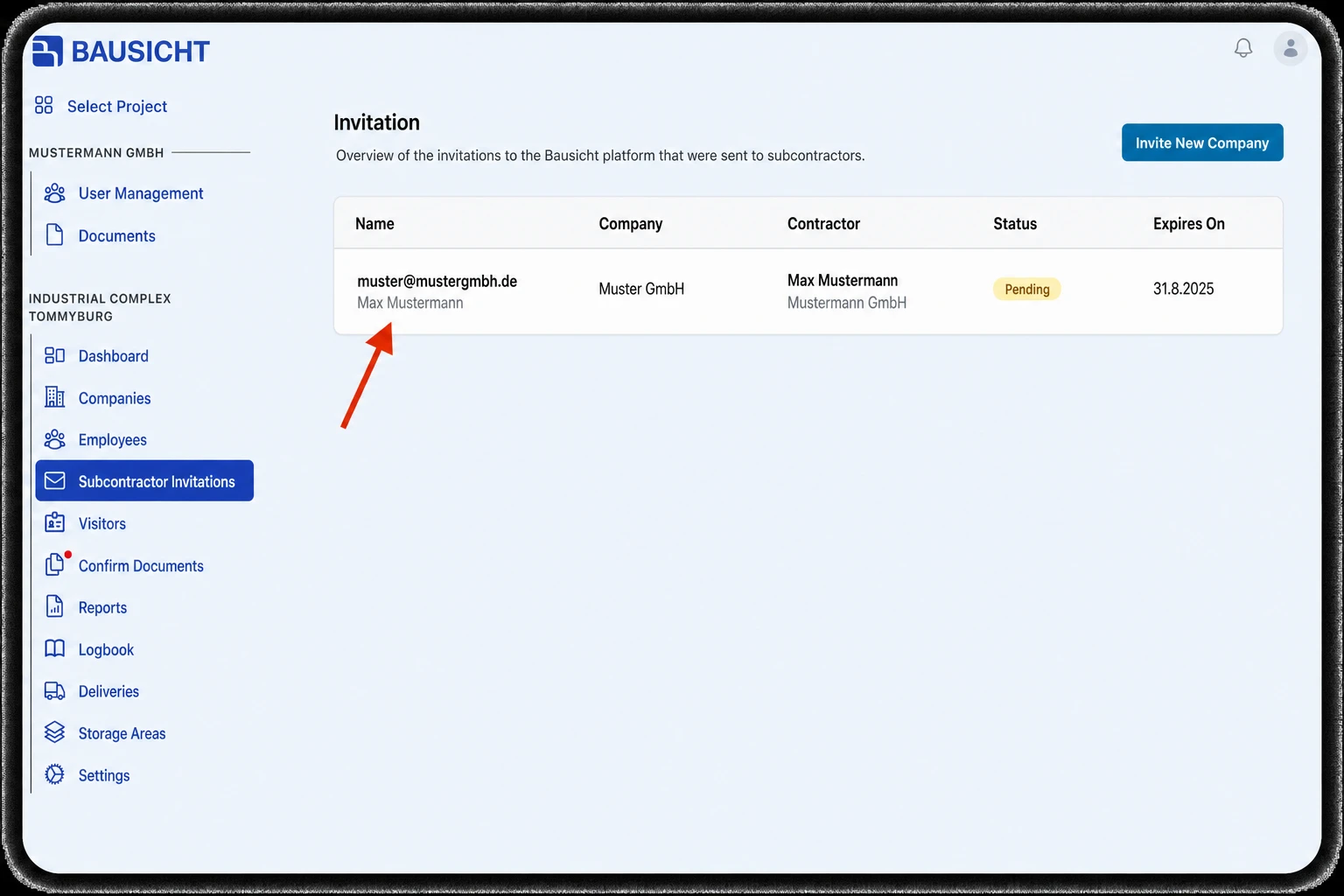
Step 2: Click the invitation in question
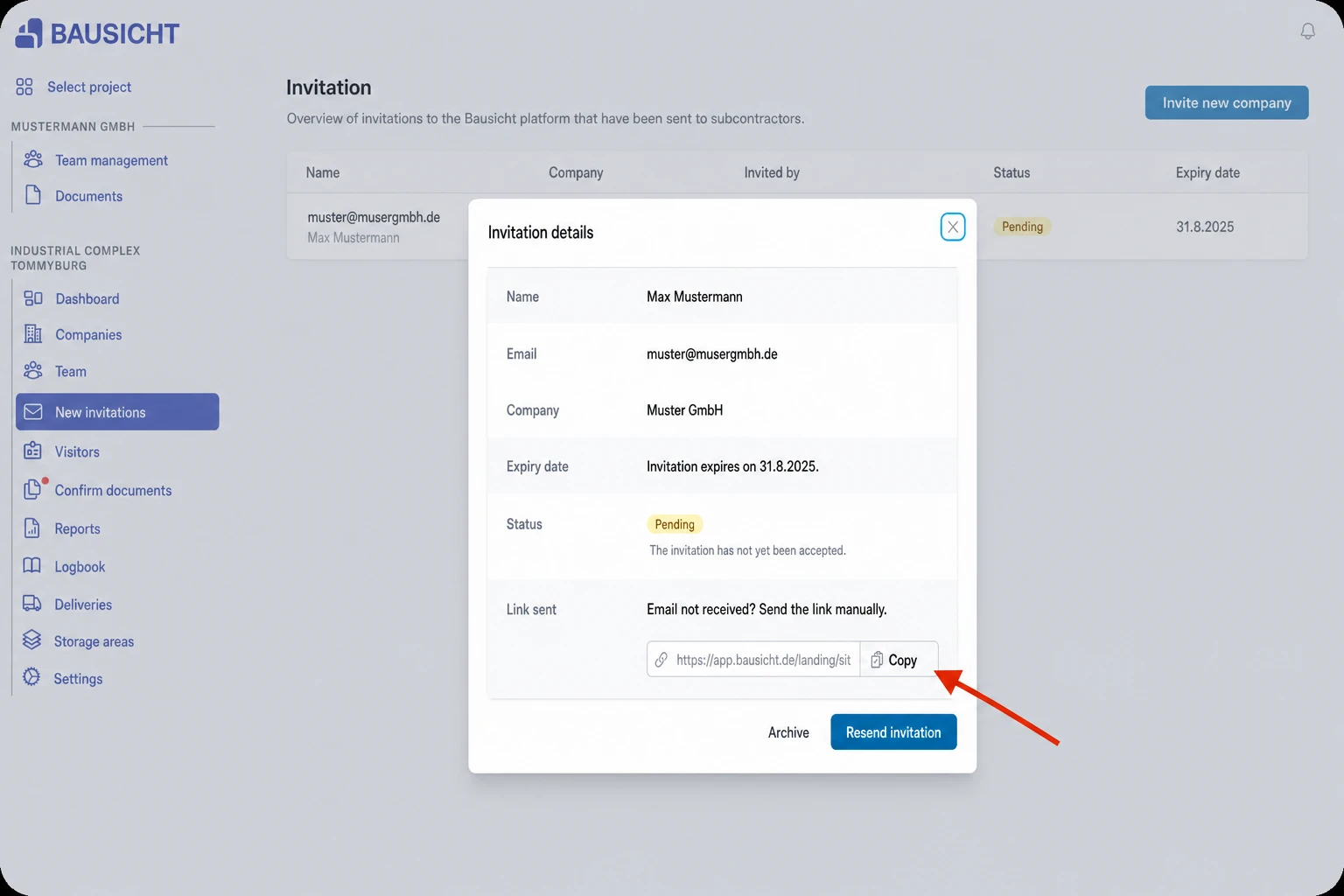
Step 3: Copy the invitation link
Click Copy in the Send link section. This section appears for invitations from your company with the status “Pending” or “Expiring soon”.
Step 4: Send the link manually to your subcontractor
Send the copied link manually to your subcontractor, e.g. by email or text message.
Solution 3: Resend the invitation
Resend in the same invitation sends the invitation email again – even if the invitation has already expired. This creates a new link; a previously copied link is no longer valid afterwards.
Need further help?
If you need further assistance with managing subcontractor invitations, our support team is happy to help.