
More articles and topics
Inviting a new subcontractor to Bausicht
- Before you start
- A company that already exists in Bausicht as the client and the contact person's email address
- Where to find it
- Subcontractor invitations → Invite new company → Invite subcontractor
- How to check the result
- The invitation is sent to the subcontractor by email.
Quick answer
Open Subcontractor invitations, click Invite new company and choose Invite subcontractor. Enter the email address and set the roles. If the email address is not yet registered with Bausicht, also enter the company details and language. Next in the last step sends the invitation.
You only select the client if you are also allowed to invite for other companies (permission “Can invite subcontractors for other companies.”). Otherwise the invited subcontractor is automatically assigned to your own company.
Video Tutorial
Text
Step 1: Sign in to Bausicht
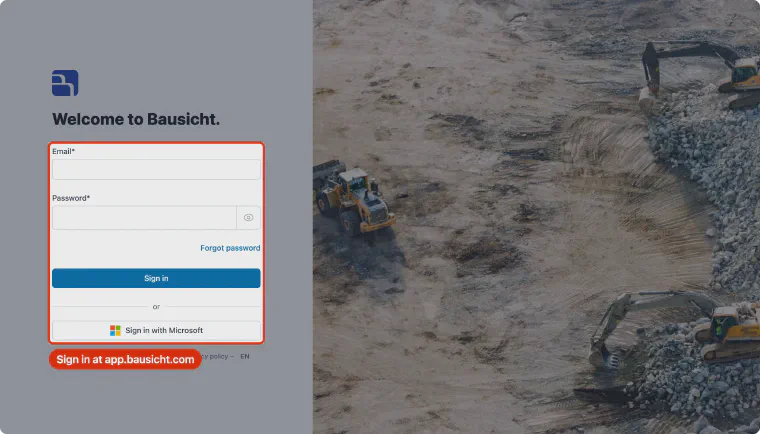
Open app.bausicht.com in your browser and sign in.
Step 2: Navigate to the Subcontractor invitations section
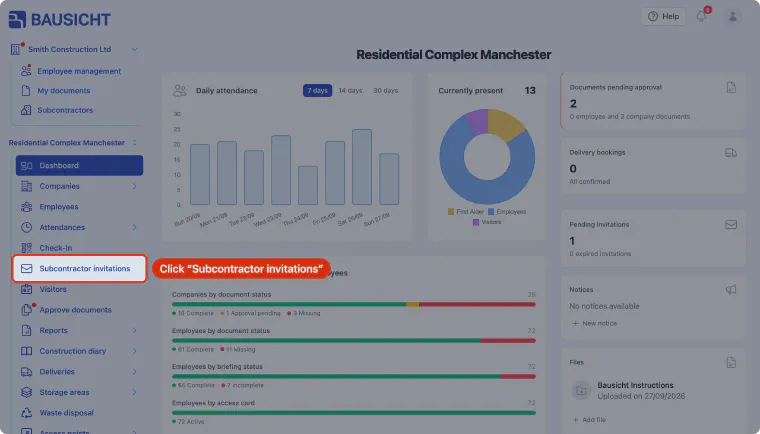
In the construction site's left-hand navigation, click “Subcontractor invitations”. This section lists all invitations sent to subcontractors, including their status and expiry date.
Step 3: Invite new company
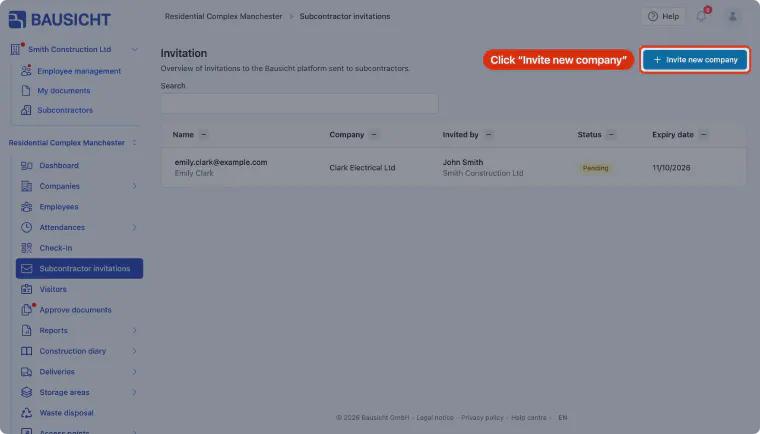
Click the “Invite new company” button in the top right corner. This opens the “New subcontractor” dialog.
Step 4: Start the invitation
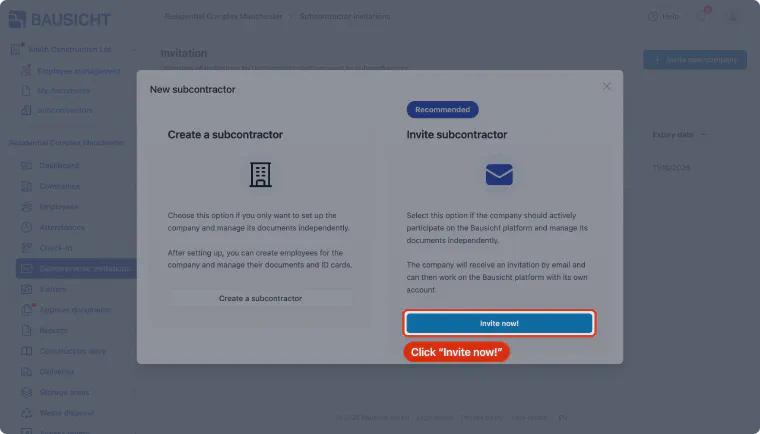
The dialog offers two options. Under “Invite subcontractor”, click “Invite now!”.
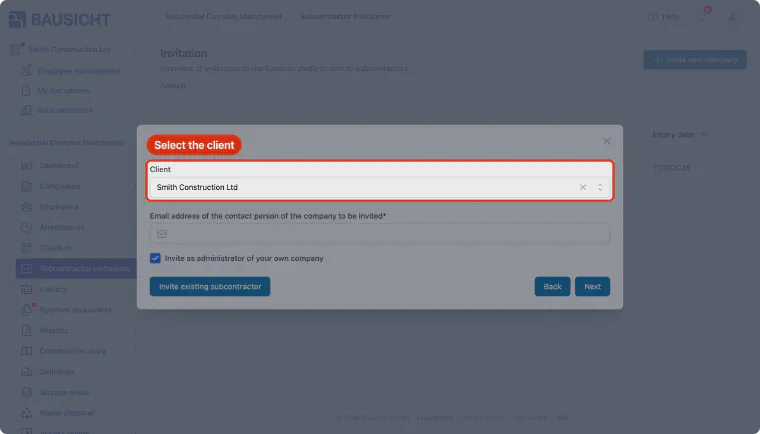
Step 5: Specify the client
Your own company is preselected in the “Client” field. If you are allowed to invite on behalf of other companies, you can select another company that already exists in Bausicht. This can be adjusted later.
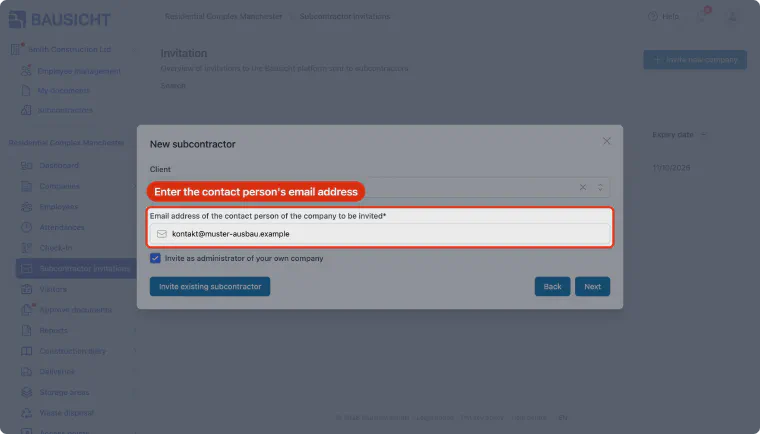
Step 6: Enter the subcontractor's email address
Enter the email address of the contact person at the subcontractor you want to invite. With “Invite as administrator of your own company”, the contact person becomes administrator of their company.
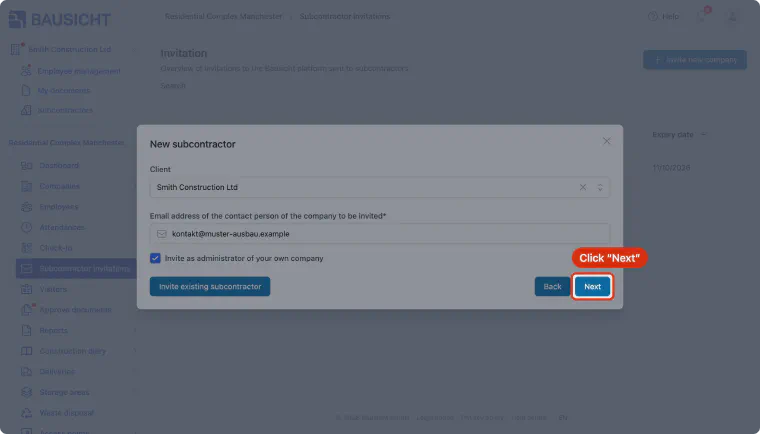
Step 7: Continue to the next step
Click “Next” to continue with the invitation process.
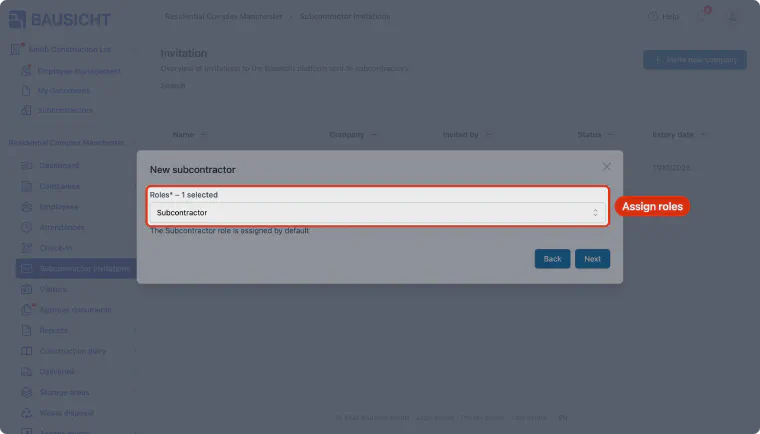
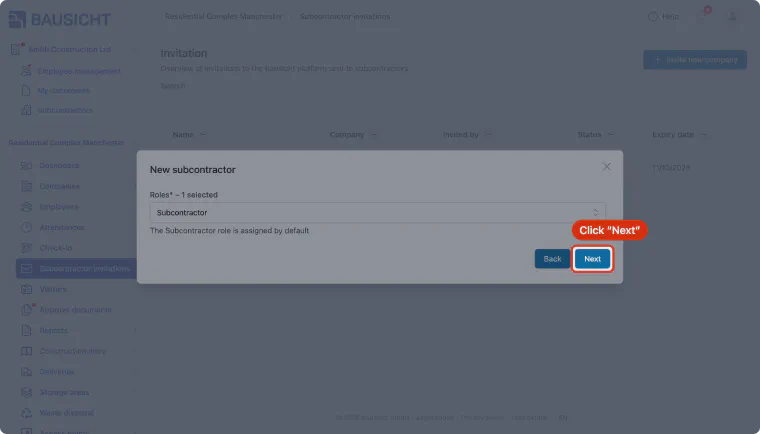
Step 8: Define roles
Select which roles the subcontractor should receive. By default, the subcontractor role is assigned. This role cannot view data of other companies on the construction site.
Step 9: Continue the invitation
Click “Next” to go to the next step of the invitation process. If the email address is already registered in Bausicht, this sends the invitation directly.
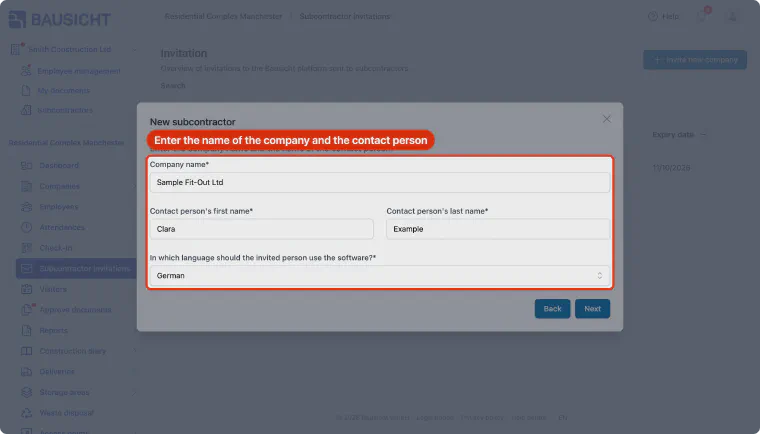
Step 10: Add company details
If the email address is not yet registered in Bausicht, enter the company name and the contact person's first and last name. Under language, choose the language in which emails and the Bausicht software are displayed for the subcontractor.
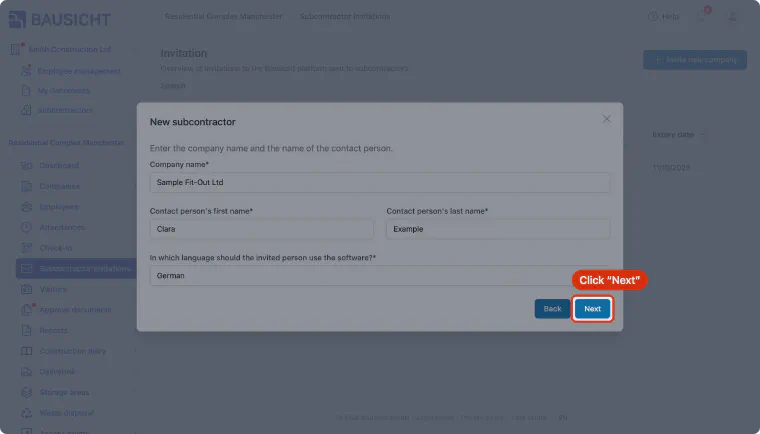
Step 11: Send the invitation
Check all the details you entered and click “Next”. The invitation is now sent to the subcontractor by email. If the company or contact person resembles an existing entry, Bausicht first suggests it for selection.
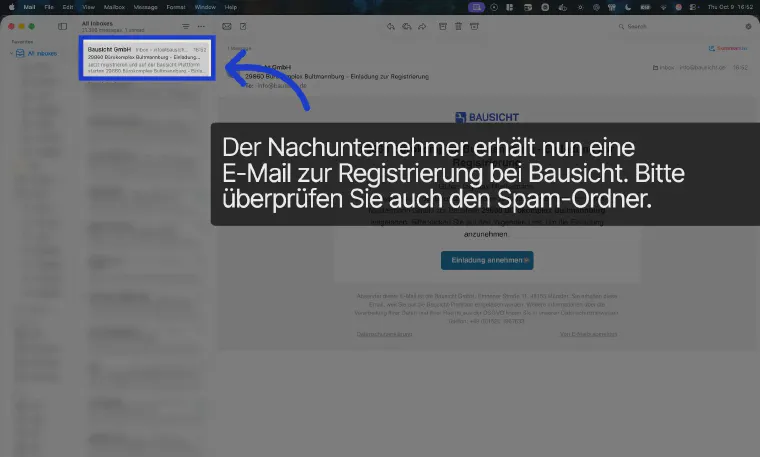
Step 12: Accept the invitation (subcontractor perspective)
The subcontractor receives an email from Bausicht with the subject “Invitation to register”. If the subcontractor can't find the email, ask them to also check their spam folder. Alternatively, you can click the invitation in Bausicht and send the registration link manually.
Need further help?
If you need further assistance with inviting subcontractors, our support team is happy to help.