
More articles and topics
Recording attendances and managing construction sites
- Where to find it
- Employees → Record attendances
- How to check the result
- The selected attendance days are saved and can be used for weekly or monthly reports from the Reports tab.
Quick answer
Open Attendances → Record attendance, select the calendar week and mark each assigned person’s days of attendance. Save the selection; you can then generate weekly or monthly reports under Reports → Generate report.
Video Tutorial
Text
Step 1: Overview of the process
You will get step-by-step instructions for selecting the calendar week, entering attendances and saving the data.
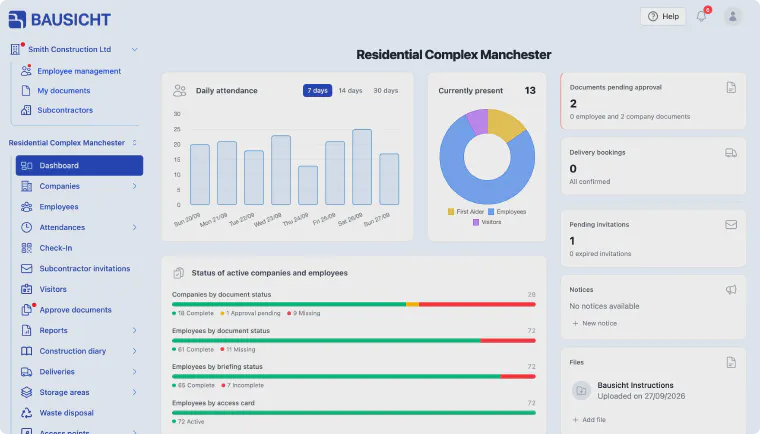
Step 2: Open the Attendances area
In the left-hand navigation, click Attendances.
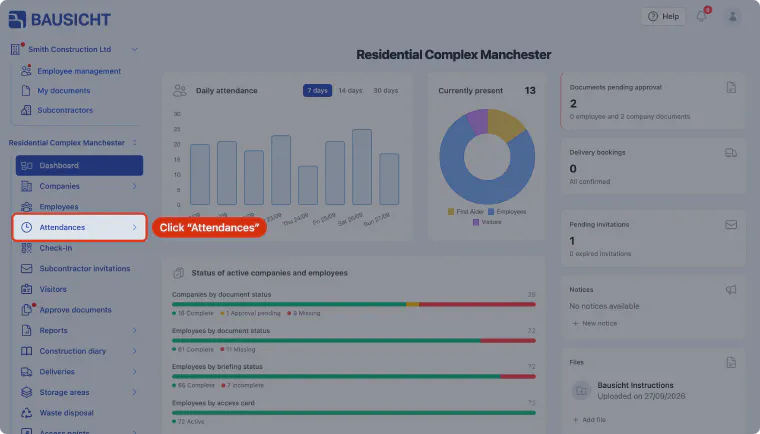
Step 3: Start recording attendances
Below Attendances, click Record attendance. The “Weekly attendance tracking” page opens.
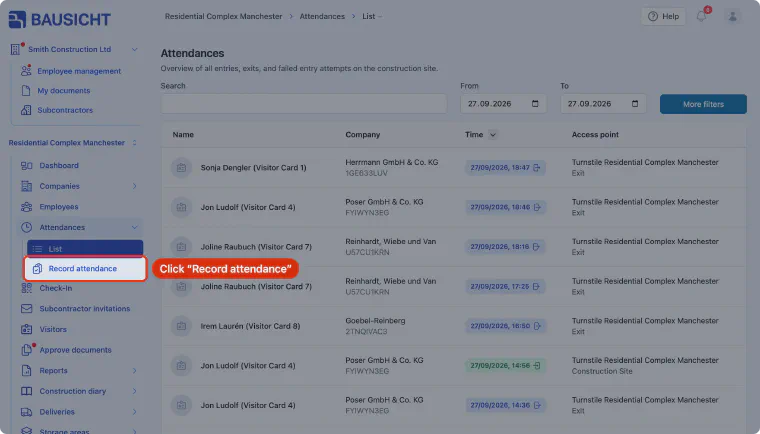
Step 4: Select the calendar week
Click the Calendar week field and select the week you want.
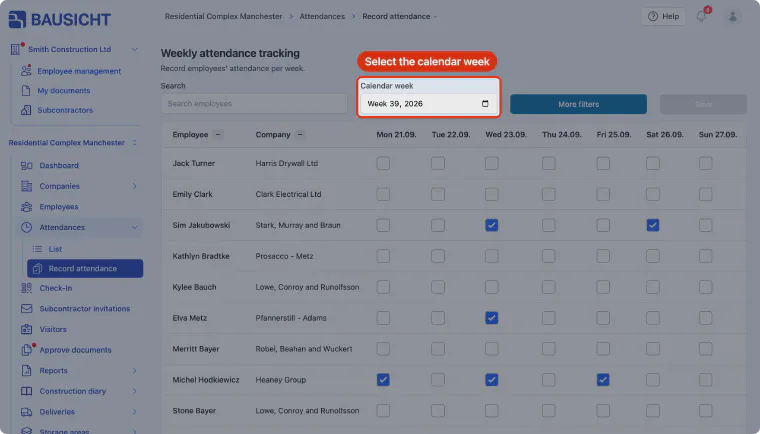
Step 5: Select the days of attendance
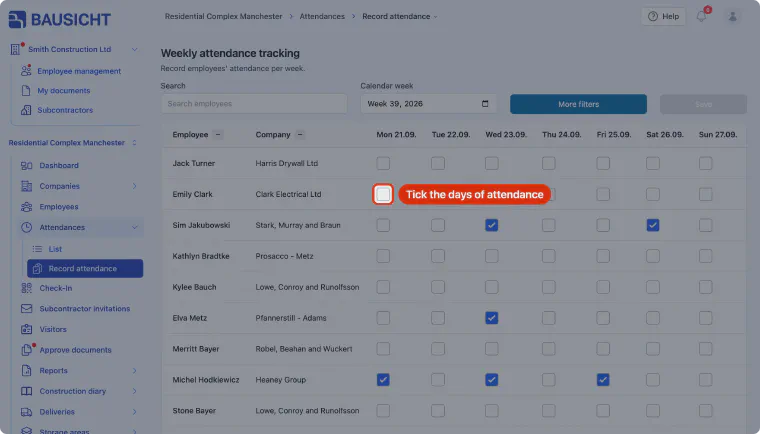
The list shows all employees assigned to this construction site. Tick the days on which each person was present, and use the search or “More filters” if needed.
Step 6: Save the attendances
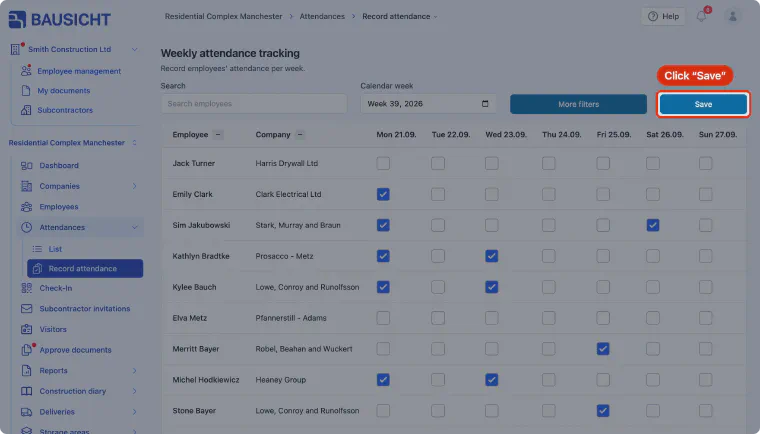
Once you have selected all attendances, click Save.
Need further help?
If you need further assistance with recording attendances, our support team is happy to help.