
More articles and topics
How do I remove or archive a company?
- Before you start
- The Master data: Can suspend companies or Master data: Can archive companies permission
- Where to find it
- Companies → company → Edit → On the construction site → Edit
- How to check the result
- Archive or Remove is available for the selected company.
On this page
Quick answer
| Step | Description |
|---|---|
| 1 | Go to “Companies” in the left-hand navigation |
| 2 | Select the company you want by clicking on it |
| 3 | Click the “Edit” tab |
| 4 | Select “Archive & remove” underneath |
| 5 | Click “Archive” or “Remove company” |
Required permissions
- Archive and unarchive: Can archive companies.
- Remove: Can remove companies from the construction site.
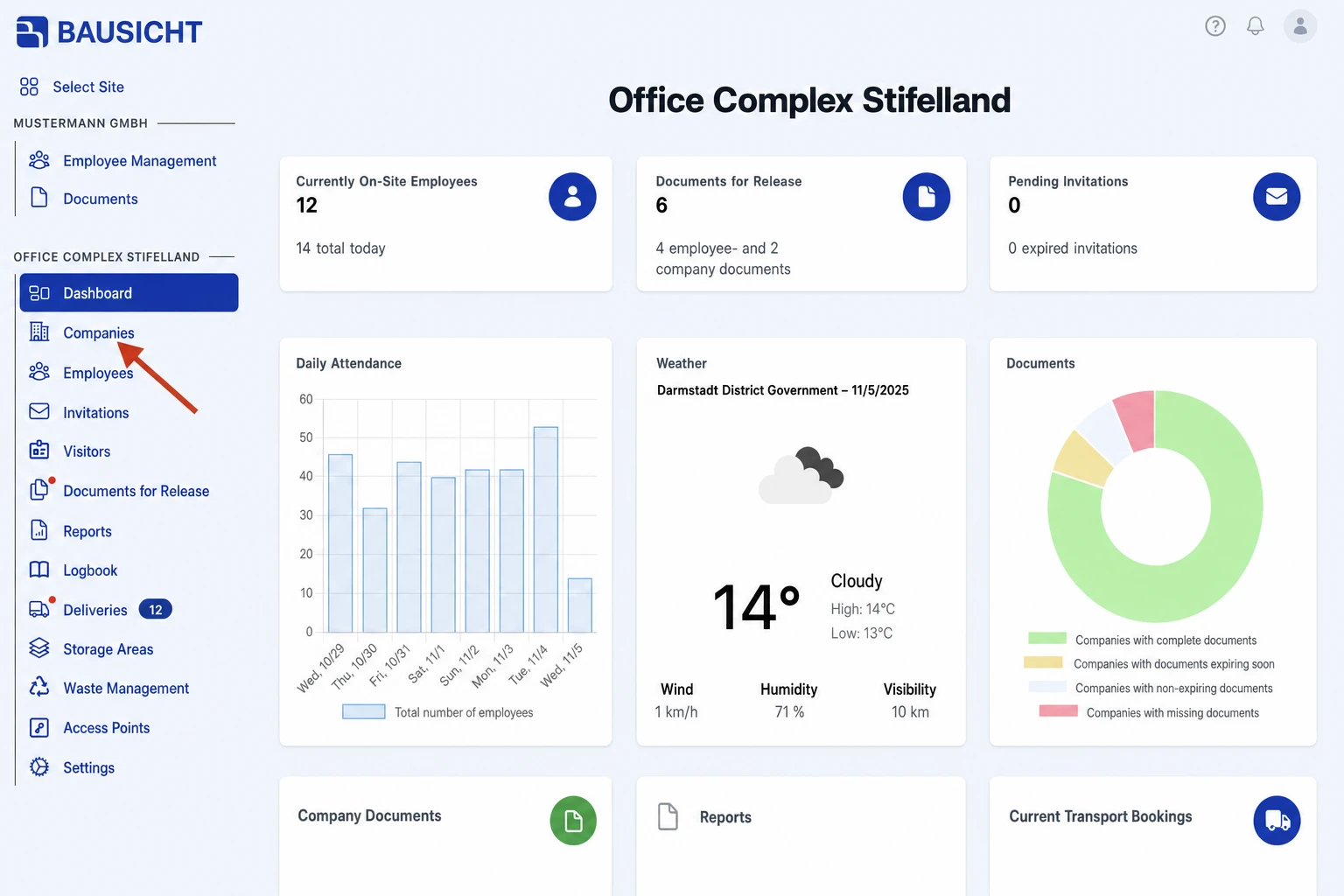
Step 1: Open “Companies” in the left-hand navigation
Go to “Companies” in the left-hand navigation.
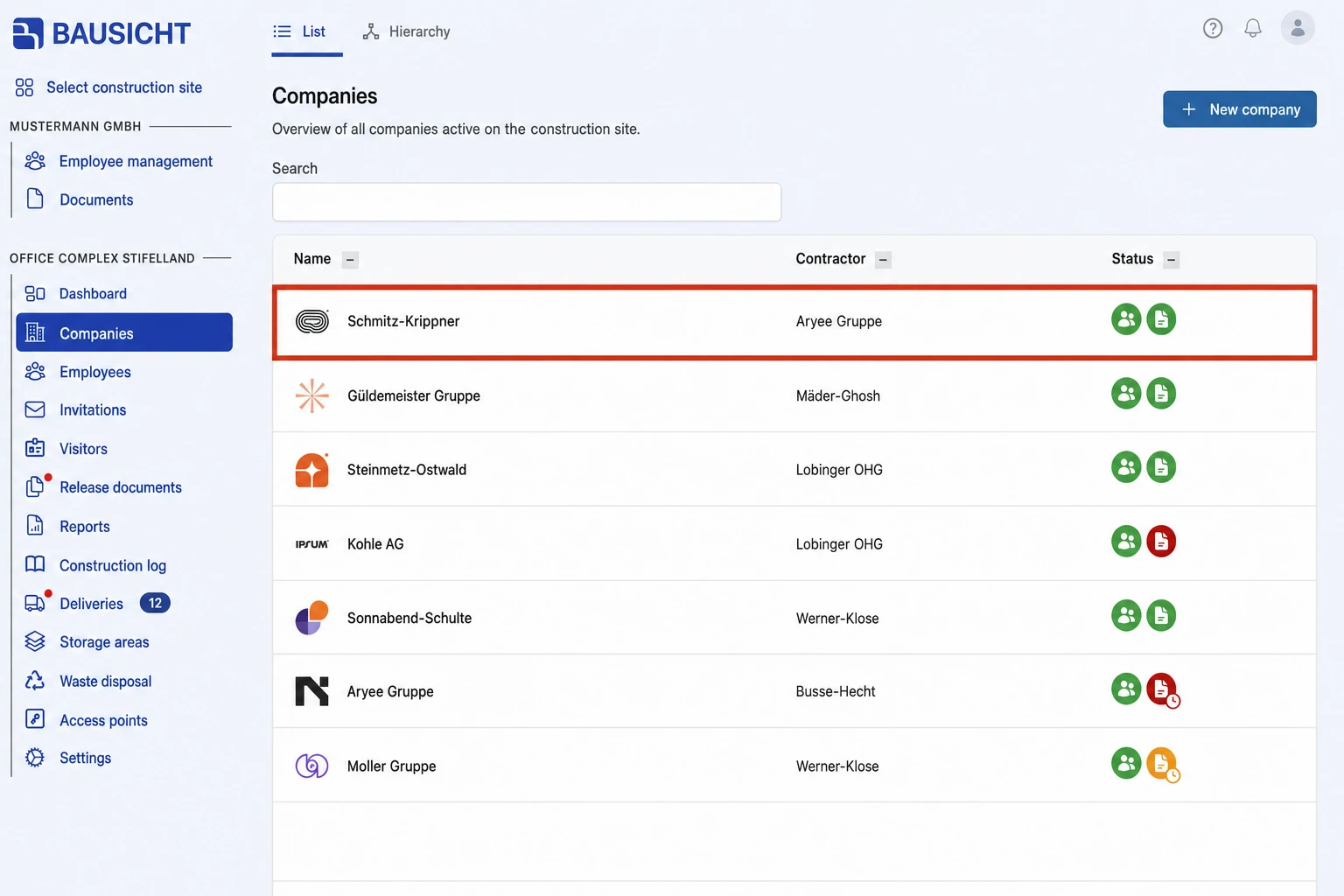
Step 2: Select the company
Click the company you want to archive or remove.
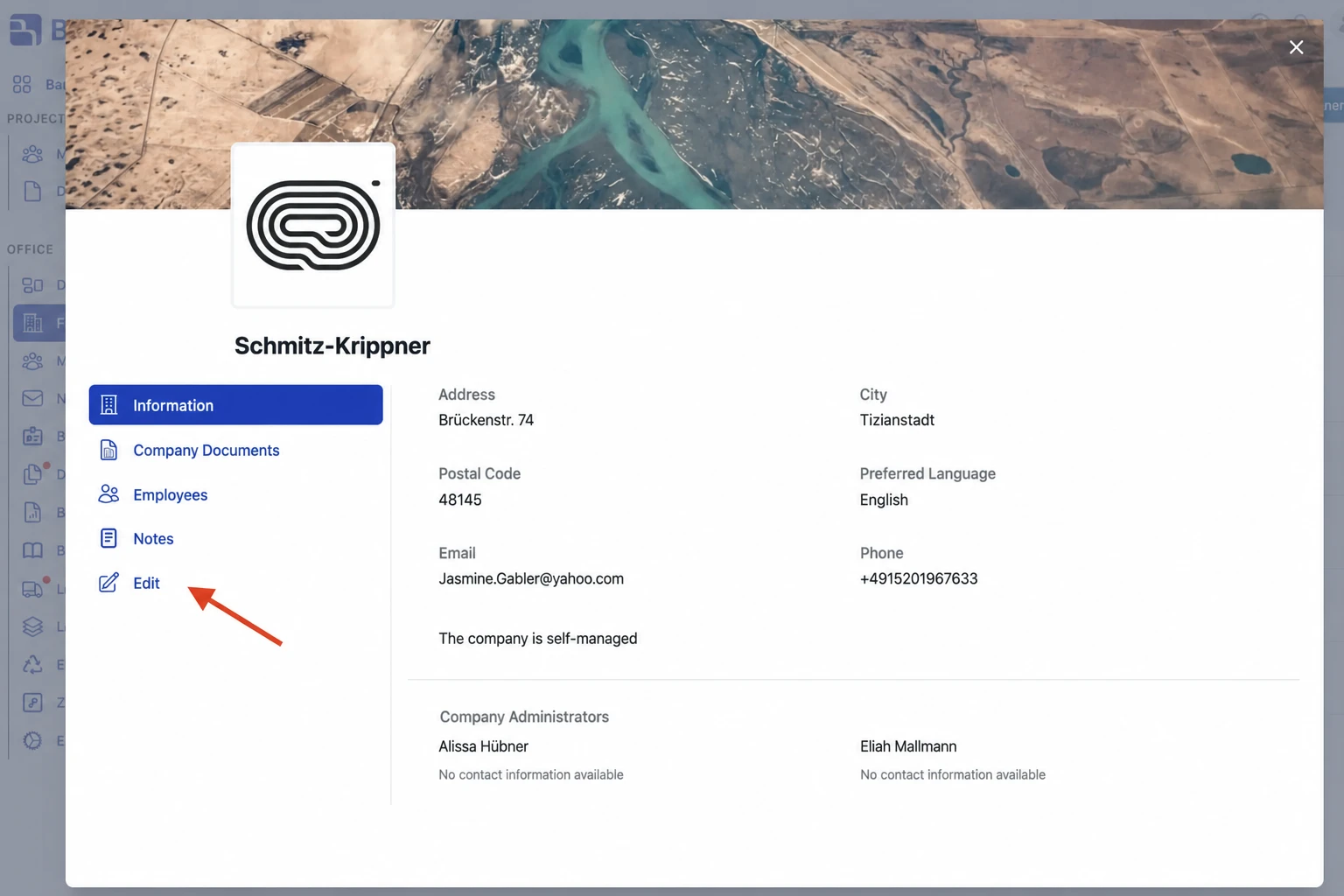
Step 3: Click the “Edit” tab
Click the “Edit” tab in the left-hand column.
Step 4: Open “Archive & remove”
Further entries unfold under “Edit”. Select “Archive & remove”.
Step 5: Archive or remove
Click “Archive” or “Remove company” and confirm the prompt.
Archive or remove?
- Archive: All of the company’s employees are archived on this site and lose access; documents are no longer required. You can undo this with “Unarchive” in the same place. The employees are unarchived as well, but their access zones are not restored automatically – they have to be assigned again.
- Remove company: The company and all of its subcontractors are removed from the site. Before you confirm, Bausicht shows which companies are affected. This cannot be undone, and you lose access to all company and employee data of these companies.
Need further help?
If you need further assistance with removing companies, our support team is happy to help.