
More articles and topics
How do I remove or archive employees?
- Before you start
- The Master data: Can suspend employees permission
- Where to find it
- Employees → person → Edit → On the construction site
- How to check the result
- Archive or Remove is available for the selected person.
On this page
Quick answer
| Step | Description |
|---|---|
| 1 | Go to “Employees” in the left-hand navigation |
| 2 | Select the employee you want by clicking their profile |
| 3 | Click the “Edit” tab |
| 4 | Select “Archive & remove” underneath |
| 5 | Click “Archive” or “Remove employee” |
Required permissions
- Archive and unarchive: Can archive companies.
- Remove: Can remove employees from the construction site.
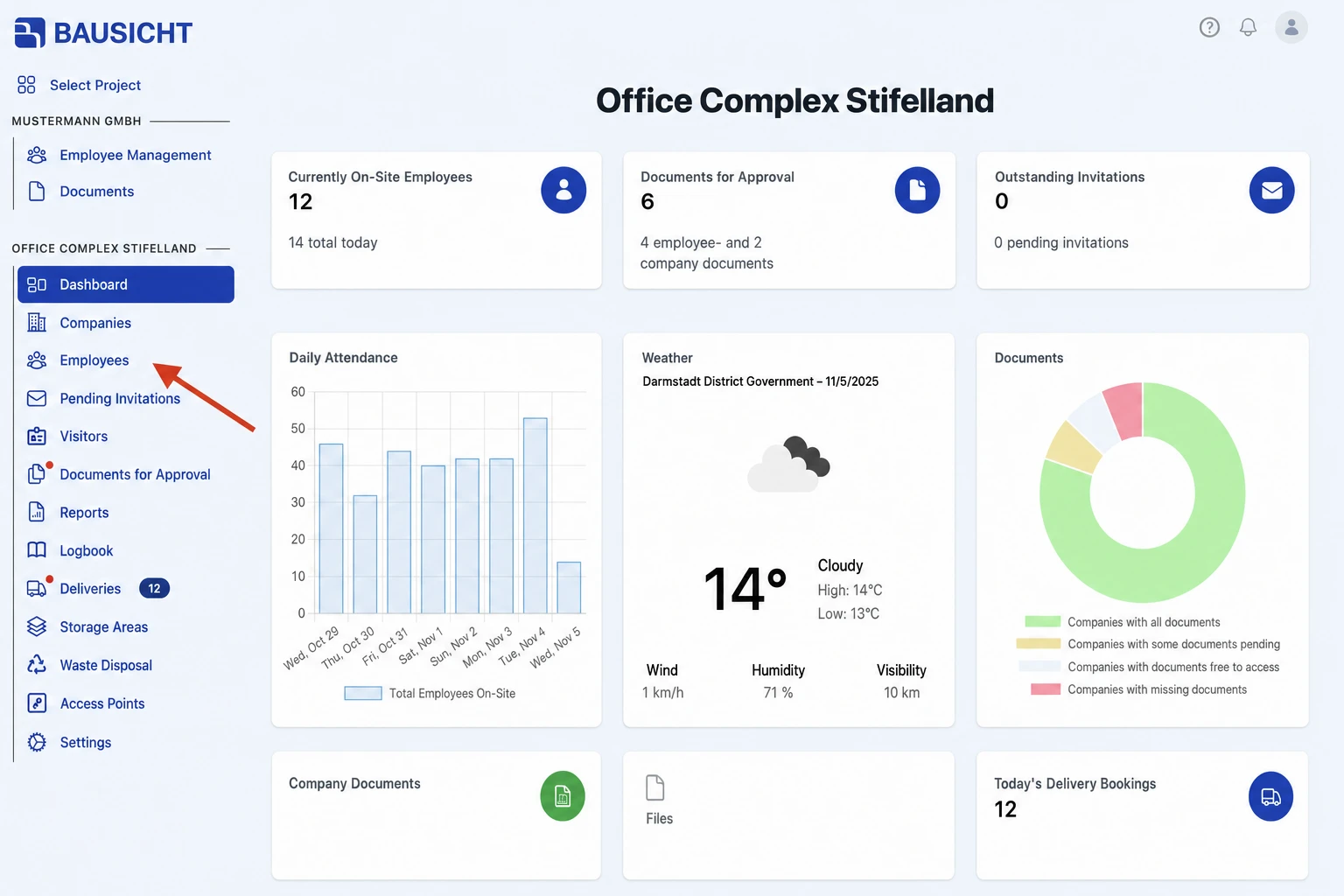
Step 1: Open “Employees” in the left-hand navigation
Go to “Employees” in the left-hand navigation.
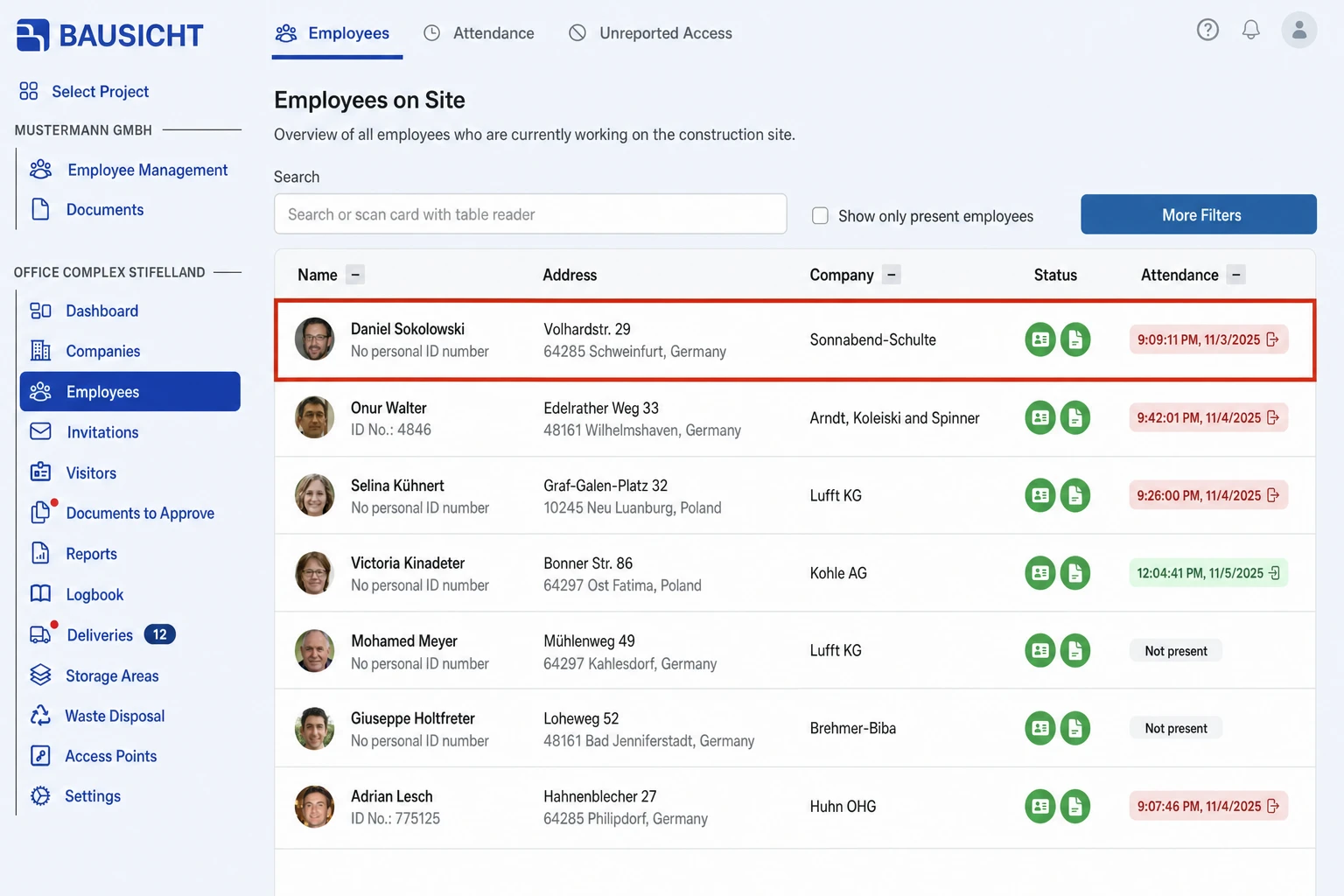
Step 2: Select the employee
Click the profile of the person you want to archive or remove.
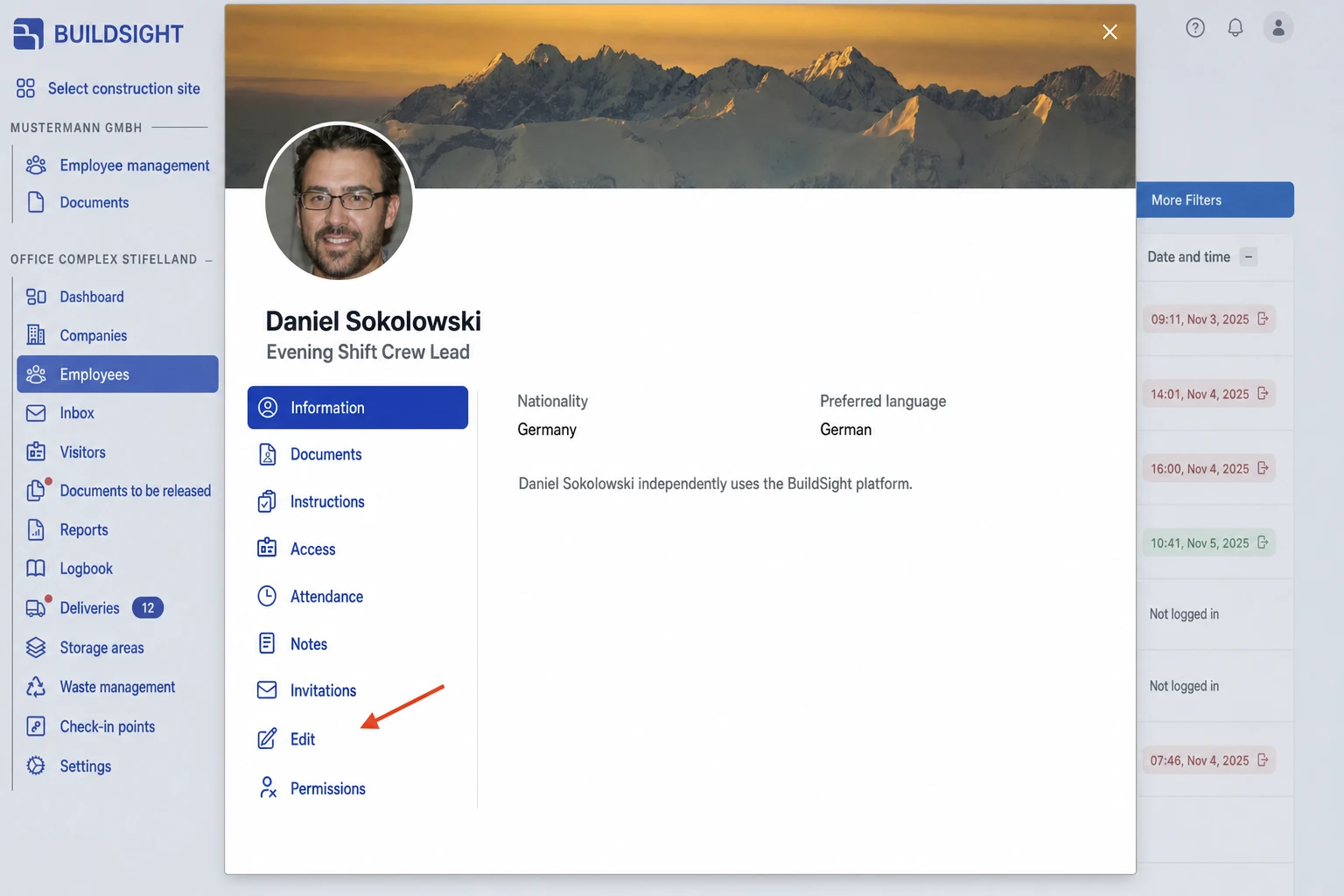
Step 3: Click the “Edit” tab
Click the “Edit” tab in the left-hand column.
Step 4: Open “Archive & remove”
Further entries unfold under “Edit”. Select “Archive & remove”.
Step 5: Archive or remove
Click “Archive” or “Remove employee” and confirm the prompt.
Archive or remove?
- Archive: The person loses access to the construction site and documents are no longer required. You can undo this with “Unarchive” in the same place; access zones are not assigned again automatically.
- Remove employee: The person is removed from the construction site. This cannot be undone, and you lose access to their employee data.
Both apply to this construction site only. The person’s sign-in to Bausicht is not affected.
Need further help?
If you need further assistance with removing employees, our support team is happy to help.