
More articles and topics
Roles & permissions: employees per role and category filter
- Where to find it
- Settings → Permissions → role → Employees
- How to check the result
- The tab shows people with the role; the Category filter narrows the displayed permissions.
The permissions modal has been extended with two features: you can now see at a glance which employees hold a given role, and you can filter permissions by category. Both make it easier to keep track of access rights in Bausicht.
Quick answer
| Step | Description |
|---|---|
| 1 | Open Settings → Permissions and click an existing role |
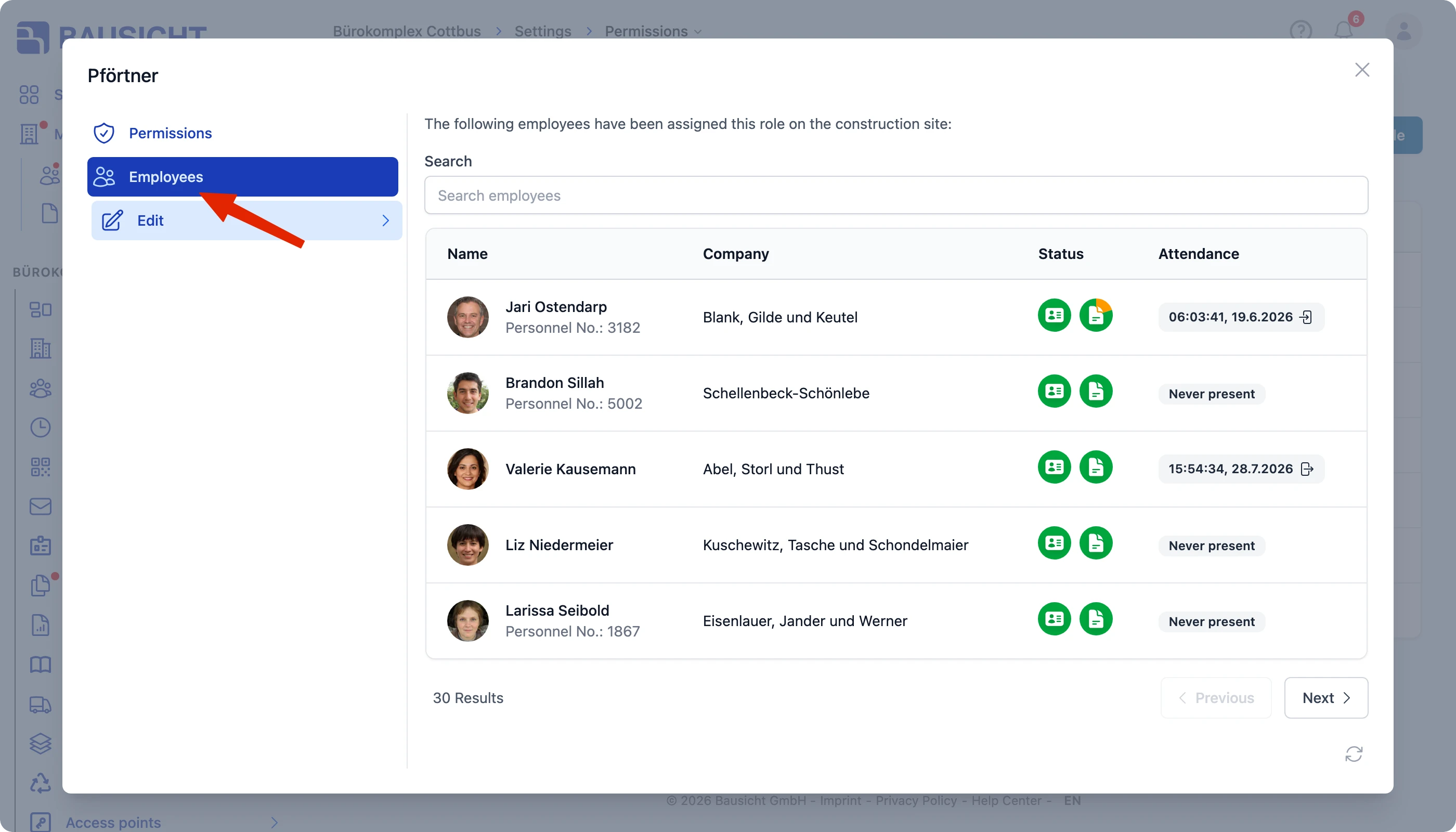
| 2 | Switch to the Employees tab in the permissions modal |
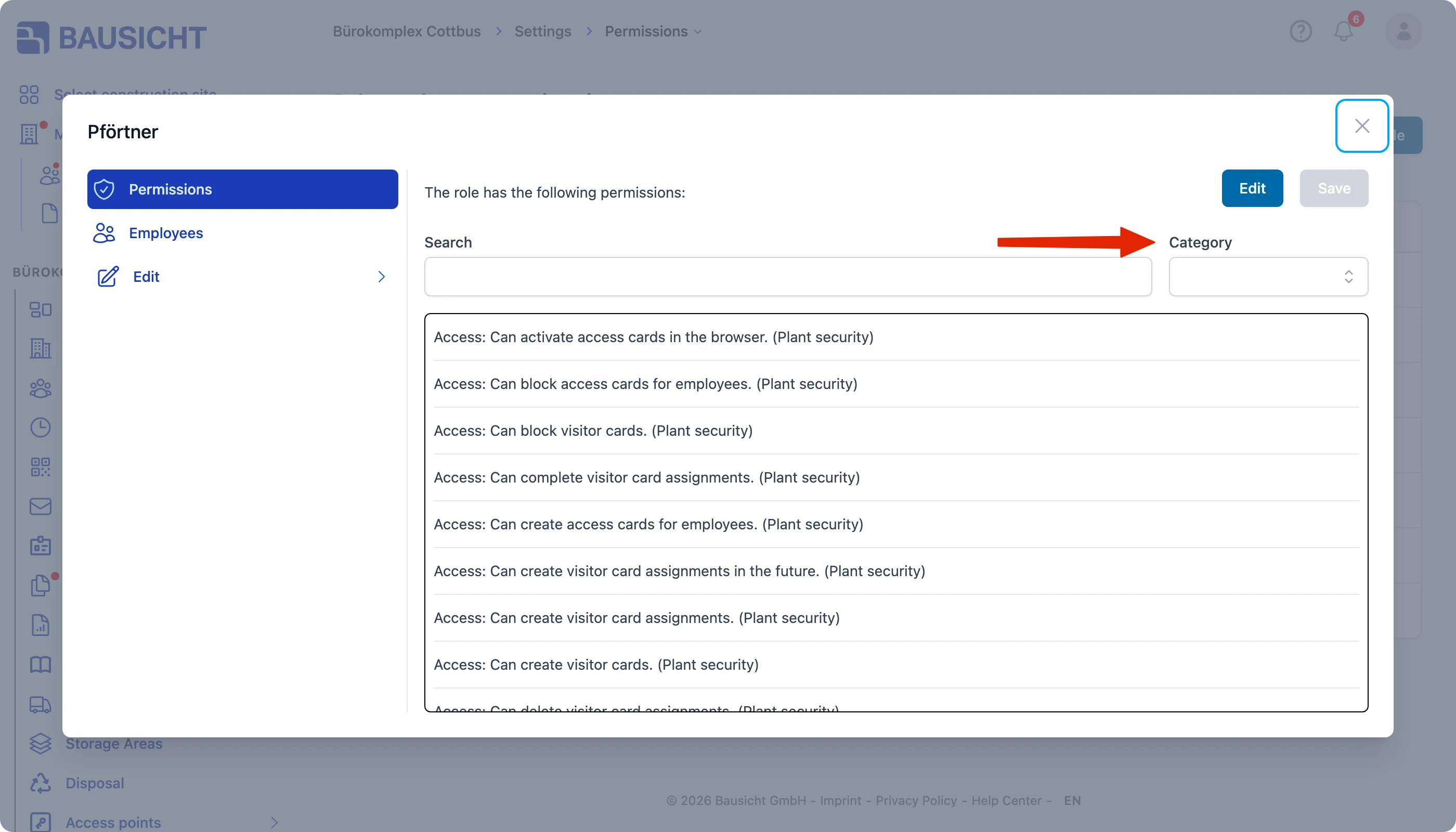
| 3 | Narrow down the permissions with the Category filter if needed |
Show employees per role
The permissions modal includes a new tab that lists all employees with a given role (Show employees per role). This lets you quickly see who holds which role – without having to check each person individually.
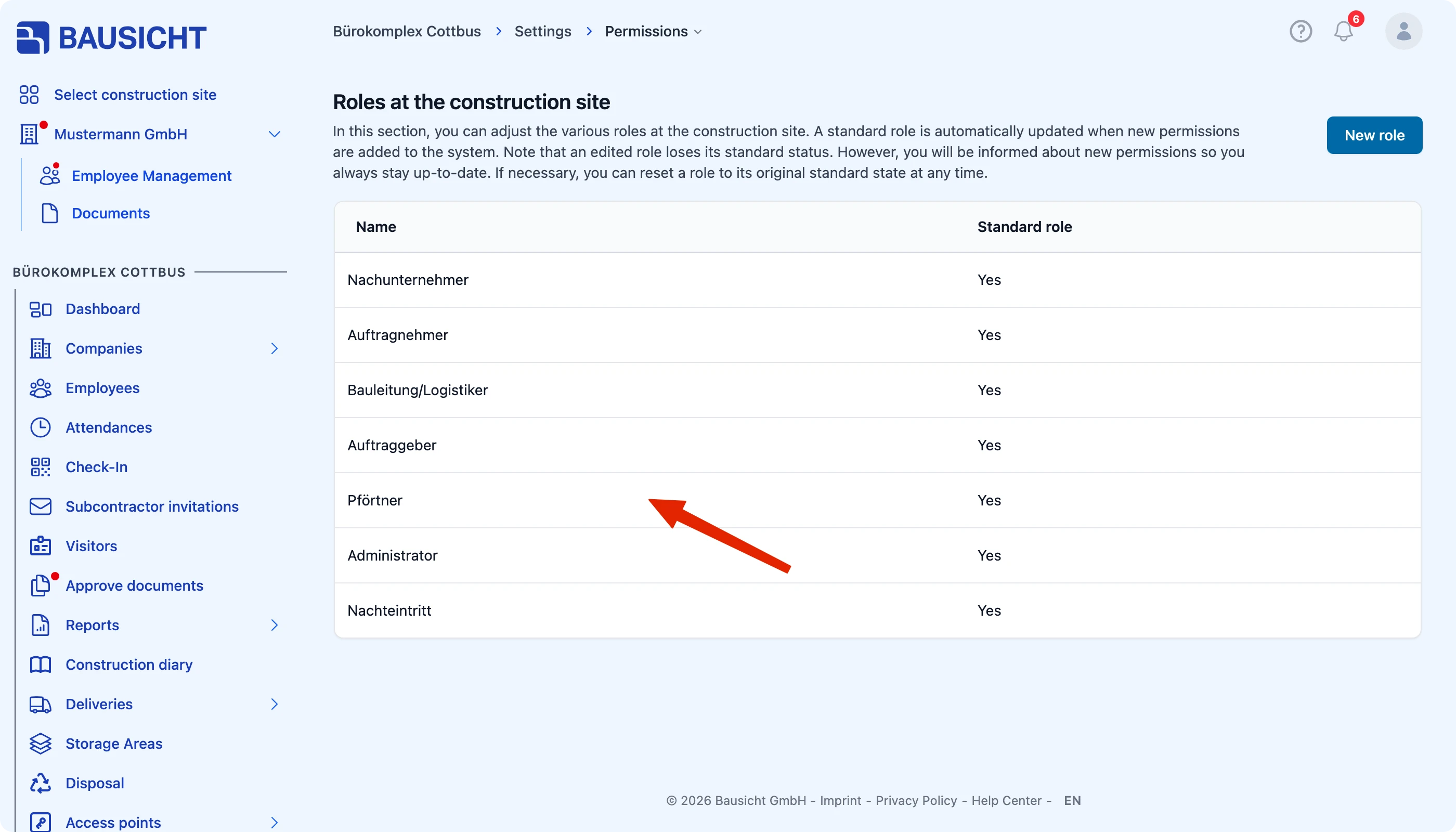
To do so, open Settings → Permissions and switch to the relevant tab.
Filter permissions by category
In addition, you can filter permissions by category. This gives you a faster overview when you only want to look at a specific area of the permissions.
Need further help?
If you need further assistance, our support team is happy to help.