
More articles and topics
How do I archive employees of my company?
- Where to find it
- Employee management → person → Edit → Archive & Delete
- How to check the result
- The archived person can no longer sign in or receive email notifications; their recorded data and documents remain, and archiving can be reverted at any time.
On this page
When someone leaves your company, you should archive that person in Bausicht. The recorded data and records are retained – the person only loses access to the platform.
Quick answer
| Step | Description |
|---|---|
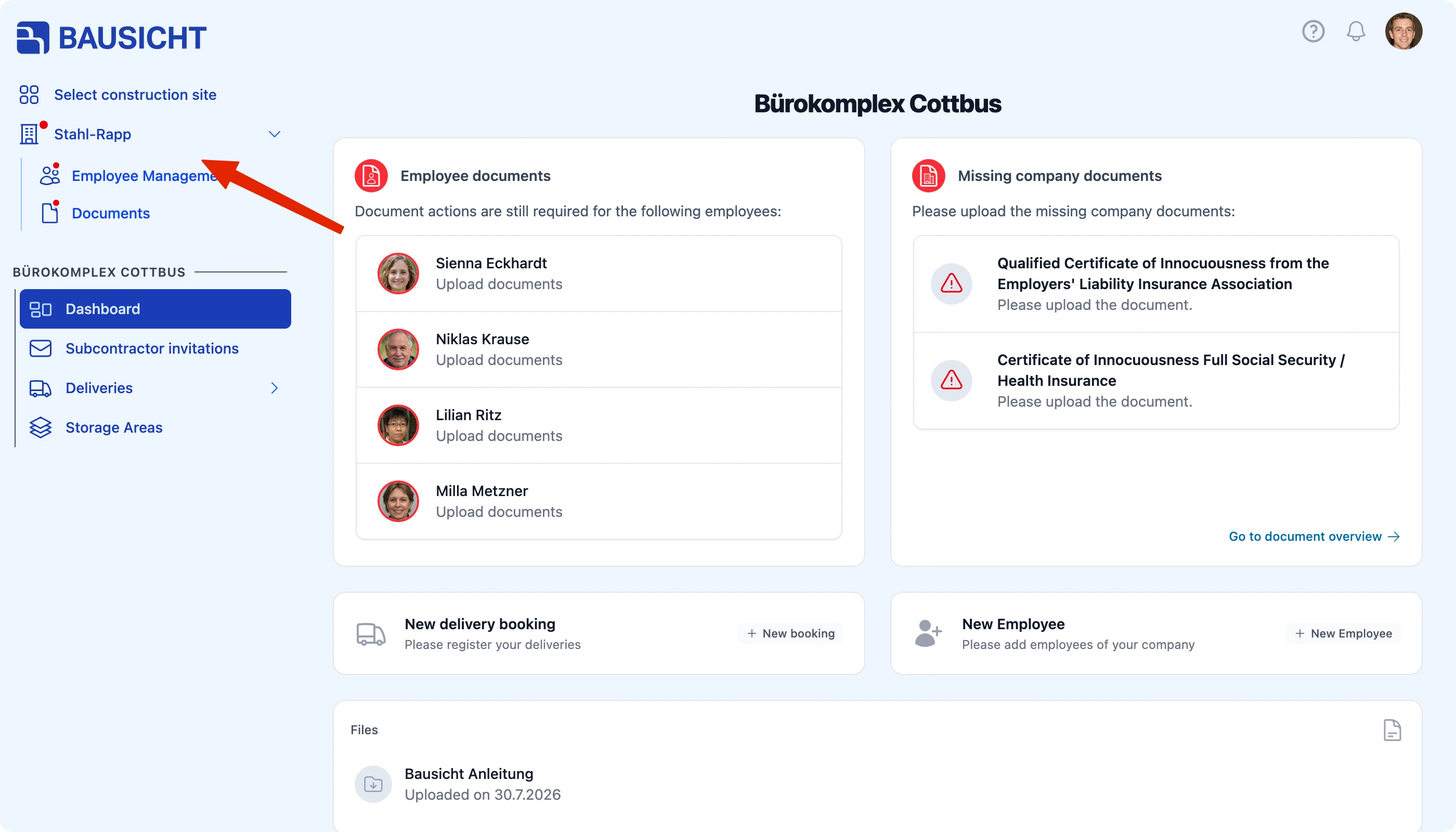
| 1 | Open Employee management in the left navigation |
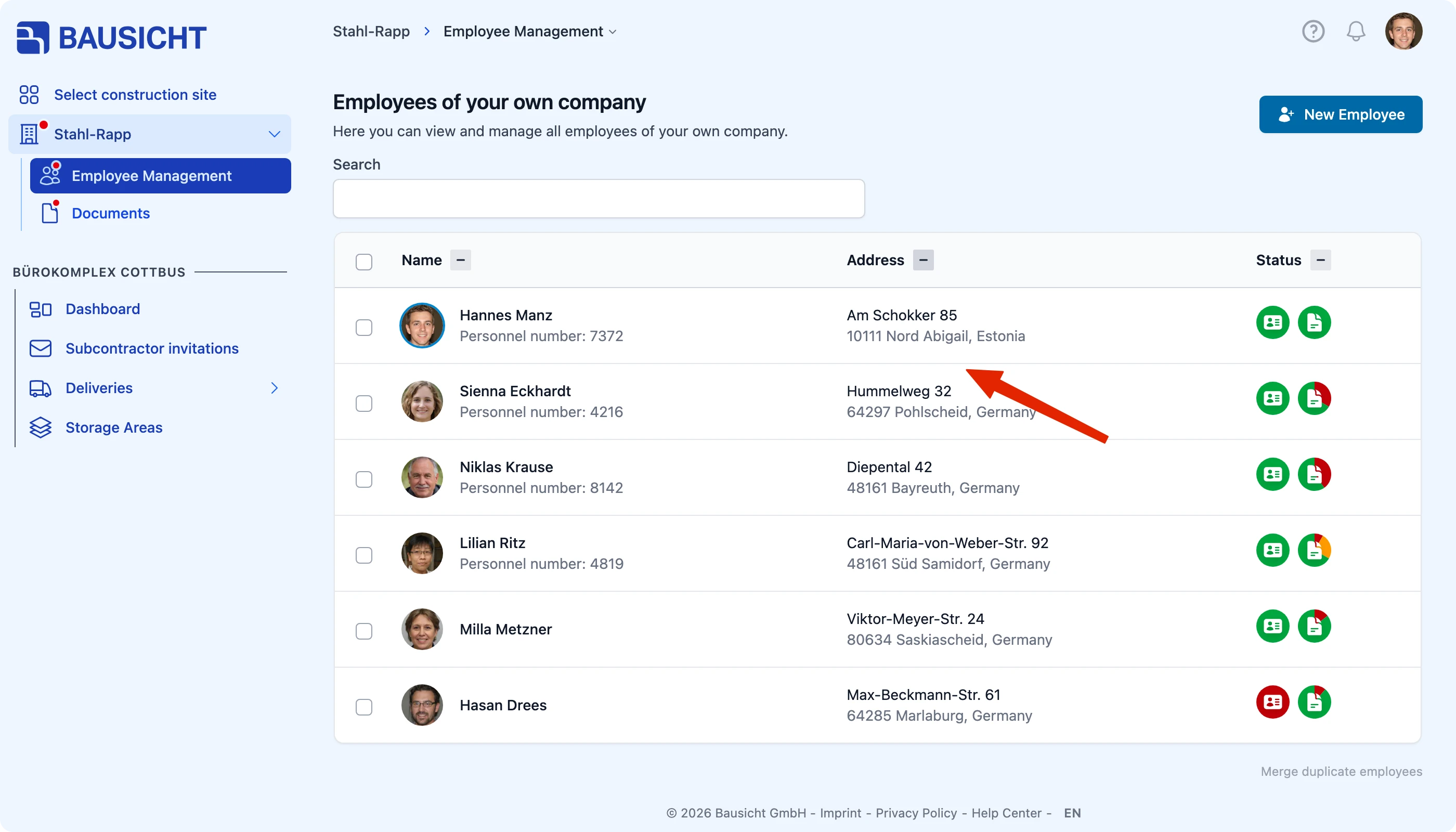
| 2 | Click the person in question |
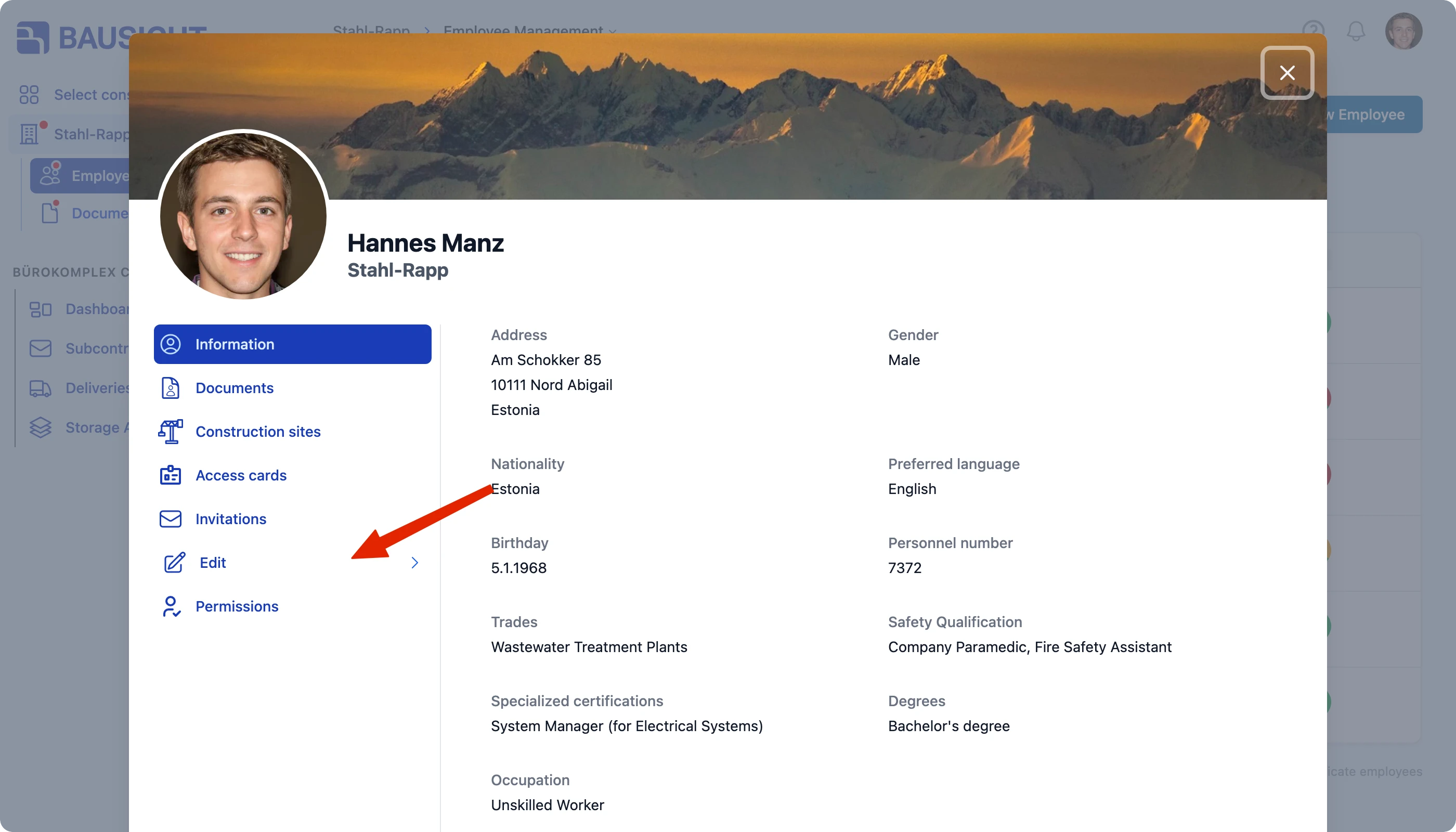
| 3 | Click Edit in the left column of the dialog |
| 4 | Choose Archive & delete underneath |
Step 1: Open employee management
Employee management is listed under your company name in the left navigation and contains everyone in your business. If there are no further items under the company name, clicking the company name opens employee management directly.
The Status column shows which people are active and which are already archived.
Step 2: Open the person
Step 3: Open “Edit” and archive
The details view lists Information, Documents, Construction sites, Access cards, Invitations, Edit and Permissions on the left.
Click Edit – Master data, Archive & delete and Merge unfold underneath. Choose Archive & delete and archive the person.
What does archiving do?
- The person can no longer sign in to Bausicht
- The person no longer receives email notifications
- The recorded data and documents are retained
- The change can be reverted at any time

Tip: Archive rather than delete. For compliance purposes you often have to prove years later who was on the construction site and when – archived people remain visible in the reports.
Can I remove employees from a construction site myself?
With the usual subcontractor role you can add employees to construction sites, but not remove them from a site yourself. That requires a separate permission on the respective construction site. If this action is missing for you, contact the site administrator.
Archiving in the company-wide employee management does not replace removing someone from a construction site: existing site assignments and access rights are retained.
Need further help?
If you need further assistance, our support team is happy to help.