
More articles and topics
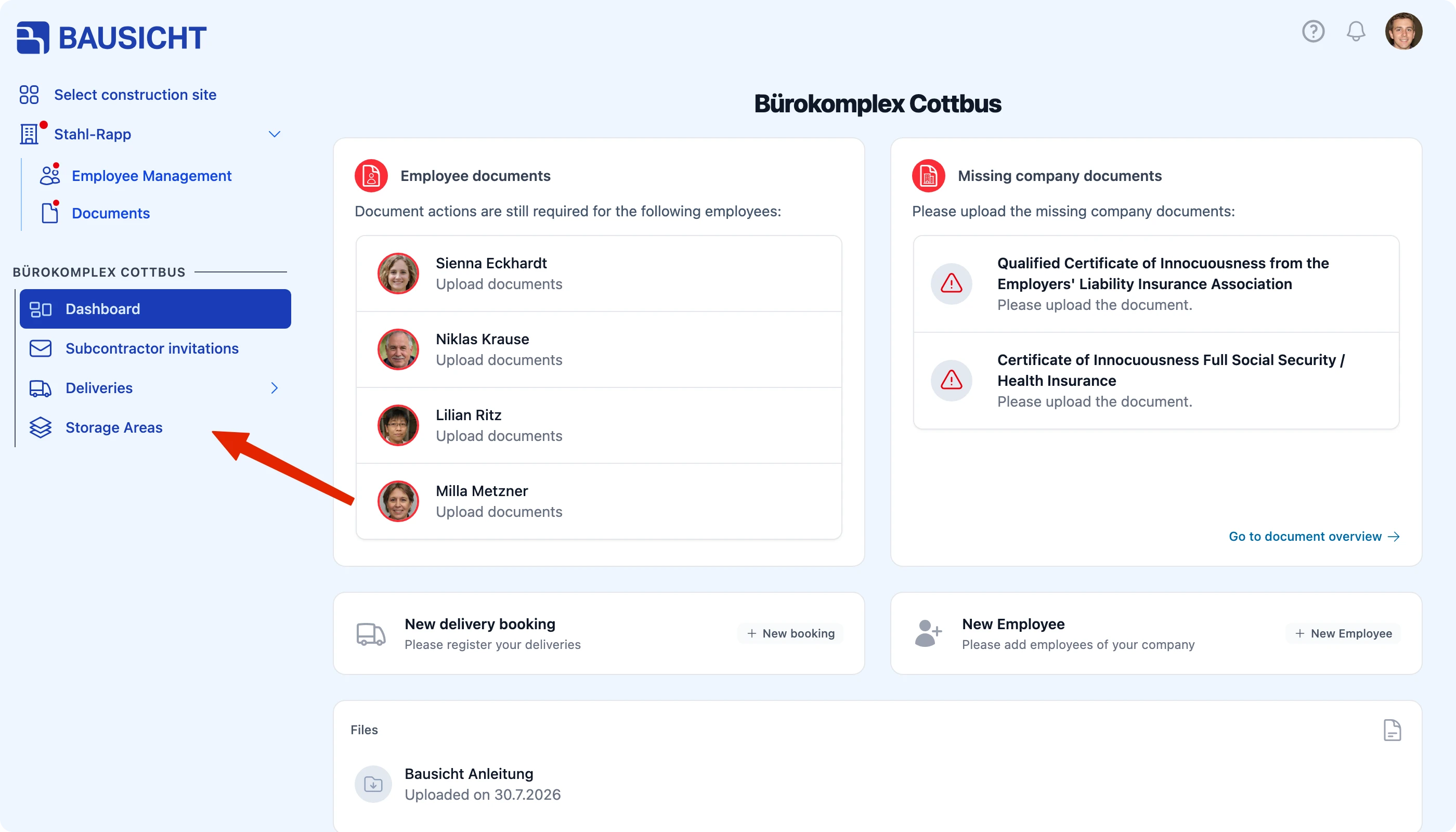
How do I change or cancel a delivery booking?
- Before you start
- The booking must not have been accepted or rejected; only then is the Edit entry available.
- Where to find it
- Deliveries → Bookings → booking → Edit
- How to check the result
- The booking changes are saved, or the booking is cancelled after Delete.
On this page
Schedules on a construction site shift. You can therefore adjust or cancel a delivery you have already registered – as long as the booking still allows it.
Quick answer
| Step | Description |
|---|---|
| 1 | Open Deliveries → Bookings |
| 2 | Click the booking in question |
| 3 | To change it, click Edit; to cancel it, open the Status tab and click Cancel |
Step 1: Open “Deliveries → Bookings”
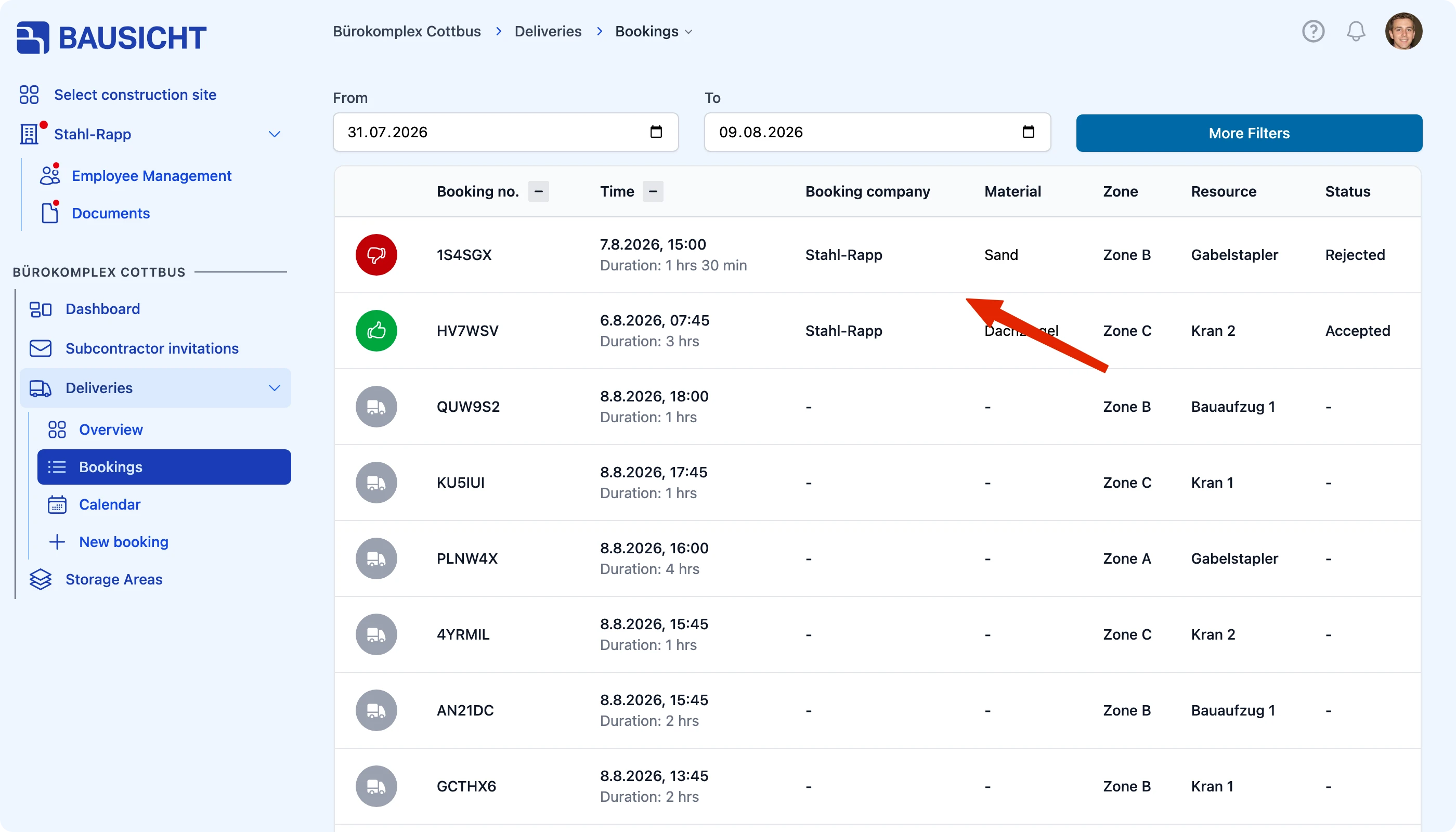
The overview shows Booking no., Time, Booking company, Material, Loading zone, Lifting equipment and Status. Use the From and To fields and More filters to narrow down the list.

Note: The list also contains bookings by other companies so that you can judge how busy the loading zones and lifting equipment are. For other companies’ bookings, the company and material are hidden – with the usual subcontractor permissions you can only change your own company’s bookings. Other companies’ bookings are changed by the site management or logistics team, provided they have the permission to do so.
Step 2: Open the booking
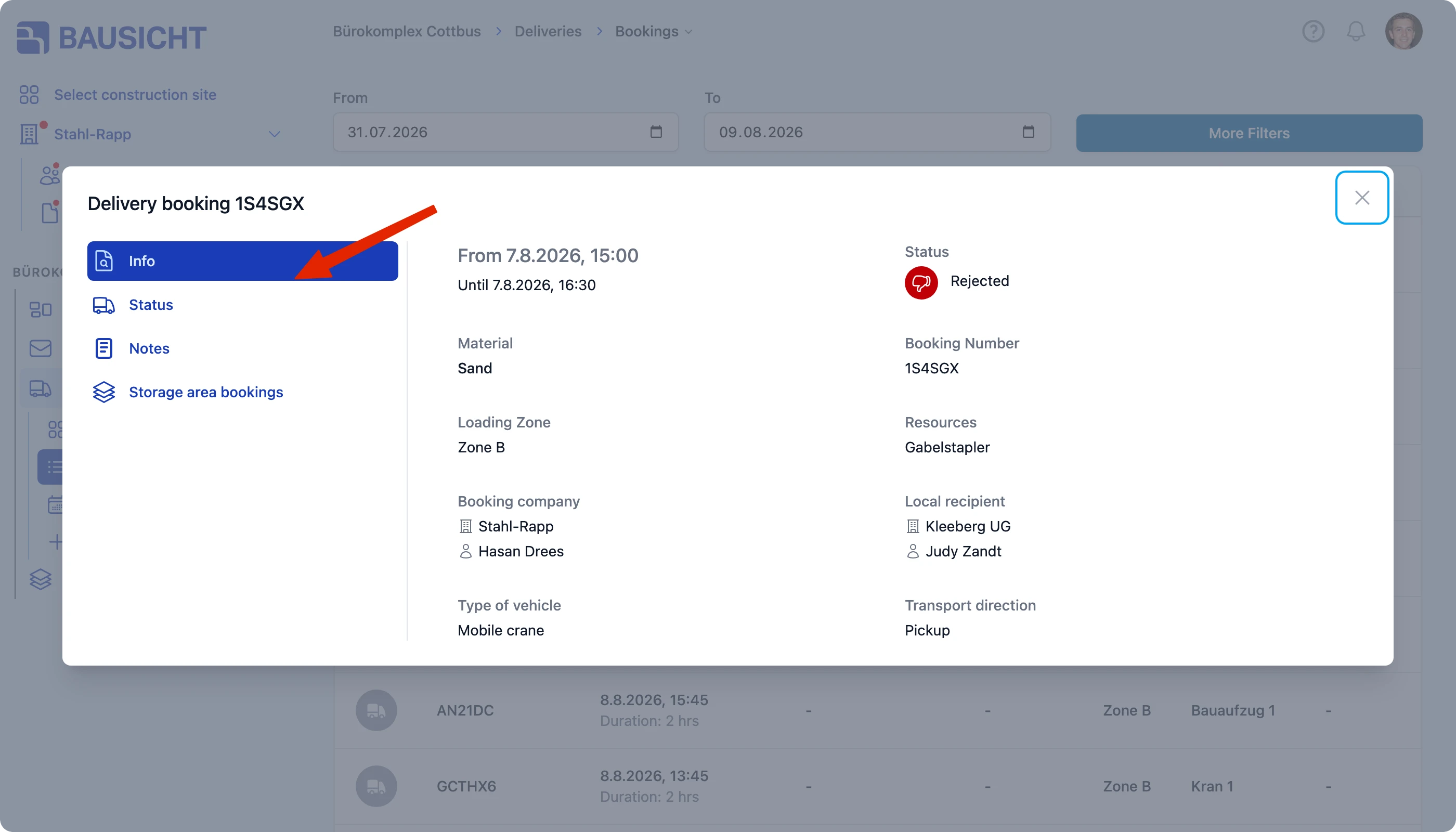
For your own bookings, the details view contains these tabs, depending on your permissions:
| Tab | Content |
|---|---|
| Info | Period, material, loading zone, lifting equipment, vehicle type and transport direction |
| Status | History of the booking – this is where you see whether it was accepted or rejected, and where you can cancel it |
| Notes | Notes about the delivery |
| Storage area bookings | Related storage areas |
| Files | Attachments to the booking, for example photos or delivery notes; upload new files via New file. The tab only appears if you are allowed to view booking files |
Step 3: Change or cancel
Change: If the booking can still be changed, the dialog contains the Edit entry. It opens the Edit booking view. If you are also allowed to delete bookings, first choose Booking underneath. There, click Edit again to change the fields, for example the time, material or loading zone, and then click Save.
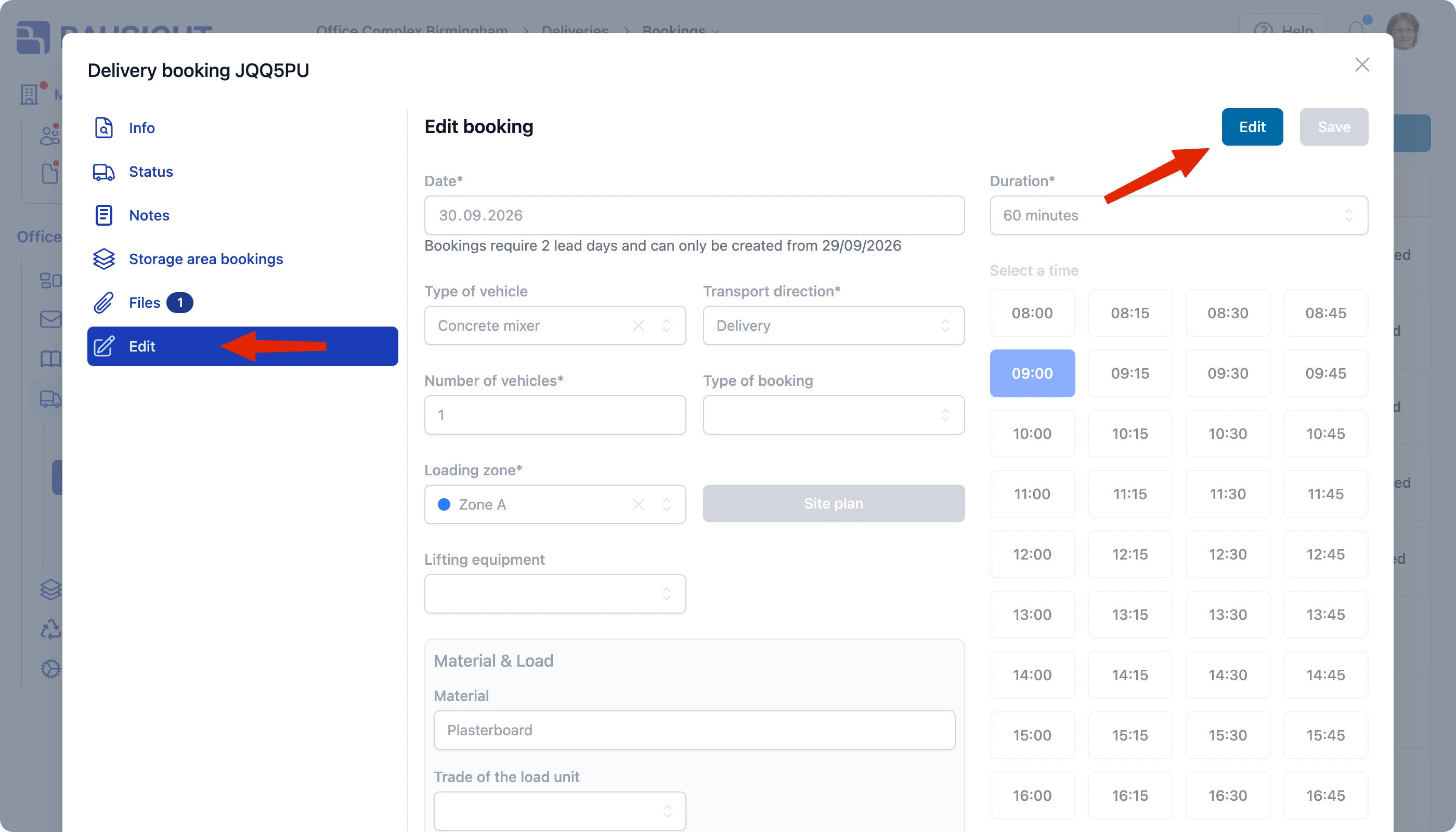
- Rejected and cancelled bookings can no longer be changed.
- Bookings that have already been accepted can only be changed with the permission Can edit confirmed delivery bookings., bookings that have already started or are in the past only with Can edit past delivery bookings.
Cancel: Open the Status tab, click Cancel and enter a reason for the cancellation. This is also possible for bookings that have already been accepted, as long as the delivery has not started yet. The button only appears for your own bookings that have not been rejected, cancelled or completed, and only with the permission Can cancel own delivery bookings. Depending on the construction site, a cancellation may only be possible up to a certain deadline before the start.
Delete: The Delete entry under Edit removes a booking permanently. It is only visible with the permission Can delete delivery bookings.
What if a booking can no longer be changed? Cancel the booking if possible and create a new booking for the new date. With Book again in the Info tab, you can reuse the details of the previous booking. If cancelling is no longer possible either, contact the site management or the logistics coordinator of the construction site.
Important: Cancel bookings you no longer need as early as possible. Loading zones and lifting equipment are scarce – a slot released early can be used by another trade.
Need further help?
If you need further assistance with delivery bookings, our support team is happy to help.