
More articles and topics
How do I create employees?
- Before you start
- A role with the Can edit employee info of own company permission
- Where to find it
- Employee management → New employee
- How to check the result
- The person is created directly or receives an invitation to register.
On this page
Quick answer:
| Step | Description |
|---|---|
| 1 | Open “Employee management” in the left navigation |
| 2 | Click “New employee” at the top right |
| 3 | Choose one of the options: create the employee yourself or invite them |
Requirements
To create employees you need the company permission Can create employees of own company., to invite them Can invite people to the own company. Both are included in the company role “Administrator for own company”. The “New employee” button also only appears if you have the permission Can independently add employees to the construction site. on at least one construction site.
Adding employees
To add new employees to your system, you have two options: you can create the employees directly, or send them an invitation so they can register themselves.
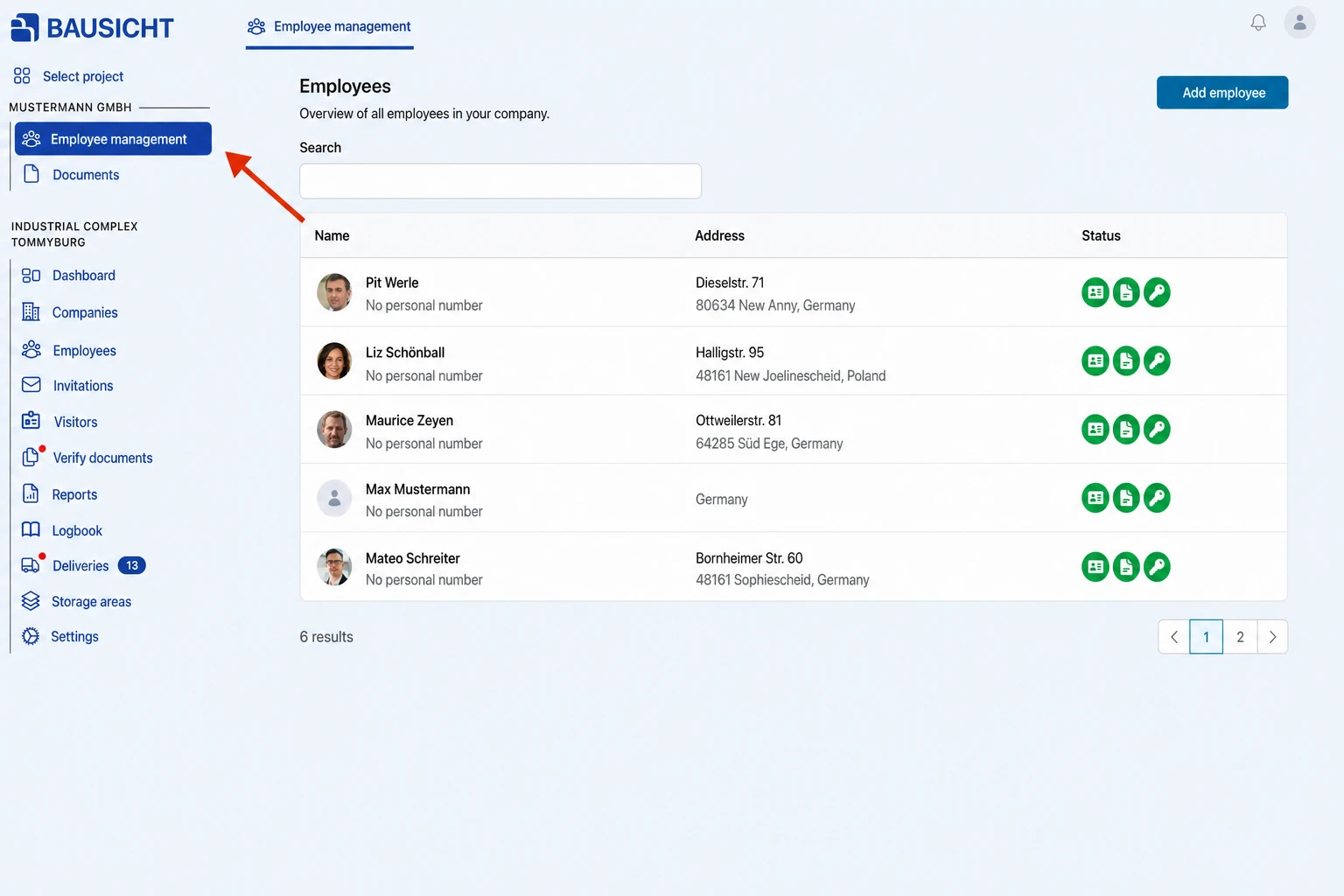
Step 1: Open Employee management in the left navigation:
Employee management is listed under your company name at the top of the left navigation. If there are no further items under the company name, clicking the company name opens employee management directly.
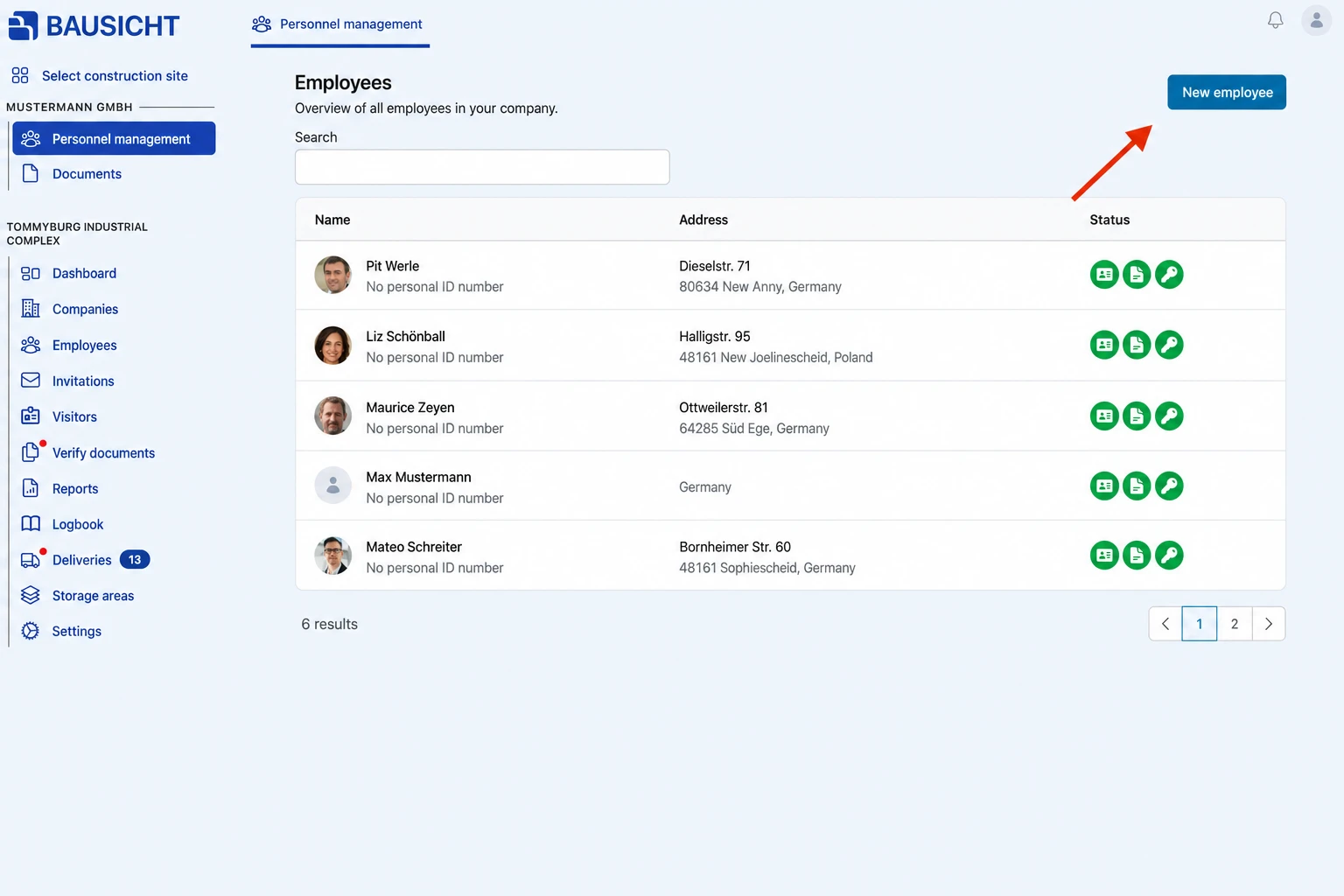
Step 2: Click New employee at the top right:
Step 3: Choose one of the options, create yourself or invite:
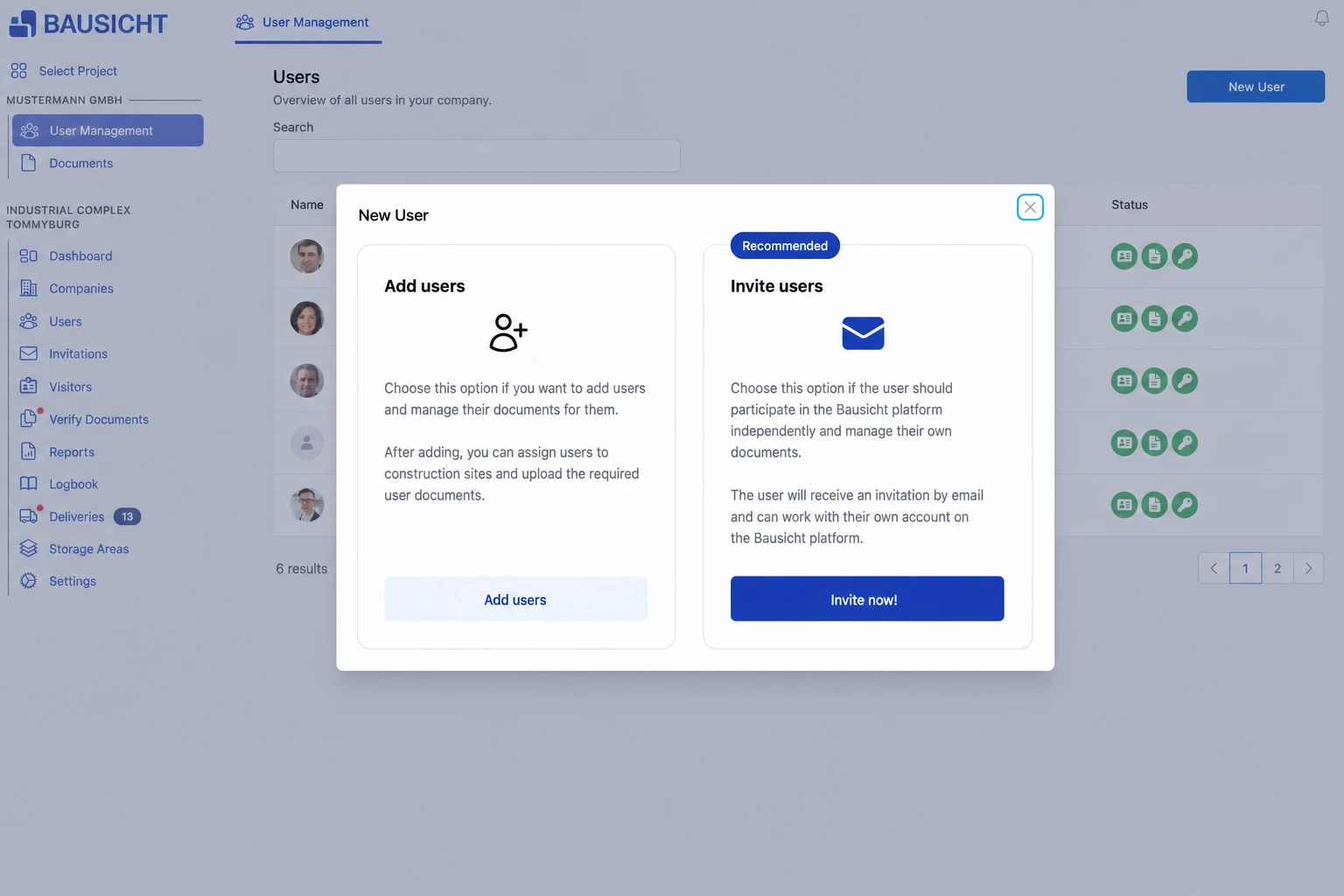
Option 1: Add employee
- Create the employee yourself and manage their documents; you can then assign them to construction sites
- Click “Add employee”
Option 2: Invite employee
- Send an invitation to the employee so they can register themselves on the Bausicht platform
- Click “Invite now!”
Identifying missing required information later
Construction sites determine which employee details are required. If Mandatory employee details is enabled under Settings → General → Status display on the relevant sites and you have the appropriate status permission, employee management marks missing information with a yellow-orange border around the profile picture. The tooltip lists the missing fields; Only with missing required information narrows the list to those entries.
For example, a missing-documents filter will not help find a missing required email address. If the marker is absent, ask the construction site administrator to check the status display and permissions if necessary. Changes to required fields can also affect existing employees; the marker alone does not block access.
Need further help?
If you need further assistance creating employees, our support team is happy to help.