
More articles and topics
How do I install Bausicht as an app on my smartphone?
- Before you start
- The app needs an internet connection to load current data.
- Where to find it
- app.bausicht.com in the smartphone browser → Add to Home Screen or Add page to → Home screen
- How to check the result
- Bausicht appears as an app icon on the home screen and can be opened from there.
On this page
Quick answer
Bausicht is a Progressive Web App (PWA). You install app.bausicht.com directly from your browser as an app on your home screen – no App Store or Google Play Store required.
The easiest way is inside Bausicht itself: tap your profile picture at the top right and select Bausicht as an app. On a smartphone, the button is also available on the login page. If your browser supports direct installation, its installation dialog opens right away. Otherwise, Bausicht shows the step-by-step guide for your browser.
The steps for each browser are also summarised below.
Instructions - Apple / iOS
Safari on the iPhone
Open app.bausicht.com in Safari.
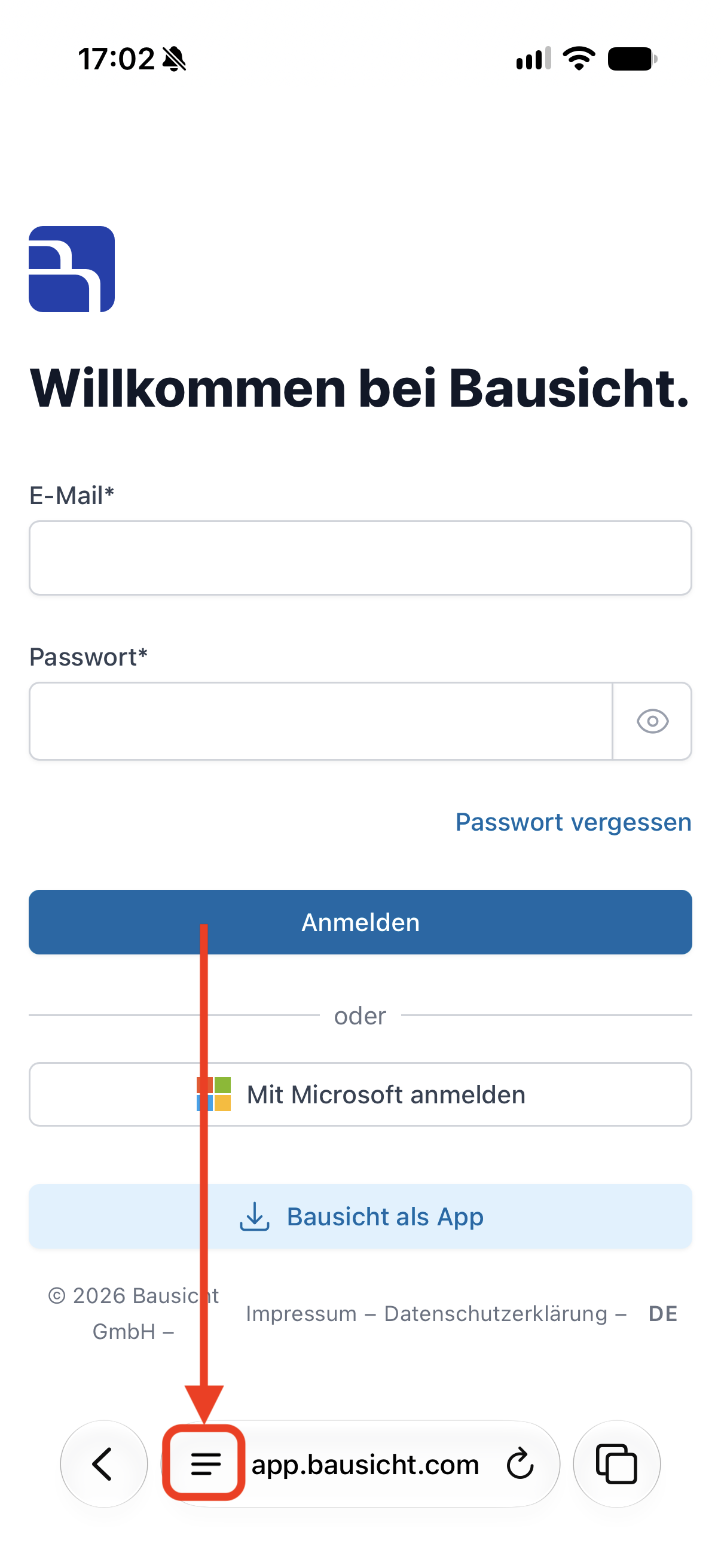
Tap the page menu on the left of the address bar.
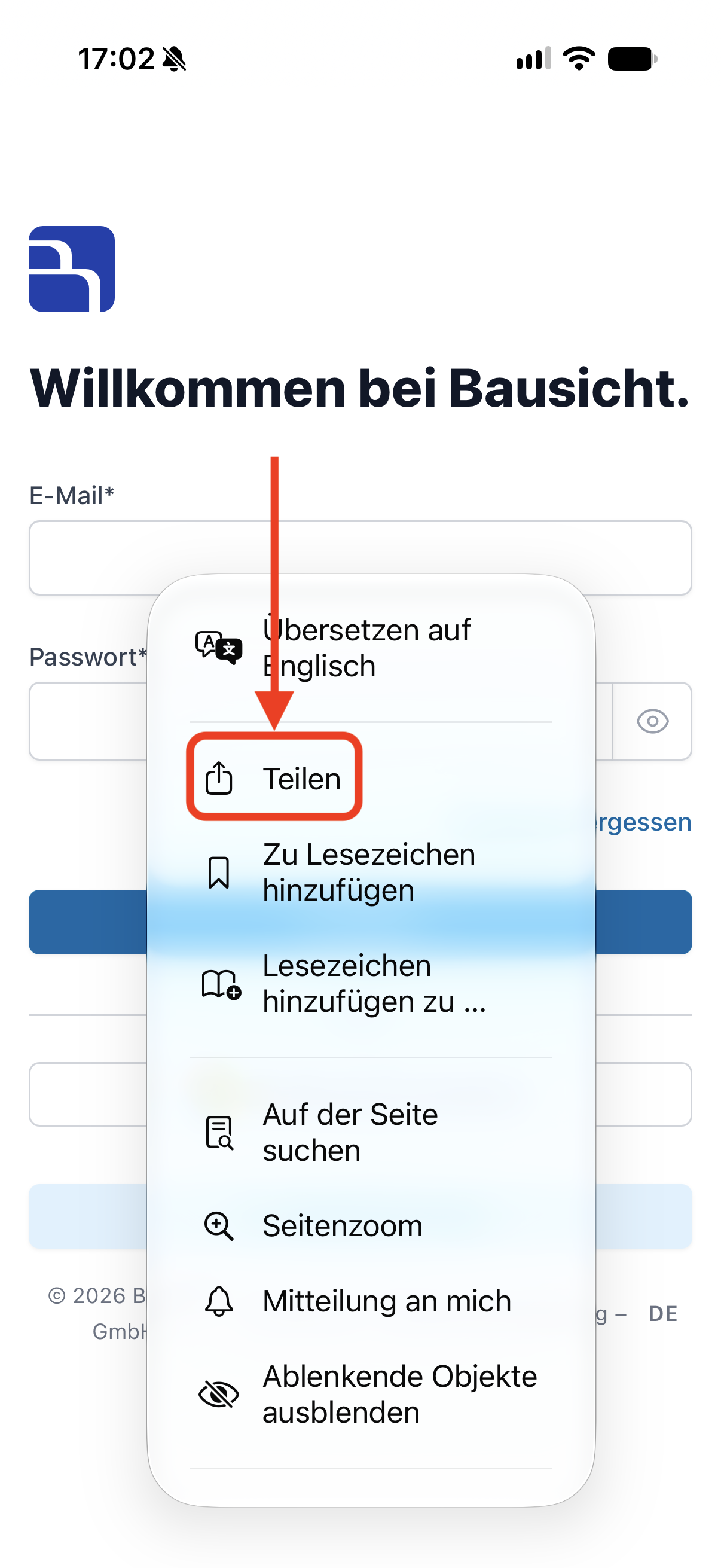
Tap “Share” (shown as “Teilen” in the screenshot). Depending on the iOS version and Safari layout, “Share” may also be directly in the toolbar.
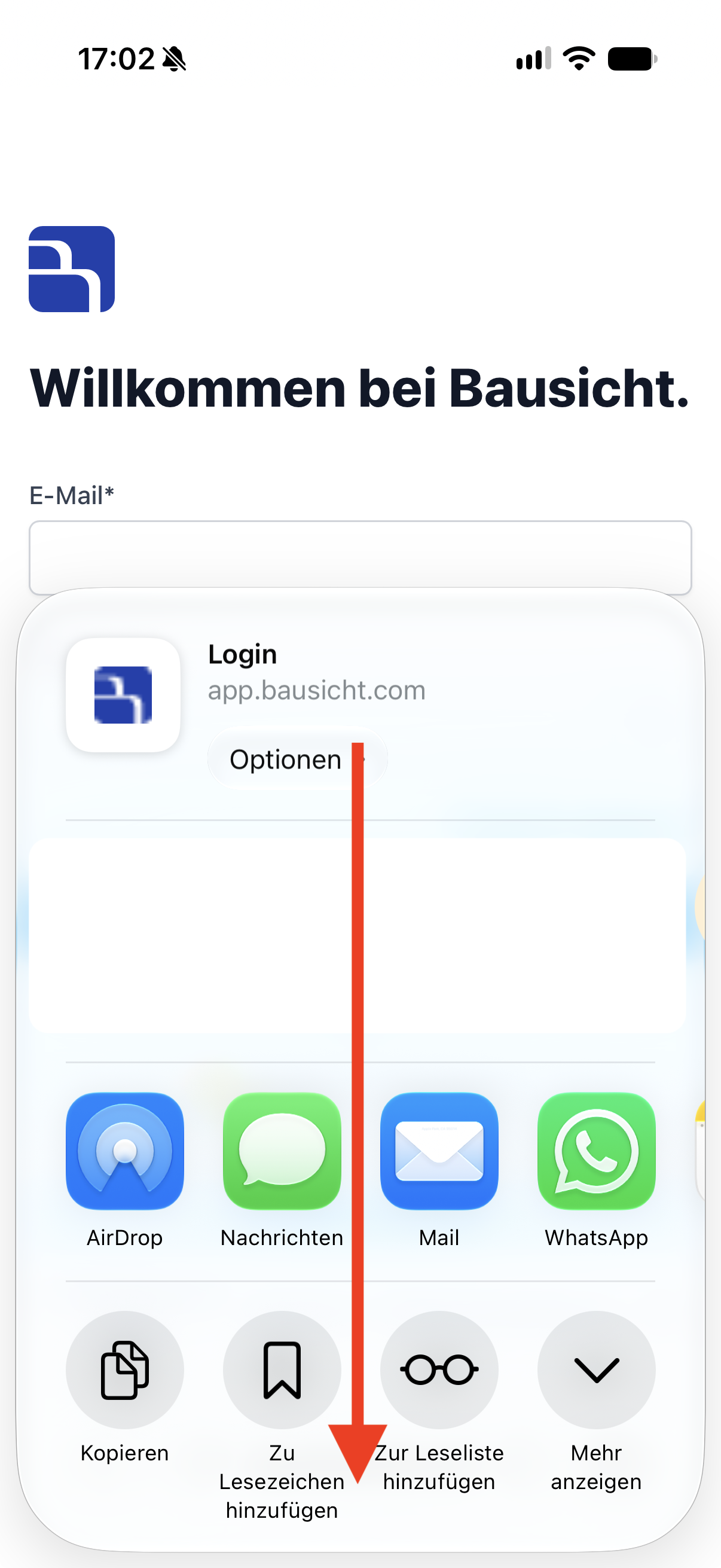
If needed, tap “View More” (“Mehr anzeigen”) in the share menu and scroll down to the additional options.
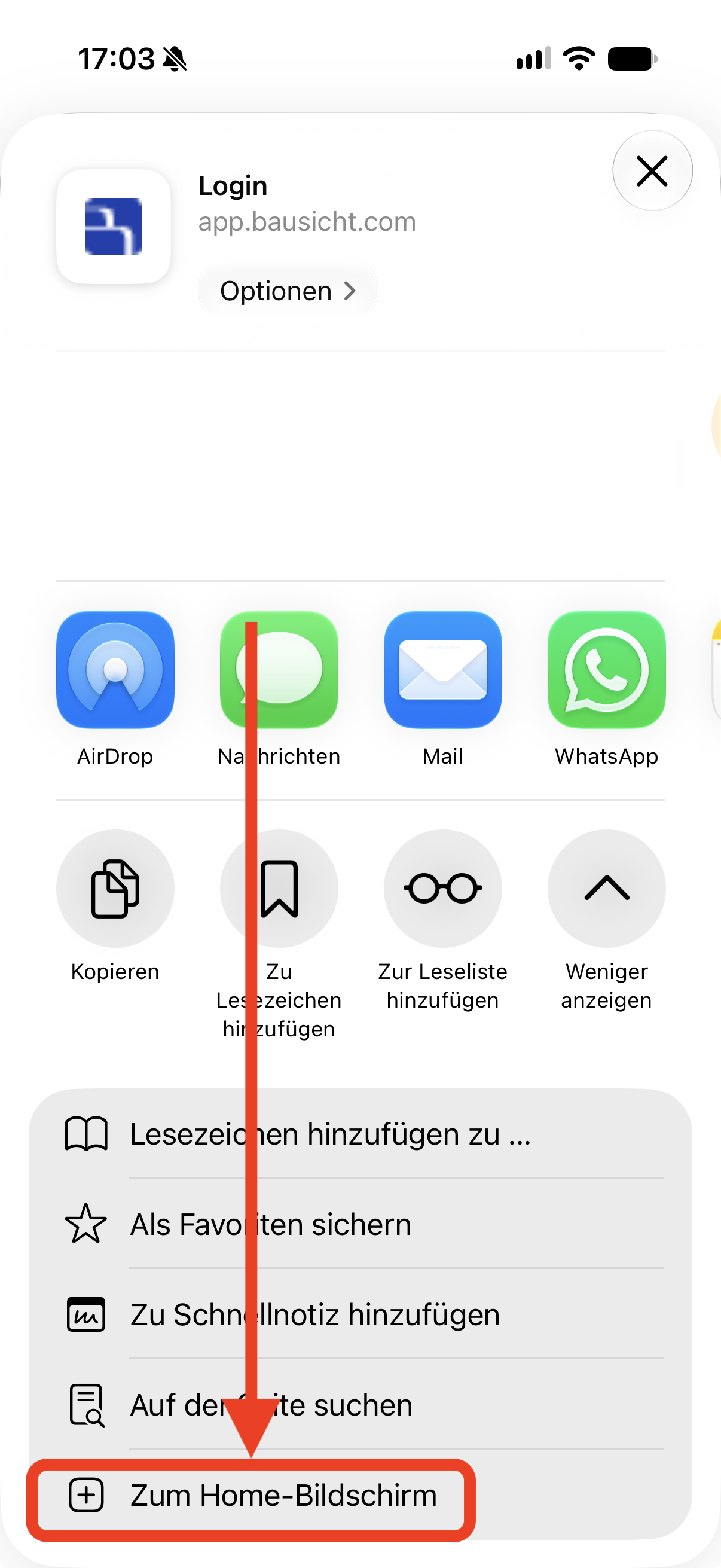
Select “Add to Home Screen” (“Zum Home-Bildschirm”).
Tap “Add”.
Safari on the iPad
- Tap the share icon in the Safari toolbar.
- Tap “View More” and select “Add to Home Screen”.
- Tap “Add”.
Chrome on iPhone and iPad
- Tap the share icon on the right of the Chrome address bar.
- Scroll down in the share menu and select “Add to Home Screen”.
- Tap “Add”.
Other browsers on iPhone and iPad
Open the browser menu, tap “Share”, select “Add to Home Screen” and tap “Add”.
You can then open Bausicht from the new icon on your home screen.
Instructions - Android
Chrome
- Open app.bausicht.com in Chrome.
- Tap the three dots "⋮" to the right of the address bar.
- Select “Install and create shortcut” and then “Install”.
- Confirm with “Install” in the browser dialog.
Samsung Internet
- Open app.bausicht.com in Samsung Internet.
- Tap the three horizontal lines "☰" in the toolbar.
- Select “Add page to” and then “Home screen”.
- Tap “Add”.
Firefox
- Open app.bausicht.com in Firefox.
- Tap the three dots "⋮" in the toolbar and then “More”.
- Select “Add app to Home screen”.
- Confirm in the Android dialog.
You can then open Bausicht from the new icon on your home screen or in the app overview.
On a computer
| Browser | Steps |
|---|---|
| Chrome | Click "⋮" at the top right → “Cast, save and share” → “Install page as app…” → “Install” |
| Microsoft Edge | Click "…" at the top right → “More tools” → “Apps” → “Install this site as an app” → “Install” |
| Safari on the Mac | Click “File” in the menu bar → “Add to Dock” → “Add” |
Frequently asked questions
Do I need an app store account?
No. Installation takes place directly in the browser – no App Store or Google Play Store required.
Does the app also work offline?
The app needs an internet connection to load current data. However, accessing it from the home screen makes launching faster.
Can I remove the app again?
Yes. On the iPhone, press and hold the app icon and select “Remove App”. On Android, press and hold the icon and drag it to “Uninstall”.
I can’t find the menu item described. What can I do?
Labels vary slightly depending on the browser version and language. Under Bausicht as an app you see the guide for the detected browser; use Select another browser or device to choose a different one. If Bausicht was opened from within another app, for example via a link in an email app, copy the address and open it in Safari or Chrome.
Need further help?
If you need further assistance installing the Bausicht app, our support team is happy to help.