
More articles and topics
How do I upload company documents?
- Before you start
- A document type and the file to upload
- Where to find it
- Under the user's company name → Documents → New document
- How to check the result
- The document is submitted for approval for the selected sites; it counts as valid only after approval.
On this page
Besides the documents of your employees, a construction site also requires documents about your company – certificates of good conduct, the trade licence or an exemption certificate, for example. You upload these company documents once and then share them with the relevant construction sites.
Quick answer
| Step | Description |
|---|---|
| 1 | Open My documents (under your company name or in the profile menu) |
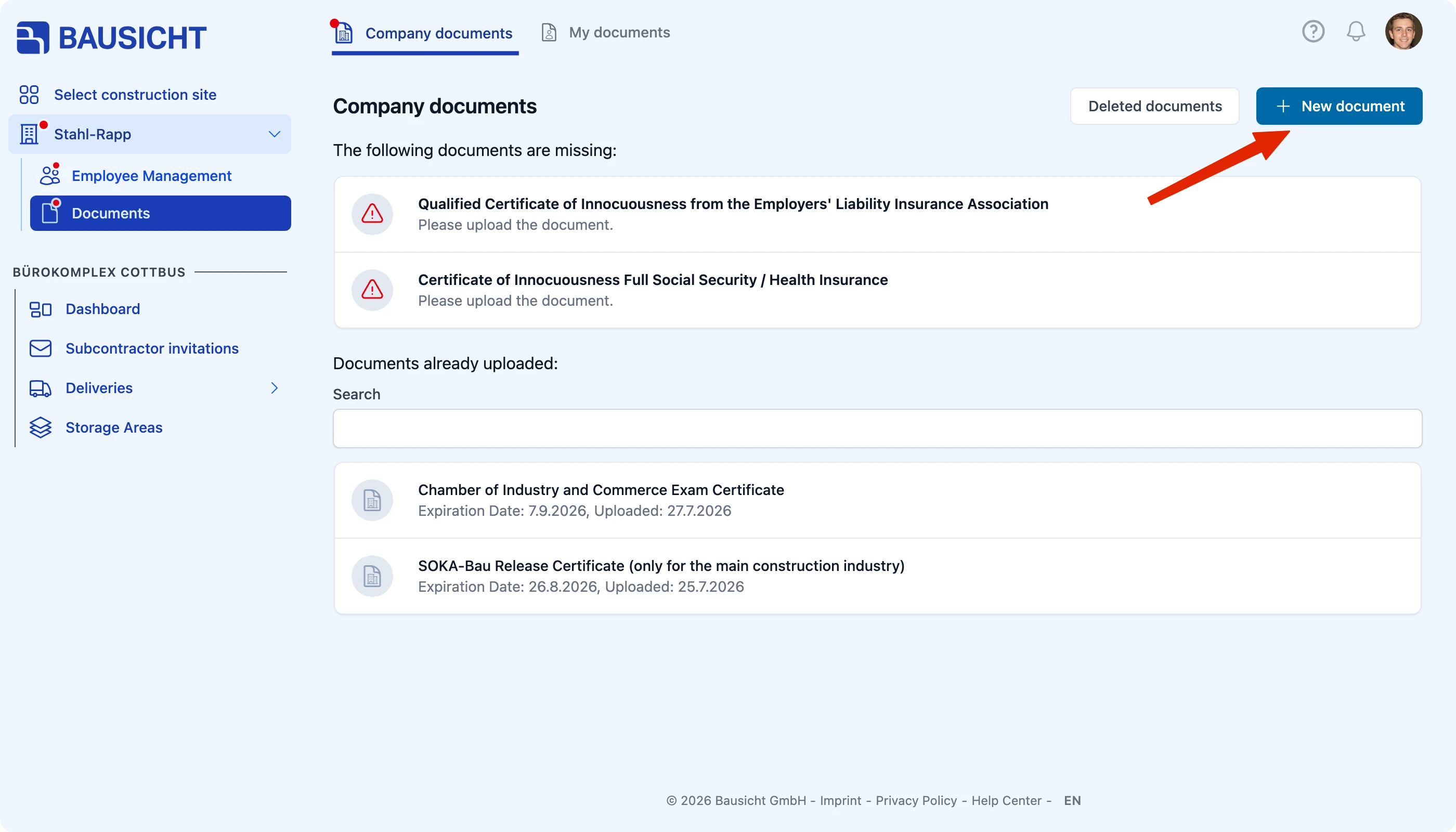
| 2 | Click New document at the top right |
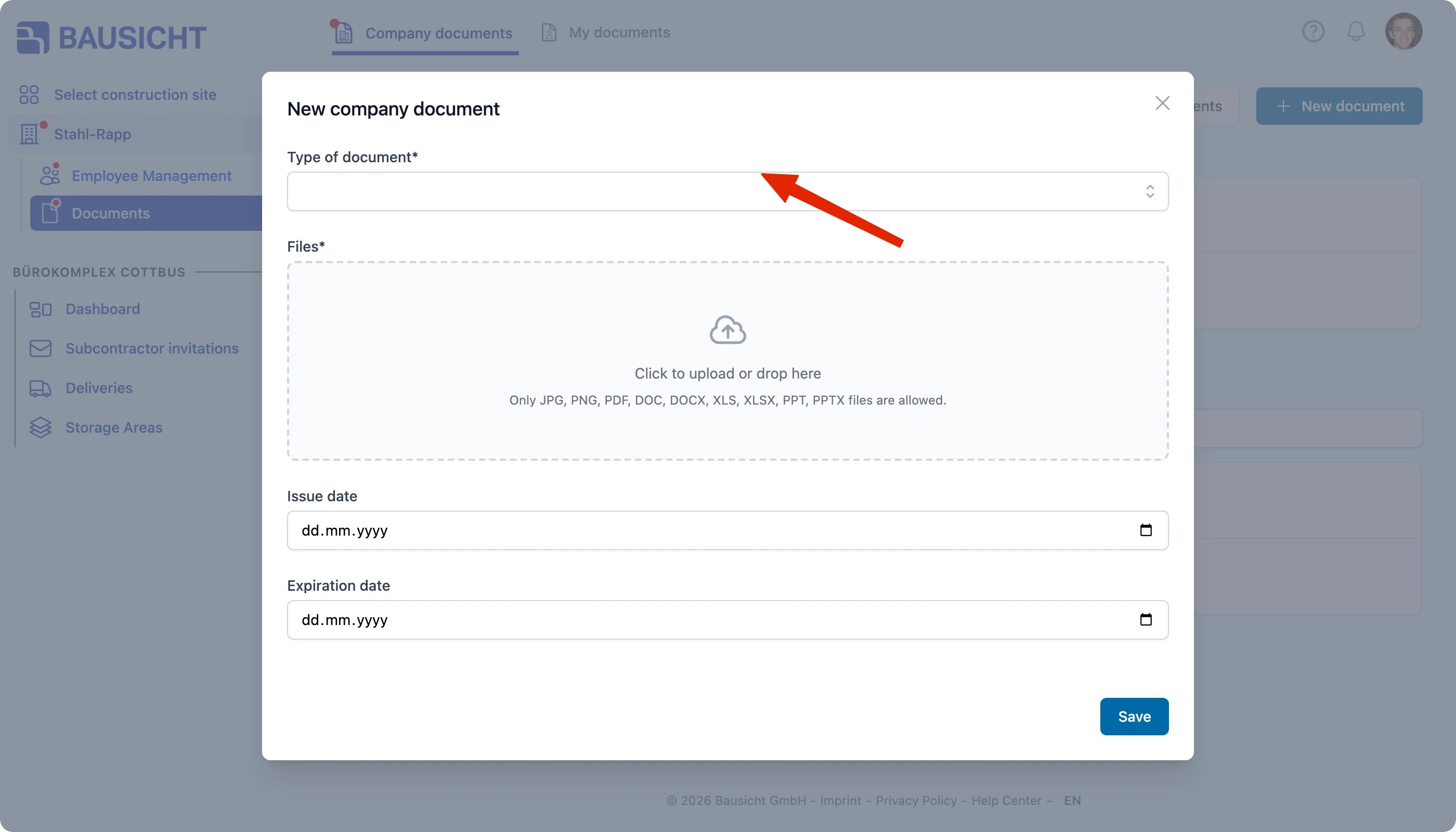
| 3 | Choose the Type of document, upload the file and enter the dates |
| 4 | Click Save and, if asked, select the construction sites to share the document with |
Step 1: Open the company documents
Your company name is shown at the top of the left navigation. My documents is listed underneath if you are allowed to share company documents with construction sites – otherwise open My documents via the profile menu (your picture at the top right). At the top of the page you switch between Company documents (documents of your company) and Personal documents (your personal records).
A note above the list tells you at any time whether your company documents are complete. Multiple documents of the same type are initially collapsed; use the arrow on the document row to expand the additional documents.
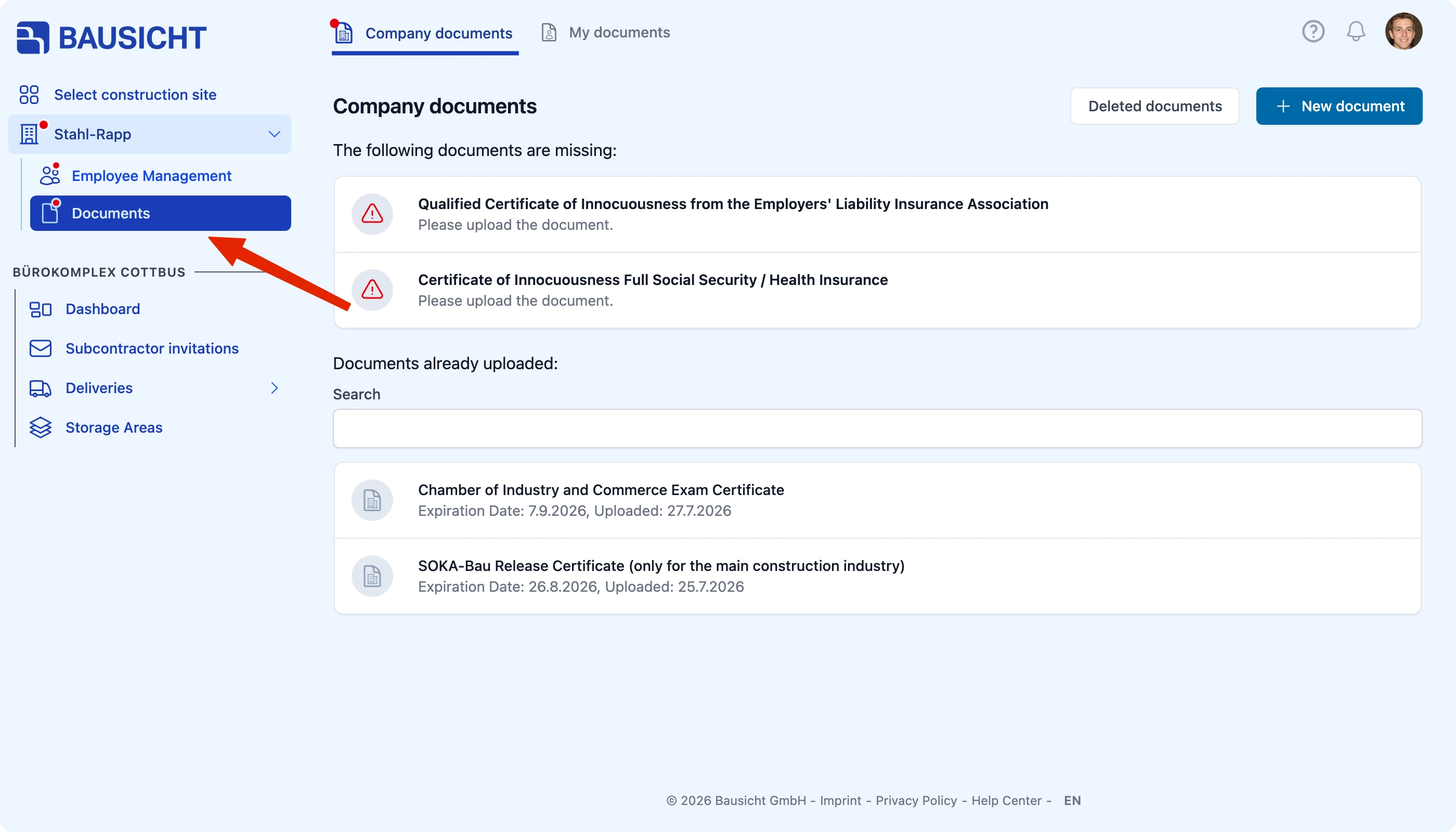
Step 2: Click “New document”
Step 3: Enter the document
| Field | Meaning |
|---|---|
| Type of document (required) | The document type, for example „Trade licence“ |
| Files (required) | Upload the file by clicking or drag & drop (JPG, PNG, PDF, DOC, DOCX, XLS, XLSX, PPT, PPTX) |
| Issue date | Date the document was issued |
| Expiry date | Date the document loses its validity |
If a construction site has provided a template for the selected document type, it appears directly in the dialog – depending on the template with Download template, Open external link or Sign digitally.
Step 4: Save and share with construction sites
Click Save. If only one construction site is eligible, the document is shared with it automatically. If several construction sites are eligible, the step With which construction sites do you want to share the uploaded document? follows – select the construction sites there and click Save again.

Important: Always enter the Expiry date correctly. Bausicht reminds you in good time before it expires – without a date you often notice an expired document only when your employees are standing at the turnstile.
What happens after uploading?
The document is submitted for approval. The administrator of the construction site reviews it and either approves or rejects it. It only counts as valid once approved.
Need further help?
If you need further assistance uploading documents, our support team is happy to help.