
More articles and topics
How do I upload employee documents?
- Before you start
- The file and the issue and expiry details requested in the dialog
- Where to find it
- Dashboard → employee with missing documents → Documents → missing document
- How to check the result
- The document is uploaded, shared with the construction site and submitted for approval; access still depends on all required approvals.
On this page
Quick answer:
| Step | Description |
|---|---|
| 1 | Open the Dashboard and select an employee with missing documents |
| 2 | Under the “Documents” tab, select a missing document |
| 3 | Upload the file via drag & drop and enter the issue and expiry dates |
| 4 | Click “Save” – the document is submitted for approval |
Video tutorial
Detailed instructions
Requirements
- You are registered as a subcontractor on the Bausicht platform
- You have created employees in your company
- You have the required documents available digitally (PDF, JPG, PNG or Word, Excel and PowerPoint files)

Important: Please make sure to enter the expiry date correctly so that you are notified in time about expiring documents.
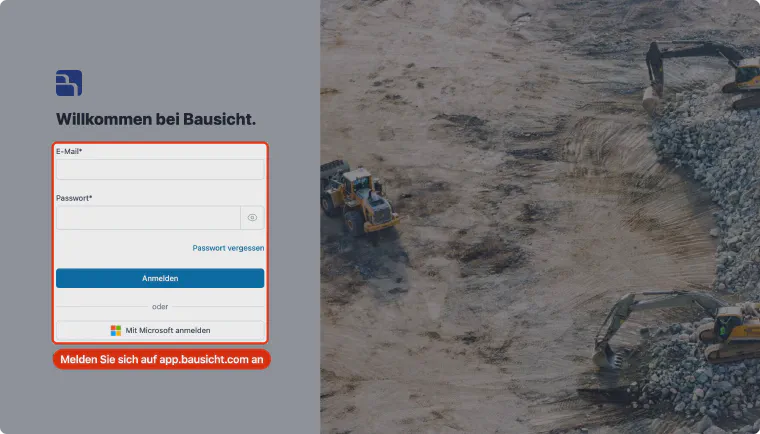
Step 1: Sign in to Bausicht
Open app.bausicht.com and sign in with your email address and password.
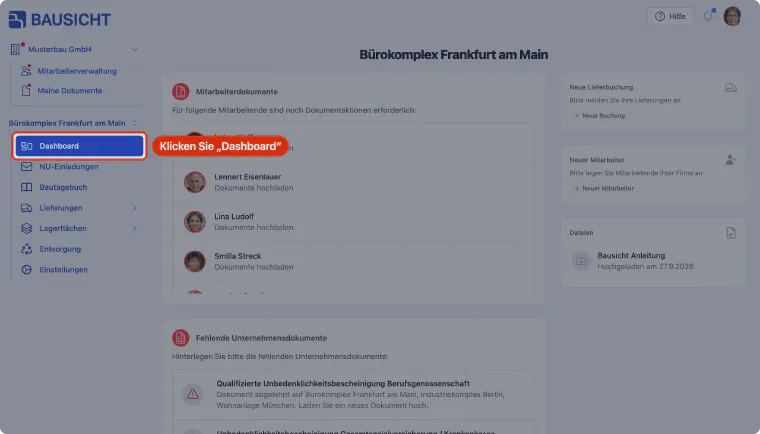
Step 2: Open the Dashboard
Click Dashboard in the left navigation to open the construction site overview.
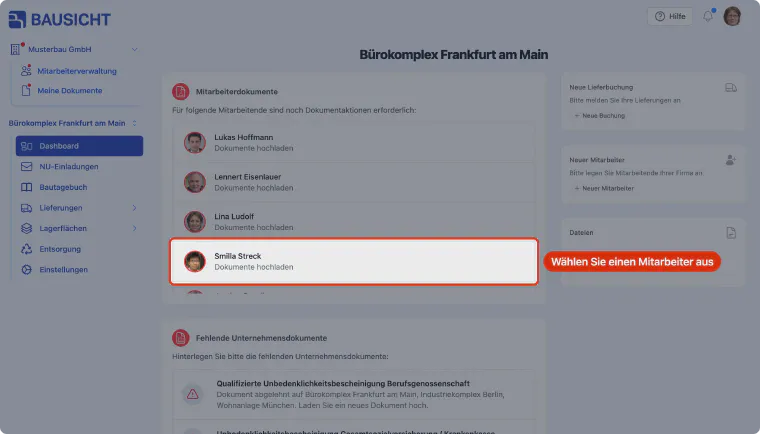
Step 3: Select an employee
The "Employee documents" card shows the employees for whom documents are still missing. Select a person to upload documents for them.
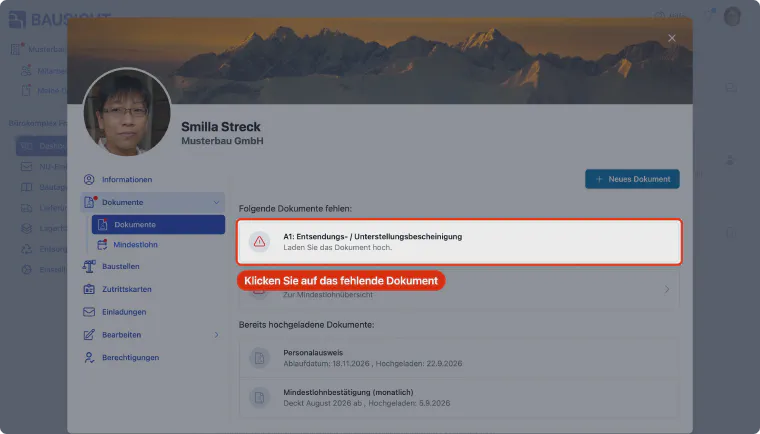
Step 4: Select a missing document
Under the "Documents" tab, the missing documents are listed at the top under "The following documents are missing". Select one of them to upload it.
Step 5: Select the file
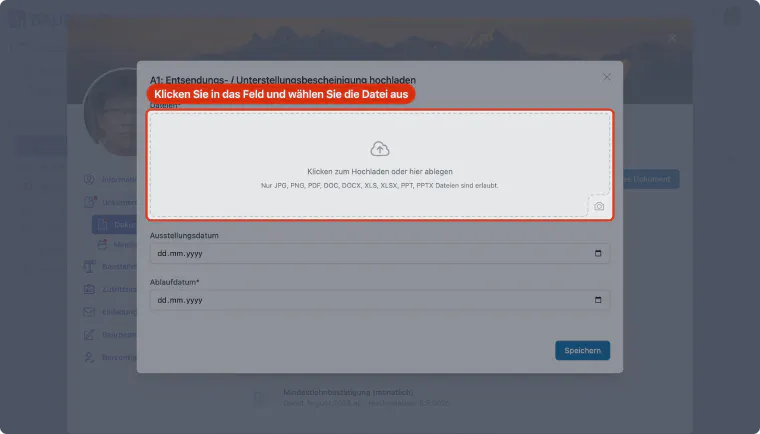
In the upload dialog, click "Click to upload or drop here" and choose the file you want to upload in your file explorer.
Step 6: Alternatively: drag and drop the file
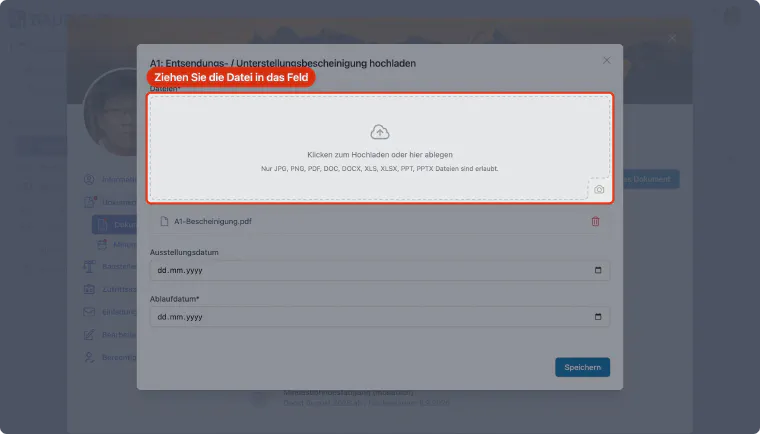
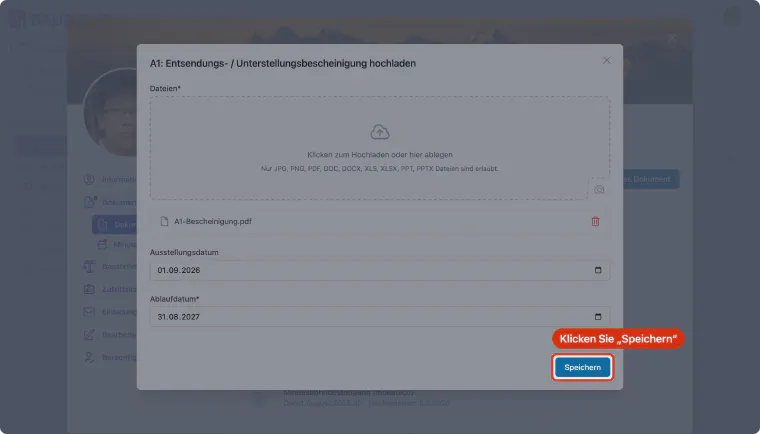
Alternatively, you can drag the file into the "Click to upload or drop here" field. The selected file appears below the field. JPG, PNG, PDF as well as Word, Excel and PowerPoint files are allowed.
Step 7: Enter the issue date
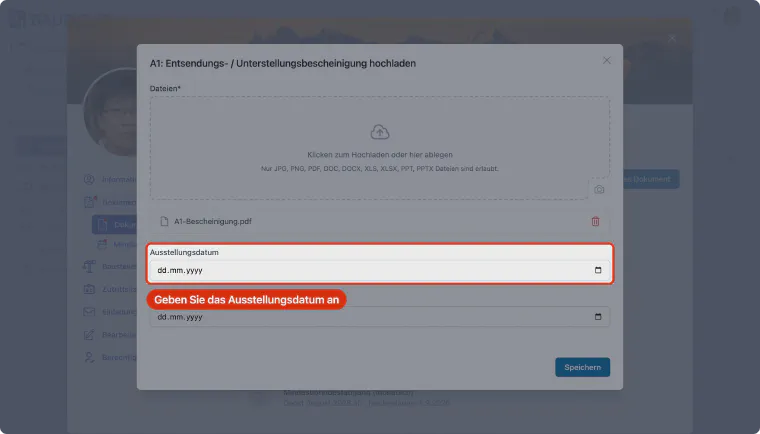
Enter the document's issue date.
Step 8: Enter the expiry date
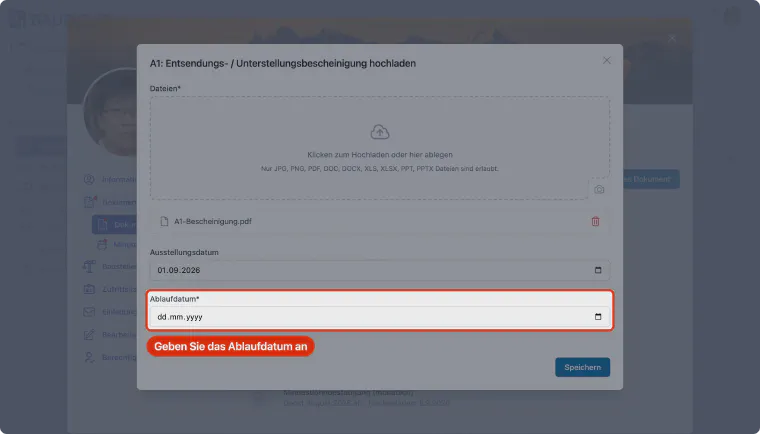
Enter the document's expiry date. Please make sure to enter the expiry date correctly.
Step 9: Save the document
Click "Save" to upload the document.
Step 10: Review by an administrator
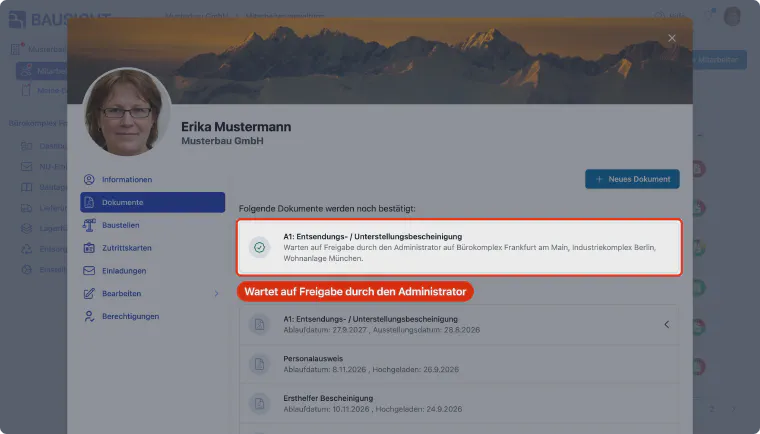
The document has been uploaded and shared with the construction site. Until it is approved, it is listed under the "Documents" tab under "The following documents are yet to be confirmed". An administrator receives an email notification and can approve the document.
To upload a document that is not in the list of missing documents, use Employee management: open the person, go to the Documents tab and click New document.
After saving a qualification document, Complete employee details may appear. Review the suggested details and select Add or Do not add. Confirmed details apply to the employee on all construction sites.
Result
Related articles
Here you will find more helpful guides for subcontractors:
| Topic | Description |
|---|---|
| How do I create employees? | Learn how to create or invite new employees in Bausicht |
| How do I register deliveries? | Guide to registering deliveries and transports |
| My invitation never arrived | Help if the invitation email does not arrive |
Tip: Visit our getting started tutorials for a guided introduction to all key features.
Need further help?
If you need further assistance uploading documents, our support team is happy to help.